.png?width=180&height=32&name=NW%20Logo%20(2).png)
Issue
There are different causes when UI issues happen on Event Reconstruction such as wrong filename/filetype/meta information.Even though the UI outputs are the same, the root cause might be different.
Resolution
Here are two approaches.- Look up the pcap - In order to check if it's a single-sided session which only has either Request or Response for HTTP sessions. In this case, we need to check filtering rules in SA(BPF, Network, App) or if there's any filtering component in front of SA.
- Compare SA UI and Rest View
- If the results are the same, it might be related to Core issue. It's because Core appliances returned incorrect value to UI so that UI displayed the value. Please open a JIRA case and assign a Core CE
- If the results are different, it might be related to UI issue, It's because Core appliances returned proper value to UI however, UI displayed the value incorrectly. Please open a JIRA case and assign a UI CE
Notes
How to Compare:- SA UI
- Open Event Reconstruction UI and move to specific menu.
- Rest View
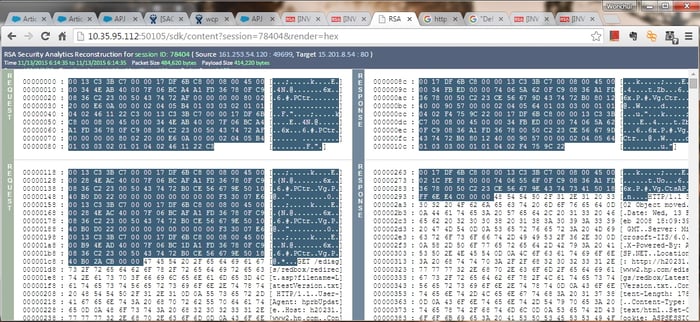
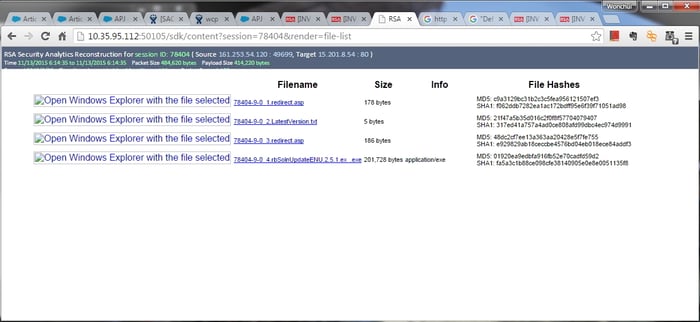
- http://broker_ip:50103/sdk/content?session=[sessionid]&render=[meta|text|hex|packets|web|mail|file-list|files]
- http://concentrator_ip:50105/sdk/content?session=[sessionid]&render=[meta|text|hex|packets|web|mail|file-list|files]
- Please remember sessionid for Broker and session id for Concentrator are not the same for a session.
- Meta

- Text

- Hex
- Packets

- Web

- File List
- NwConsole
- In case customer has blocked the Rest View port due to security concerns, you can use NwConsole instead.
Once you run the following commands, you can download the output html files to local laptop. Then open it up with Web browser. As we don't have SA CSS, the output looks different but the content is exactly the same. - e.g. Please create output directories first.
# NwConsole -c sdk open nw://admin:netwitness@localhost:50005 -c sdk output /root/test/meta -c sdk content session=78404 render=meta
# NwConsole -c sdk open nw://admin:netwitness@localhost:50005 -c sdk output /root/test/text -c sdk content session=78404 render=text
# NwConsole -c sdk open nw://admin:netwitness@localhost:50005 -c sdk output /root/test/hex -c sdk content session=78404 render=hex
# NwConsole -c sdk open nw://admin:netwitness@localhost:50005 -c sdk output /root/test/packets -c sdk content session=78404 render=packets
# NwConsole -c sdk open nw://admin:netwitness@localhost:50005 -c sdk output /root/test/web -c sdk content session=78404 render=web
# NwConsole -c sdk open nw://admin:netwitness@localhost:50005 -c sdk output /root/test/file-list -c sdk content session=78404 render=file-list
# NwConsole -c sdk open nw://admin:netwitness@localhost:50005 -c sdk output /root/test/mail -c sdk content session=78404 render=mail
- In case customer has blocked the Rest View port due to security concerns, you can use NwConsole instead.
Product Details
RSA Product Set: Security AnalyticsRSA Product/Service Type: SA Core Appliance, SA UI
RSA Version/Condition: 10.3, 10.4, 10.5
Platform: CentOS
O/S Version: 6
Approval Reviewer Queue
ASOC Approval Group