.png?width=180&height=32&name=NW%20Logo%20(2).png)
Issue
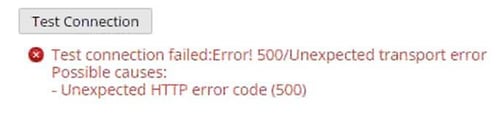
While integrating the Windows Event Source, The Test connection in ADMIN/Administration -> Services -> Log Collector -> View -> Config -> Event Sources -> Windows/Config page fails with the error below.
Test connection failed:Error! 500/Unexpected transport error
Possible causes:
- Unexpected HTTP error code (500)
Possible causes:
- Unexpected HTTP error code (500)
Cause
This integration process fails due to disabled local windows firewall in Windows server.
Resolution
Follow the steps below to resolve the error.- RDP to the Windows Event source and verify the local Windows Firewall is started.
- Open Command prompt as Administrator and type the commands below in sequence.
winrm set winrm/config/service @{AllowUnencrypted="true"}
winrm e winrm/config/listener
winrm quickconfig
winrm set winrm/config/client @{AllowUnencrypted="true"}
winrm set winrm/config/service @{AllowUnencrypted="true"} - Stop the Local Windows Firewall in Windows Server.
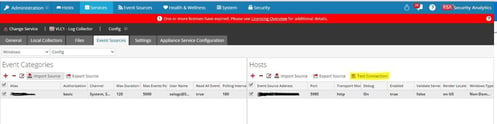
- Login to the Security Analytics UI and Navigate to ADMIN/Administration -> Services -> Log Collector -> View -> Config -> Event Sources -> Windows/Config page to test the connection for Event Source.
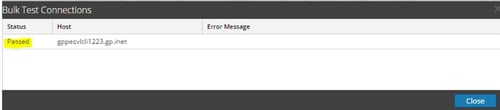
The result will appear as shown below.
Product Details
RSA Product Set: Security AnalyticsRSA Product/Service Type: Log Collector
RSA Version/Condition: 10.6.x, 11.x
Summary
Windows Event Source integration fails due to disabled local windows firewall while doing WinRM configuration.
Approval Reviewer Queue
RSA NetWitness Suite Approval Queue