
Here's the steps you'll need to follow to initiate a fork of the RSA NetWitness Log Parsers Repository
- Create GitHub account for free
- Locate the RSA NetWitness project
- Locate the log-parsers project
- Create a fork (your copy of the full repo) from the link on top right corner of page https://github.com/netwitness/nwlogparsers
- This will create your own copy of the repository on github eg. https://github.com/yourusername/nw-logparsers
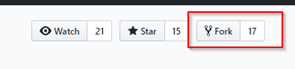
- This will create your own copy of the repository on github eg. https://github.com/yourusername/nw-logparsers
- Create a new branch in your repo for your work and add your new parser work under community folder

- Each new parser should be kept in a new folder with its name
- only add the parser.xml file (not zip or .envision file)
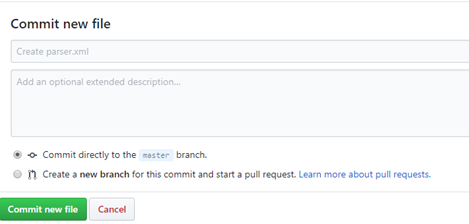
- Create a new folder for your parser by clicking new file button, when the box shows up add the folder name then a slash and then the file name (this creates a folder for your file which isn’t obvious from the UI)


- Copy and paste the text of your parser into the editor
- Only include the .xml and .ini file and nothing else (no .envision or .zip)
- Add data to the Commit description at the bottom and click commit new file
- Raise a pull request to merge your changes to the RSA NetWitness repo
- Open your repo page on github.com
- Click create pull request
- Name the pull request
- Request will go to the RSA content team for review and merging into the parser(s)
How to Update your forked log-parsers repository to get latest version
- Log into your github account
- Locate the forked nw-logparsers repository in your account

- Click on compare (right side)

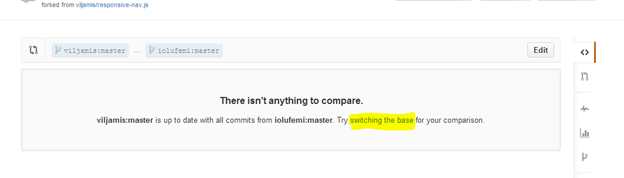
You will get a notification like this if it’s the first time for comparing
There isn't anything to compare.
someone:master is up to date with all commits from me:master. Try switching the base for your comparison.
Click on switching the base
Or you will see this if you have compared before:
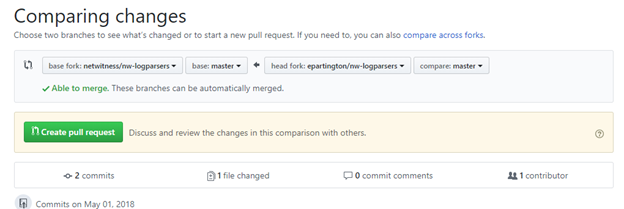
*** important ***
Github defaults to sync your changes to the upstream fork, in this case we want the opposite.
Chagne the base fork (left option) to be your fork (not the netwitness/nw-logparsers)
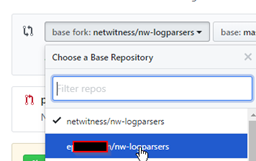
Now you will see a different comparing changes screen and a note about comparing the same two things:
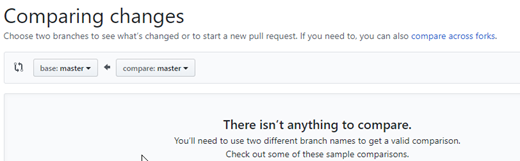
Click the compare across forks:


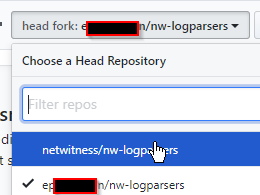
Click the head fork and change to the netwitness/ fork:
Now you see the commits since the repository was forked:
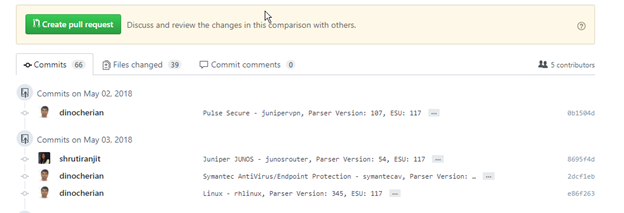
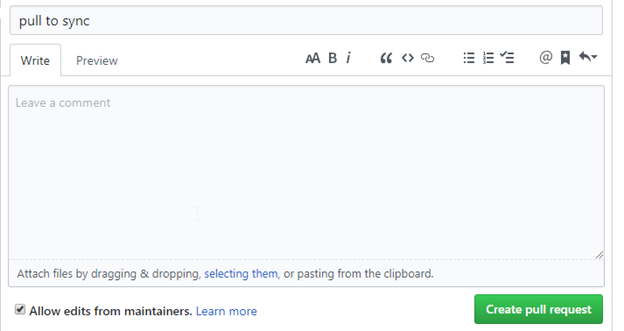
Click on Create pull request:

Give it a title and if required a description
On the next page click Create pull request

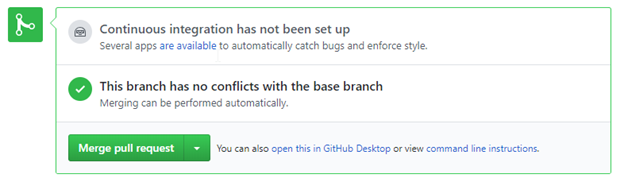
Click confirm merge:
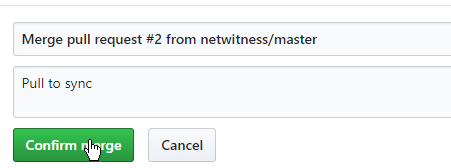
Your copy of the RSA Netwitness nw-logparsers repo is now updated

You can review the latest code and also submit new parsers or updates to your already submitted parsers using the above process.
The resource I used which helped me along with this was the following very helpful GitHub link: