
We are excited to announce the release of the new RSA OSINT Indicator feed, powered by ThreatConnect!
What is it?
There are two new feeds that have been introduced to RSA Live, built on Open Source Intelligence (OSINT) that has been curated and scored by our partners at ThreatConnect:
- RSA OSINT IP Threat Intel Feed, including Tor Exit Nodes
- RSA OSINT Non-IP Threat Intel Feed, which includes indicators of types:
- Email Address
- URLs
- Hostnames
- File Hashes
These feeds are automatically aggregated, de-duplicated, aged and scored with ThreatConnect's ThreatAssess score. ThreatAssess is a metric combining both the severity and confidence of an indicator, giving analysts a simple indication of the potential impact when a matching indicator is observed. Higher ThreatAssess scores mean higher potential impact. The range is 0-1000, with RSA opting to focus on the highest fidelity indicators with scores 500 or greater (as of the 11.5 release - subject to change as needed)
Note: The frequency of feed change is every day at 10 AM IST.
Who gets it?
These feeds are included for any customer, with any combination of RSA NetWitness Logs, RSA NetWitness Packets, or RSA NetWitness Endpoint under active maintenance at no charge. The feed will work on any version of RSA NetWitness, but please see the How do I deploy it? section for notes on version-specific considerations.
How do I deploy it?
These feeds will show up in RSA Live as follows:

To deploy and/or subscribe to the feed, please take a look at the detailed instructions here: Live: Manage Live Resources
11.4 and earlier customers will want to add a new ioc.score meta key to their Concentrator(s) in order to be able to query and take advantage of the ThreatAssess score of any matched indicator. Please see How to add custom meta keys in RSA NetWitness Platform for details on how to do this. Please note that this meta key should be of type Uint16 - inside the index file, the definition should look similar to this:

11.5 and greater customers do not need to add this key, as it's already included by default.
How do I use it?
Once the feeds are deployed, any events or sessions with matching indicators will be enriched with two additional meta values, ioc and ioc.score. These values are available for use in all search, investigation, and reporting use cases assuming those keys have been enabled.
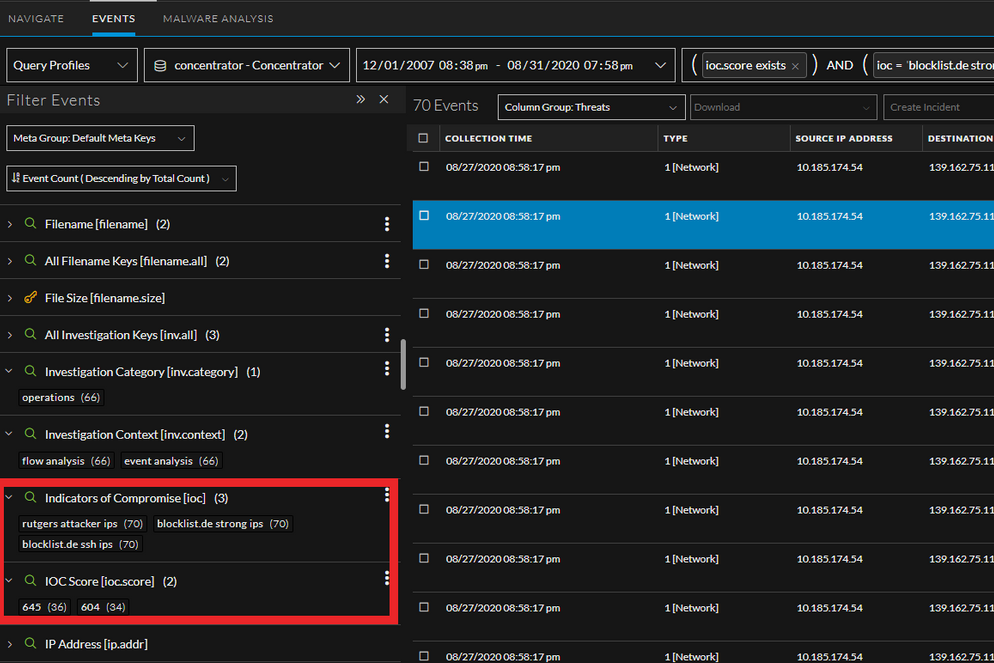
eg. Events filter view
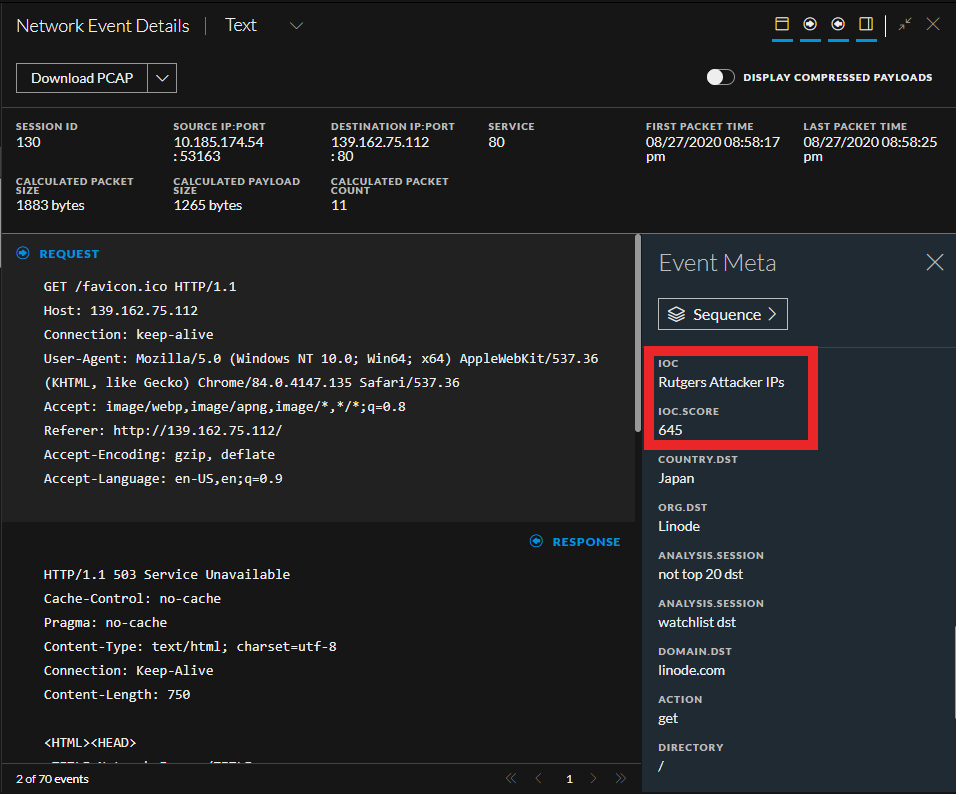
eg. Event reconstruction view
What happens to the "RSA FirstWatch" and Tor Exit Node feeds?
If you are running these new feeds, you do not need to run the existing RSA FirstWatch & Tor Exit Node feeds in parallel as they are highly redundant and tend to be less informative when matches occur. At some point in the near future once we believe impact will be minimal, we will officially deprecate the RSA FirstWatch & Standalone Tor Exit Node feeds.