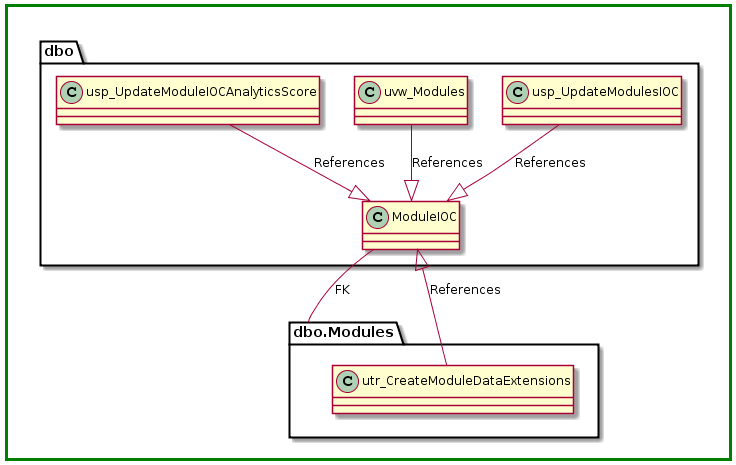
I came across this article (https://www.simple-talk.com/sql/sql-tools/automatically-creating-uml-database-diagrams-for-sql-server/) that shows how to easily create UML diagrams of database objects. In a nutshell here is how it works…
In the SQL Management Studio go to Tools -> Options -> Query Results -> SQL Server -> Results to Text and change the “Maximum number of characters displayed in each column” value to 8192. Then open a new query and click the “Results to Text” button.
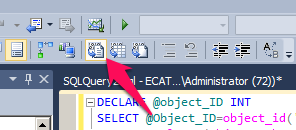
Next, run this query with the object you want to diagram. In the example below I used moduleioc:
DECLARE @object_ID INT
SELECT @Object_ID=object_id('moduleioc')
SELECT coalesce(object_schema_name(referencing_ID)+'.','')
+ object_name(referencing_ID) +' --|> '
+ referenced_schema_name+'.'+Referenced_Entity_name
+ ':References'
--AS reference
FROM sys.sql_expression_dependencies
WHERE (referencing_id =@object_ID
OR referenced_ID = @object_ID)
AND is_schema_bound_reference =0
and referenced_ID is not null
UNION ALL
SELECT coalesce(object_schema_name(parent_object_ID)+'.','')
+ object_name(parent_object_ID) + ' --|> '
+ coalesce(object_schema_name(referenced_object_ID)+'.','')
+ object_name(referenced_object_ID)+':FK'
FROM sys.foreign_keys
WHERE parent_object_ID = @object_ID
OR referenced_object_ID = @object_ID
You should the see something similar to this:
Copy all eight lines and paste them into the top box on this site between the @startuml and the @enduml. Before running remove all of the NULLs:
http://plantuml.com/plantuml/uml/SyfFKj2rKt3CoKnELR1Io4ZDoSa70000
The resultant diagram looks like this: