
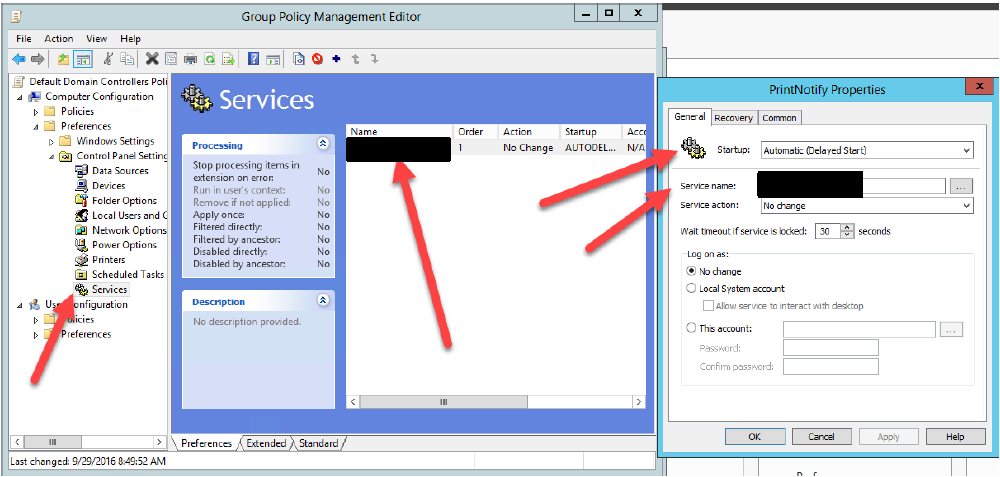
Use case: Change agent endpoint settings from auto start to delayed start. There are many other use cases for this operation. This applies to managing many agents in the environment.
Spoiler:
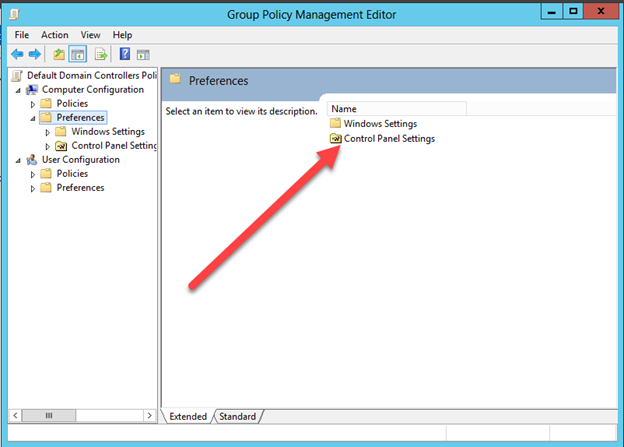
Group policy management --> Policy --> Edit --> Computer Configuration --> Preferences
Windows settings --> Registry
or
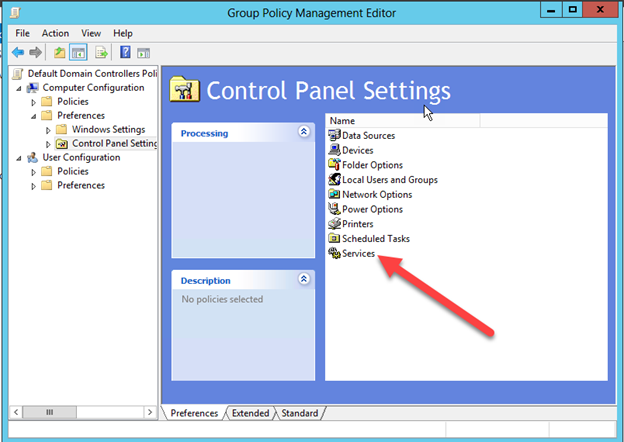
Control Panel Settings --> Services
- On the domain controller open Group Policy Management
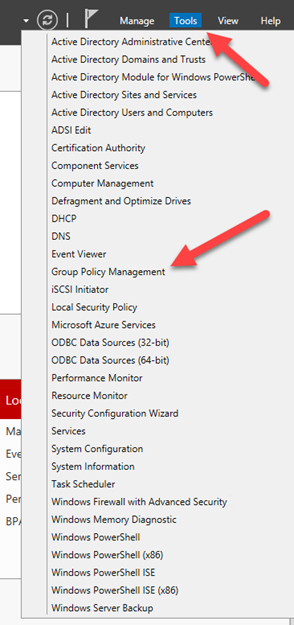
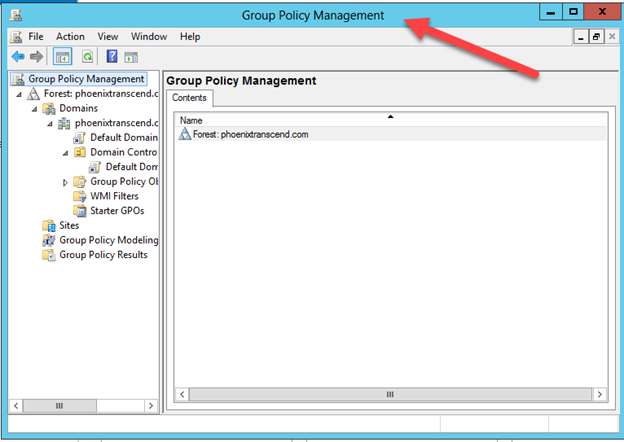
2. Open the policy that will update the settings
3. Select Edit
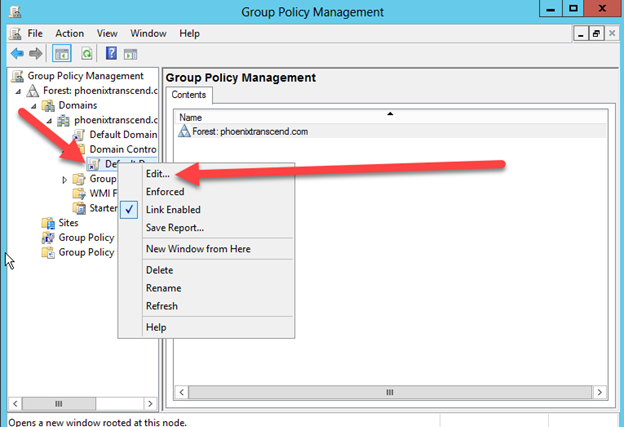
4. Choose computer configuration
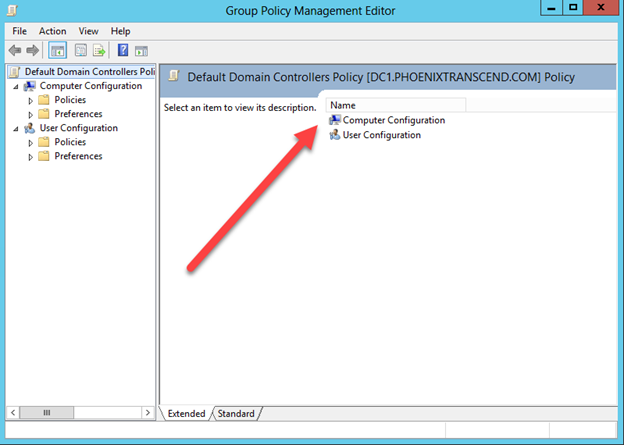
5. Open Preferences
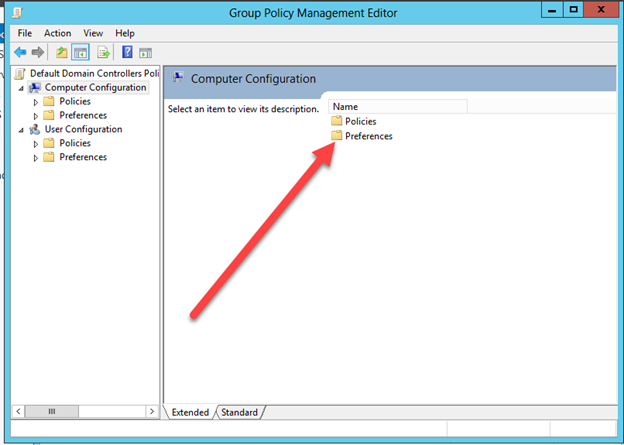
6. Open Windows Settings
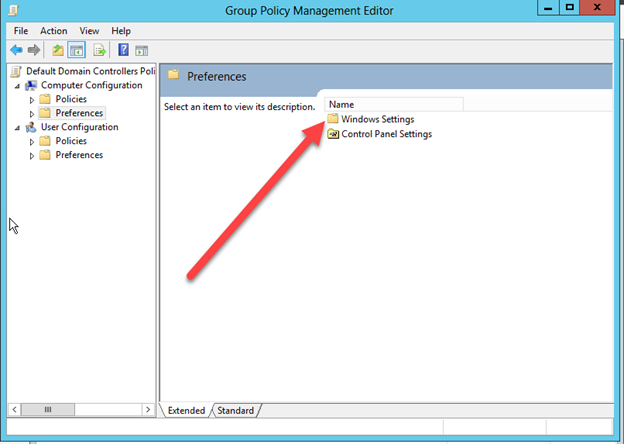
7. To modify registry
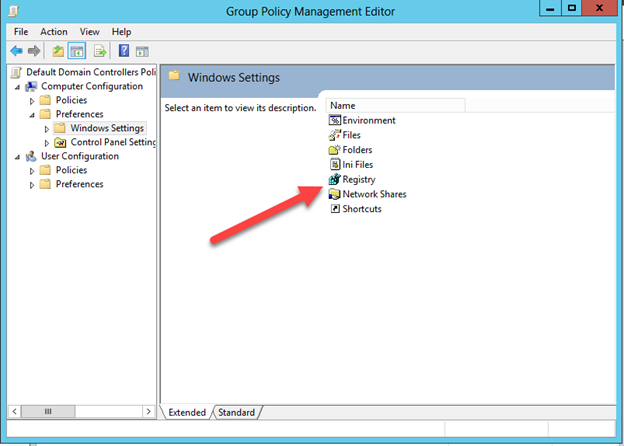
8. Create a new Registry Entry
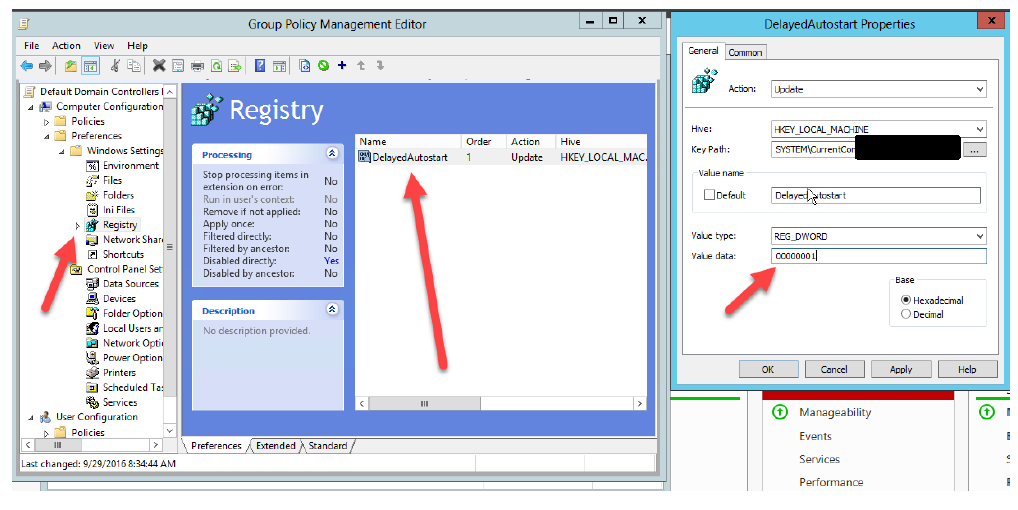
9. To modify the services
10. Open the Control Panel Settings
11. Services
12. Configure the service
13. Test and check your work by forcing the gpo update.
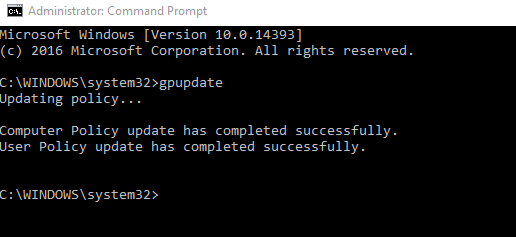
14. Validate the changes.

Please let me know if there are any questions and be sure to reply to this thread with any other use cases that this may be used for.