
- Overview
- Zip File Contents*
- Concentrator
- Log Decoder
- Reports
- Investigate
- Prerequisites
- Configuration Changes Summary
- Log Decoder
- Log Parser Modification
- Log Decoder Custom Index Entries
- Log Decoder Table Map Entries
- Retention Log Script Log Forwarding
- Concentrator
- Concentrator Index Modification
- Reporting Engine
- Custom Retention Reports
- Investigation
- Custom Metakey Group
- Detailed Installation Instructions
- Log Decoder
- Log Parser Installation from RSA Live
- CEF Customization File
- Verify CEF Parser is enabled
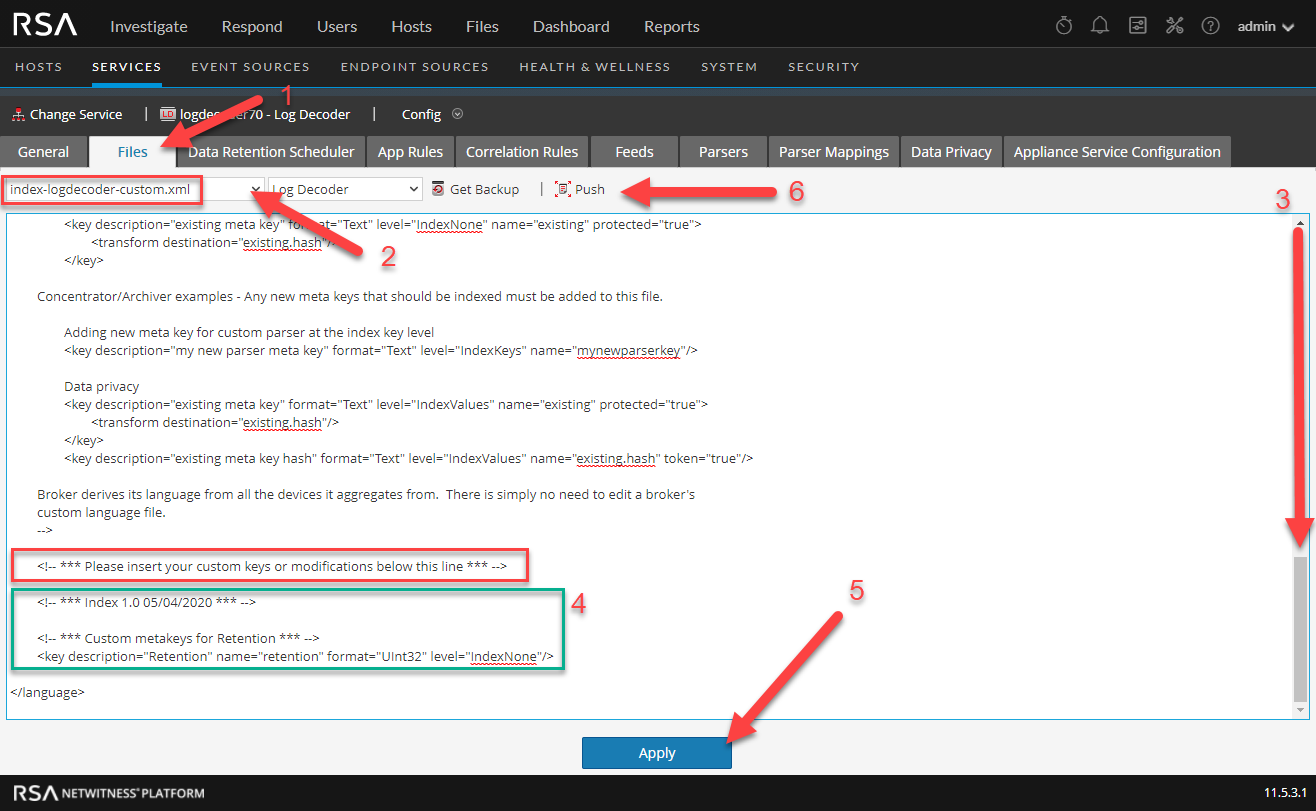
- Add Custom Entries Log Decoder Custom Index File
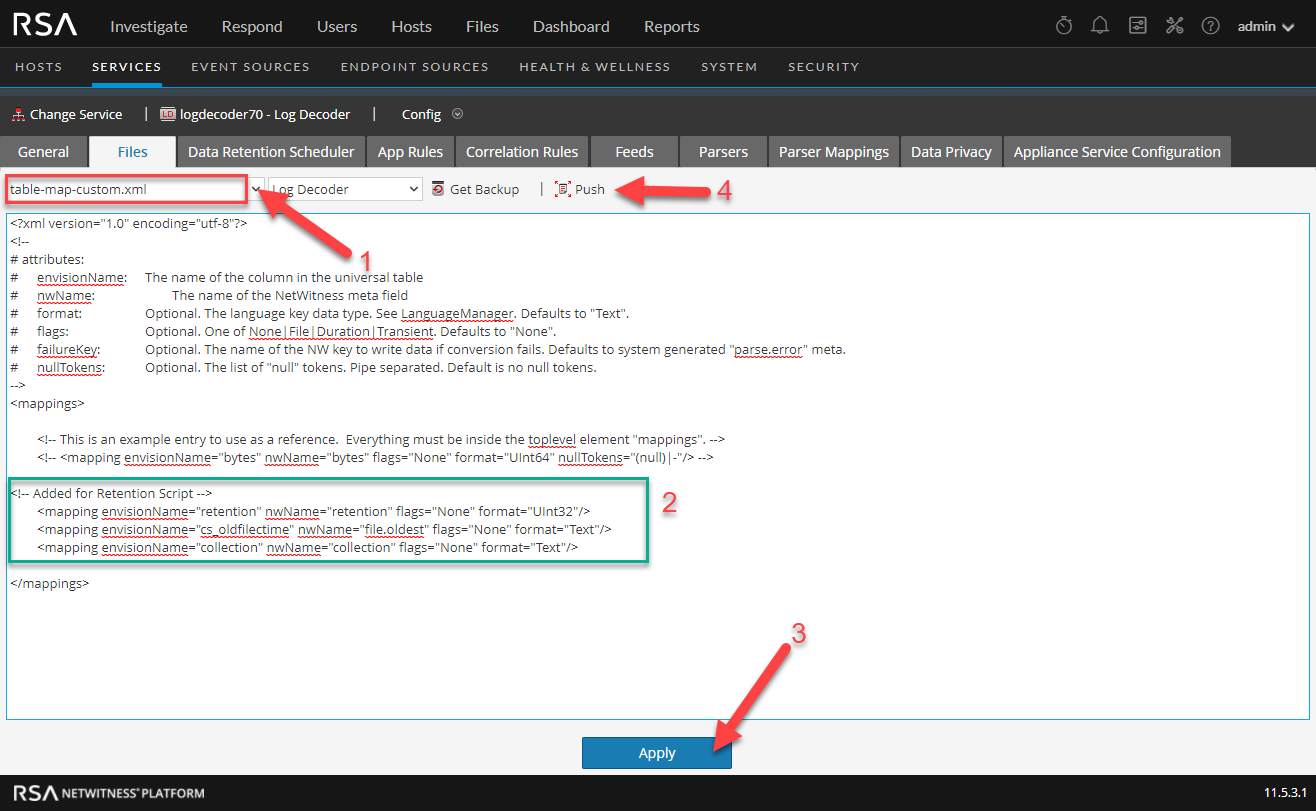
- Add Custom Entries to the Log Decoder Table Map Custom File
- Concentrator
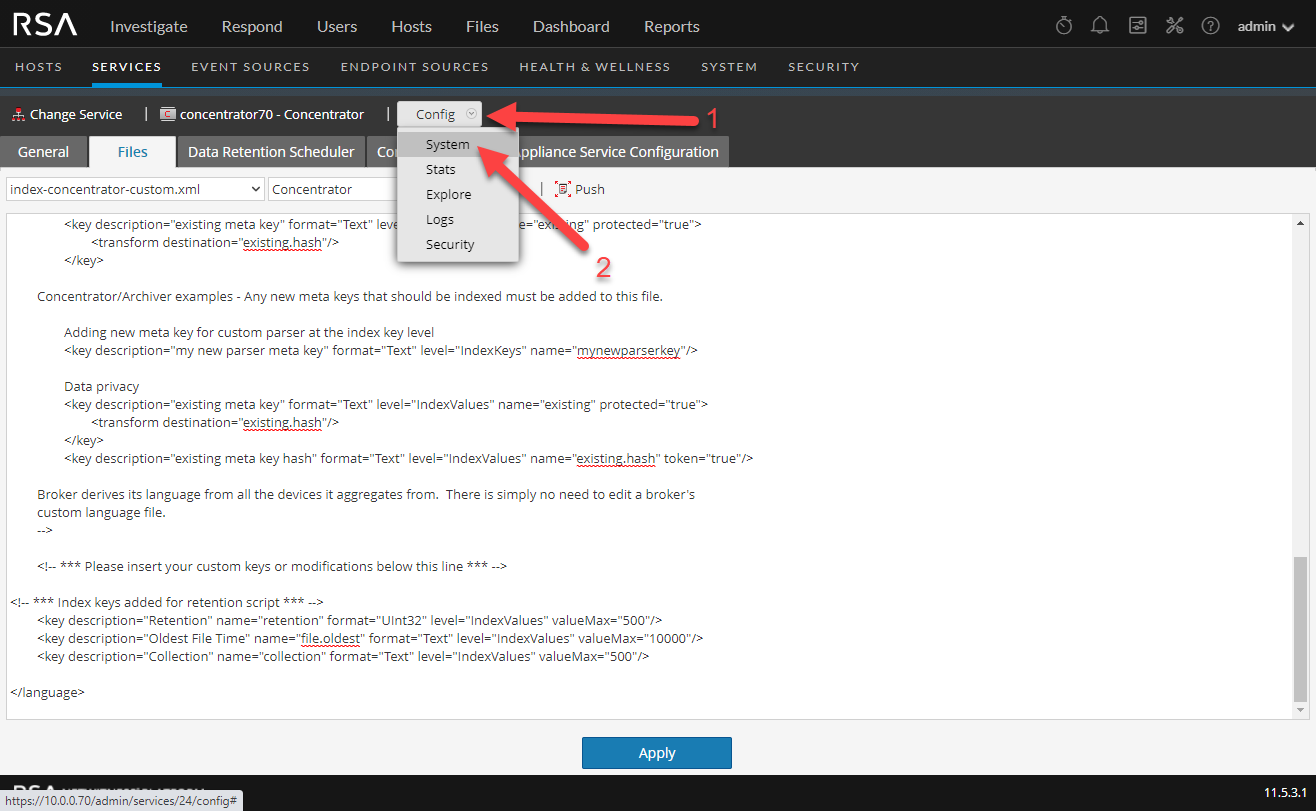
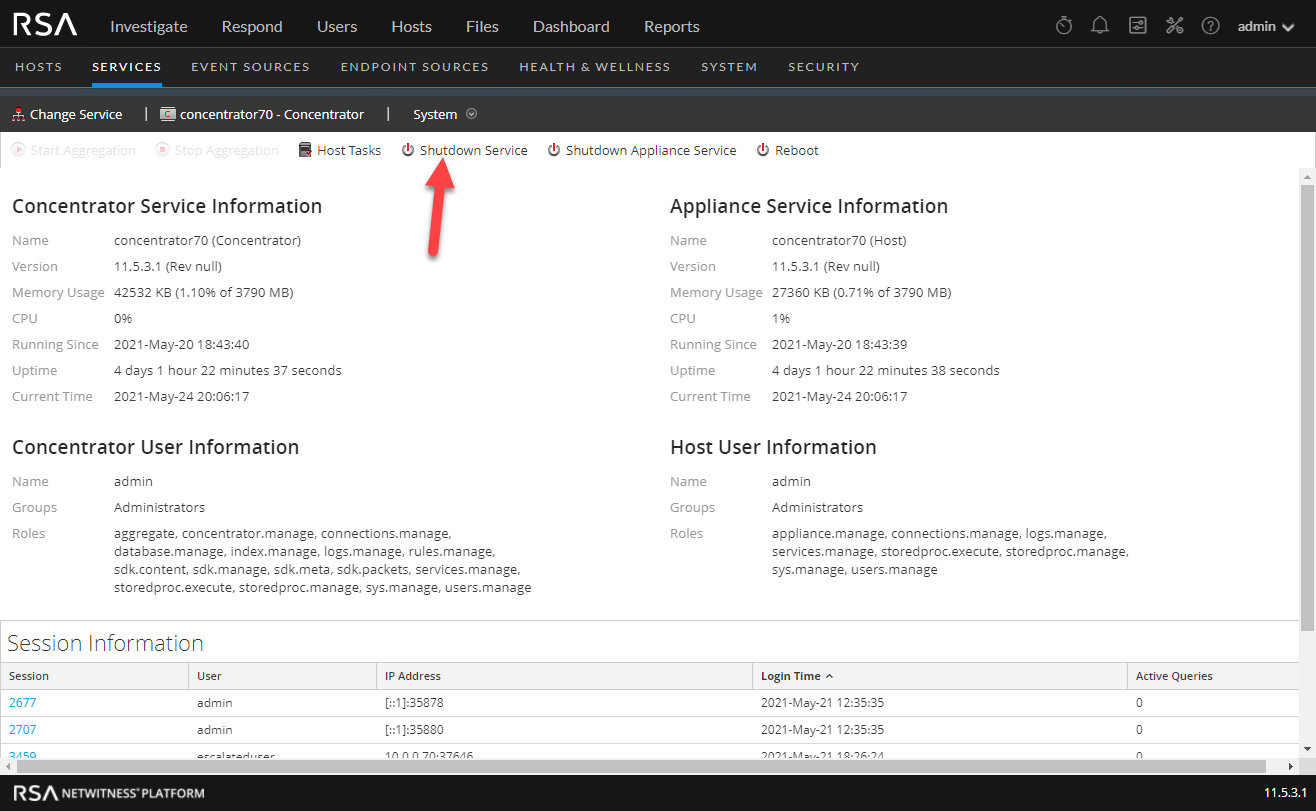
- Add Custom Entries to the Concentrator Custom Index File
- Verify Meta
- Report Engine
- Import Reports to Reporting Engine
- Schedule Dynamic Device List Reports
- Schedule the Concentrator/Archiver Aggregation Stack Retention Reports
- Schedule Trending Reports for Concentrator/Decoders
- Schedule Trending Reports for Archivers (Beta)
- Install the Investigation Meta Group
- Troubleshooting Empty Reports
- Report Sample Output Screenshots
- Concentrator Aggregation Stack Report
- Individual Concentrator Report
Overview
This article covers how to ingest the log output from the retention script you can download from NetWitness Retention Script: Understanding the Numbers. Below are the required steps and modifications you will need to perform on the NetWitness Platform to properly meta and report on the output from the retention script.
Zip File Contents*
*Download the zip file attached at the end of the article.
Concentrator
Custom Index Entries.txt - Concentrator custom index entries
Log Decoder
cef.envision - Parser custom xml file, you can upload via the "Parser" tab on the Log Decoder Config screen.
cef-custom.xml - Actual custom xml file you can upload directly to the cef directory.
cef-customizations-live-package.zip - RSA Live deployment package used to deploy the cef-custom.xml file
log decoder custom index entries.txt - Custom Log Decoder Custom entries that will be copy/pasted into Log Decoder custom index file.
Log Decoder Table Map entries.txt - Custom Log Decoder Table Map entries to be copy/pasted into Log Decoder custom table map file.
Reports
Retention.zip - Report Engine rules, reports, lists to be imported into the Reporting Engine.
Investigate
RetentionMetagroup.jsn - Metagroup file to be imported into Investigation.
Prerequisites
- NetWitness Retention Script must be installed and running on a daily schedule prior to any Retention Reporting schedule
- Logs must be either forwarded via rsyslog or via the retention script configuration (recommended)
- The retention script has successfully executed at least 1 time and the logs received at the Log Decoder/VLC
- All the retention script log meta should be visible in Investigate before scheduling reports
Configuration Changes Summary
Log Decoder
Log Parser Modification
A customization file (cef-custom.xml) for the CEF Log parser will need to be added to the /etc/netwitness/ng/envision/etc/devices/cef directory, or if you already have a custom file there you will merge the two files together to get the new meta from the retention script.
cef-custom.xml contents:
Log Decoder Custom Index Entries
There will need to be an entry added for the numeric formatted meta.
log-decoder-index-custom.xml contents:
Log Decoder Table Map Entries
These entries will allow us to leverage the new metakeys from the CEF custom file.
table-map-custom.xml contents:
Retention Log Script Log Forwarding
Edit the retention script to send the logs to the VLC or Log Decoder IP address.
Concentrator
Concentrator Index Modification
The new metakeys we have created will need to be in the index for use in Investigation and Reporting
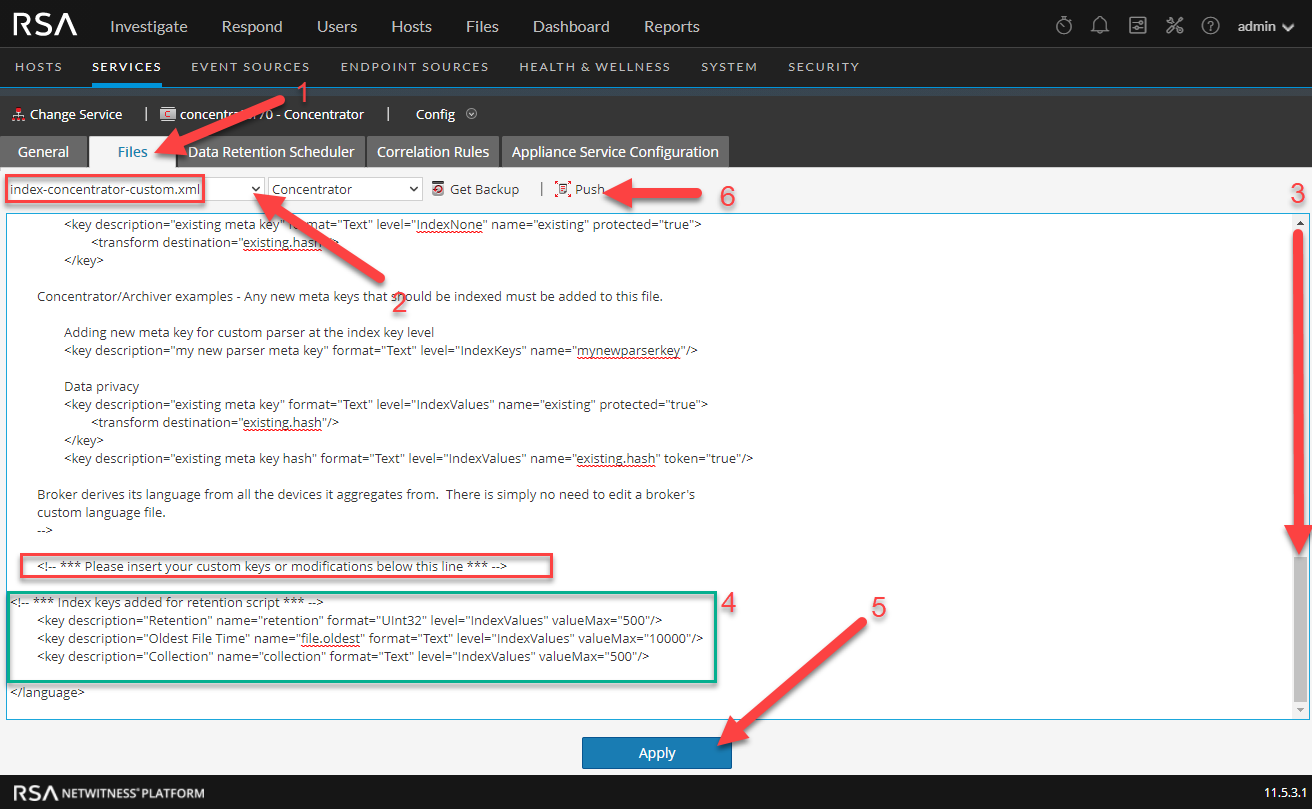
concentrator-index-custom.xml contents:
Reporting Engine
Custom Retention Reports
Custom Retention reports will need to be imported via the "Retention.zip" file, located in the download file at the bottom of this post.
Investigation
Custom Metakey Group
You can import the custom metagroup file RetentionMetagroup.jsn for Investigation to create a meta group dedicated to just viewing Retention Meta.
Detailed Installation Instructions
Log Decoder
Log Parser Installation from RSA Live
Deploy the latest CEF Parser from Live. The older versions of the CEF parser will not work properly.
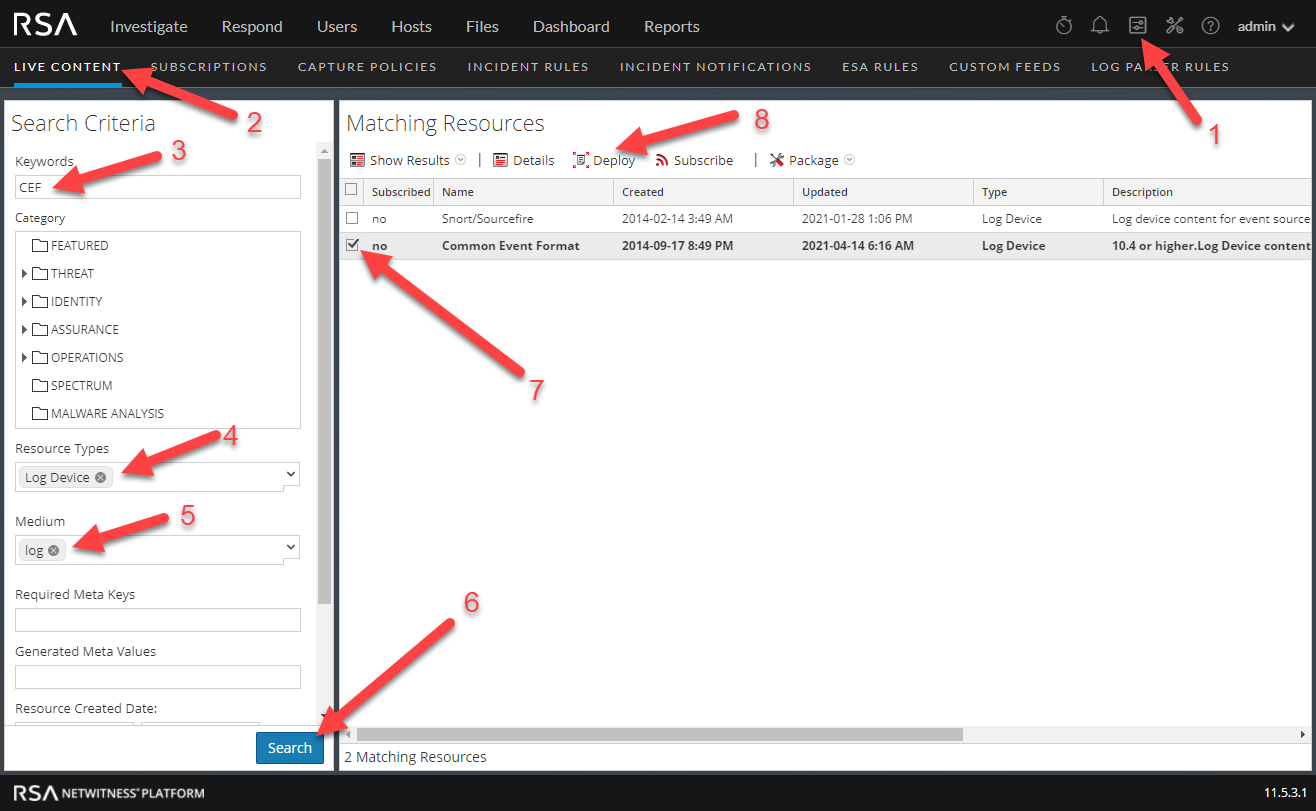
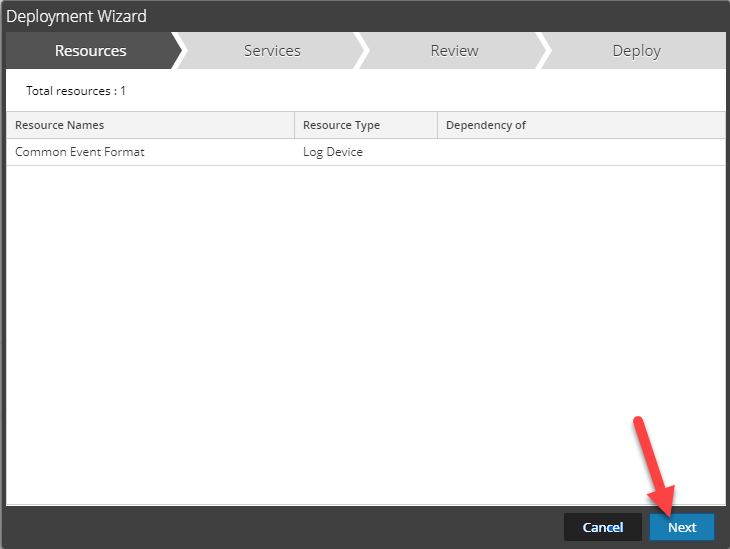
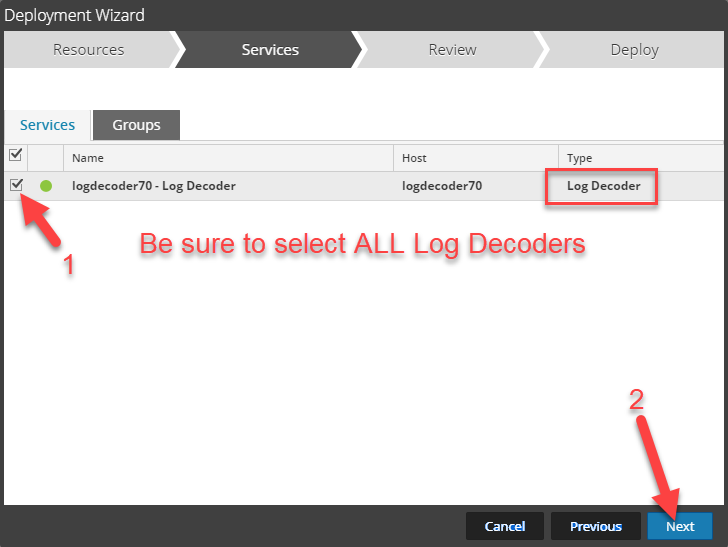
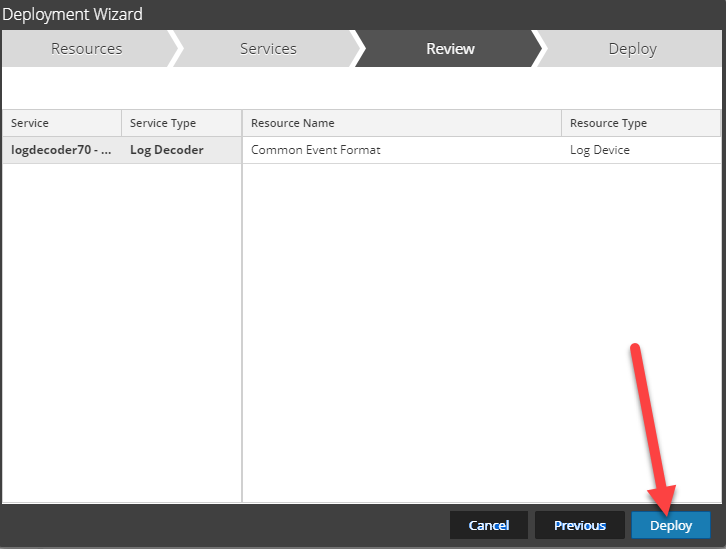
CEF Customization File
Install the CEF Customization file (cef-custom.xml). If you already have one of these files, STOP! You will need to merge the contents of your custom file and the contents of the custom file used in this article. The steps below will REPLACE your existing file. If you are not sure, check the directory location /etc/netwitness/ng/envision/etc/devices/cef to see if a "cef-custom.xml" file exists. If you have a cef-custom.xml file or are not sure, skip the procedure below to load the cef.envision parser file until you can determine if you need to merge other custom settings. Read this article for more information on CEF Parser Customization.
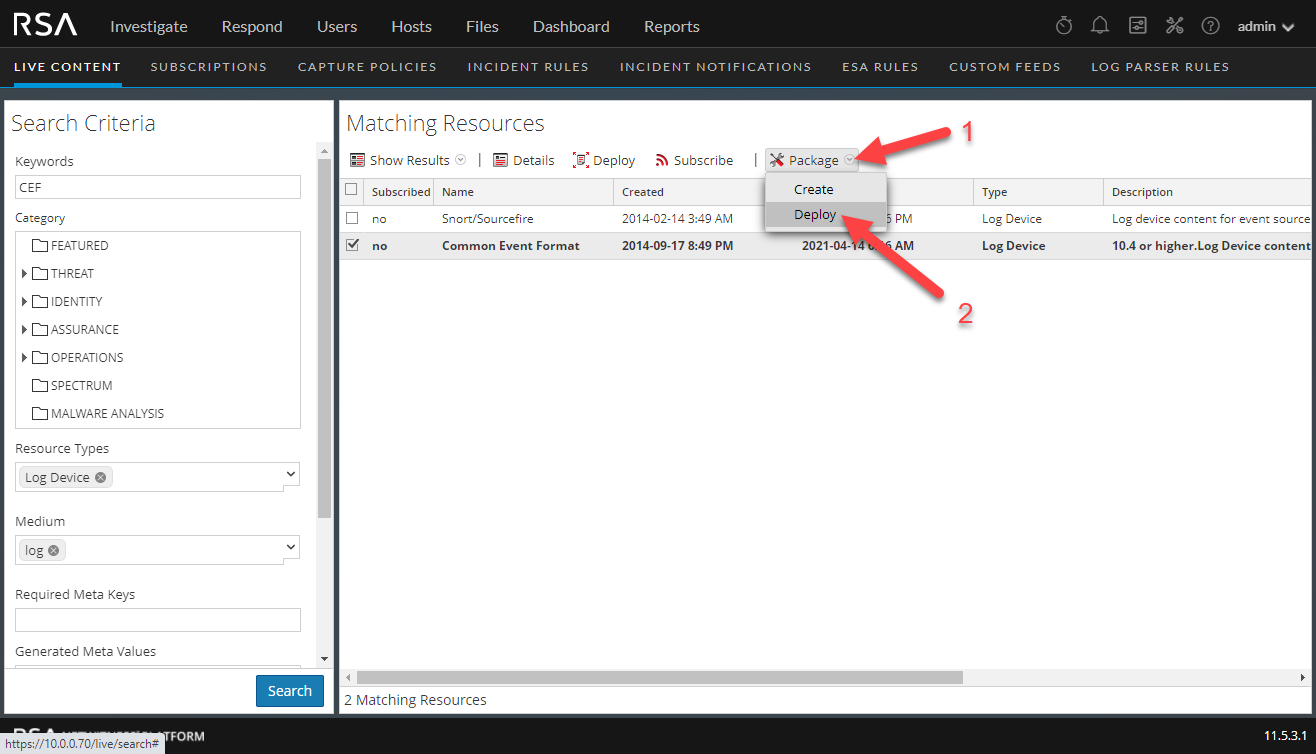
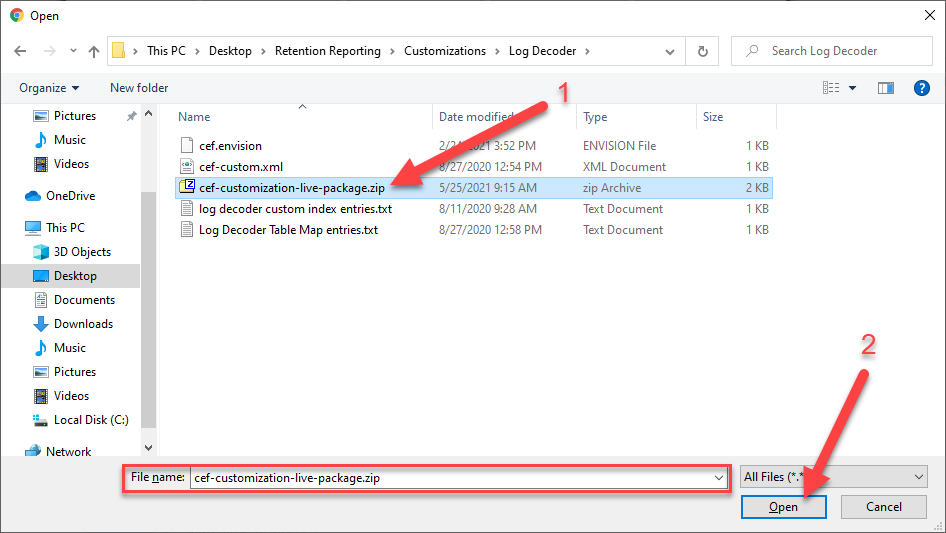
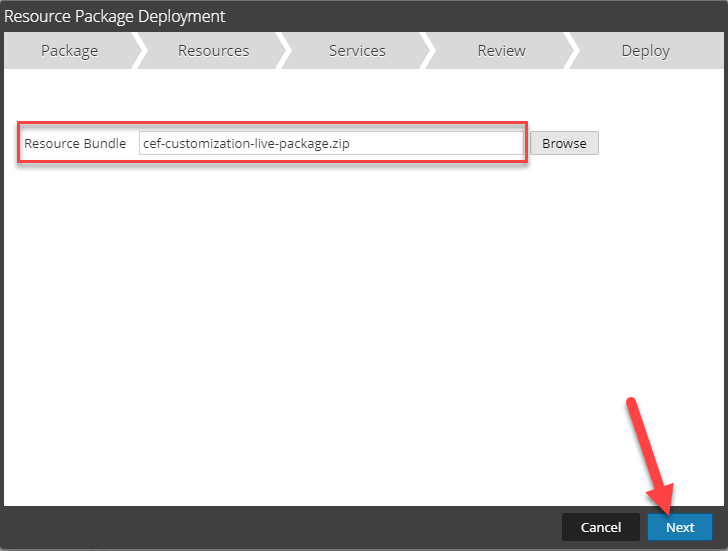
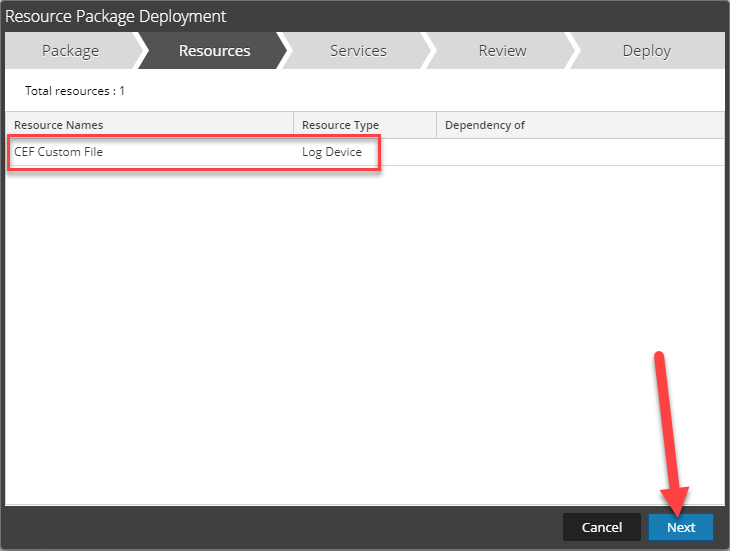
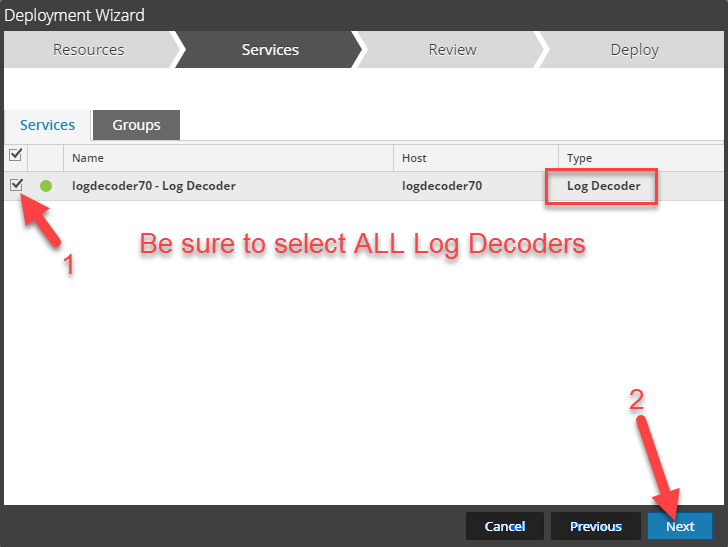
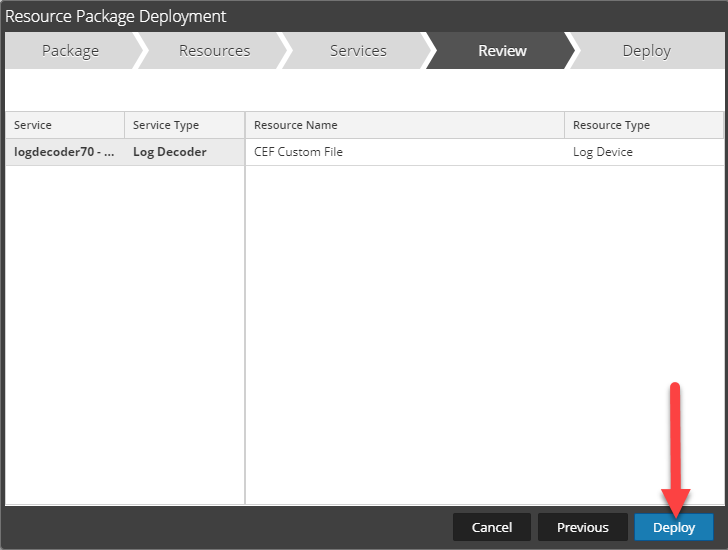
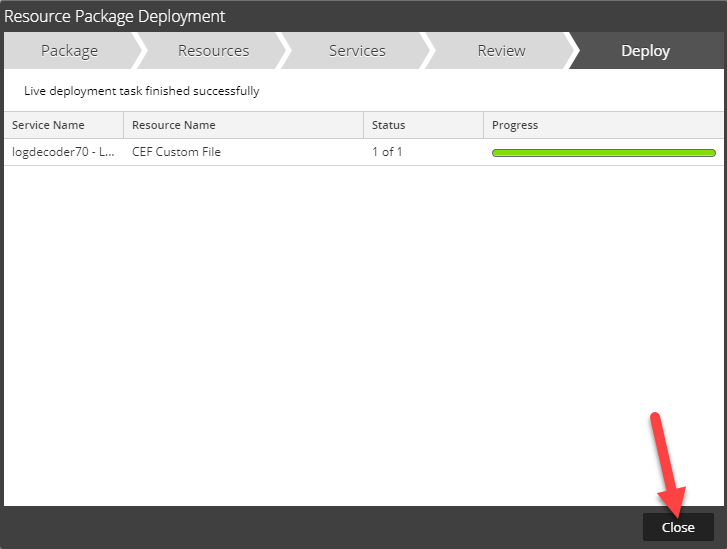
Verify CEF Parser is enabled
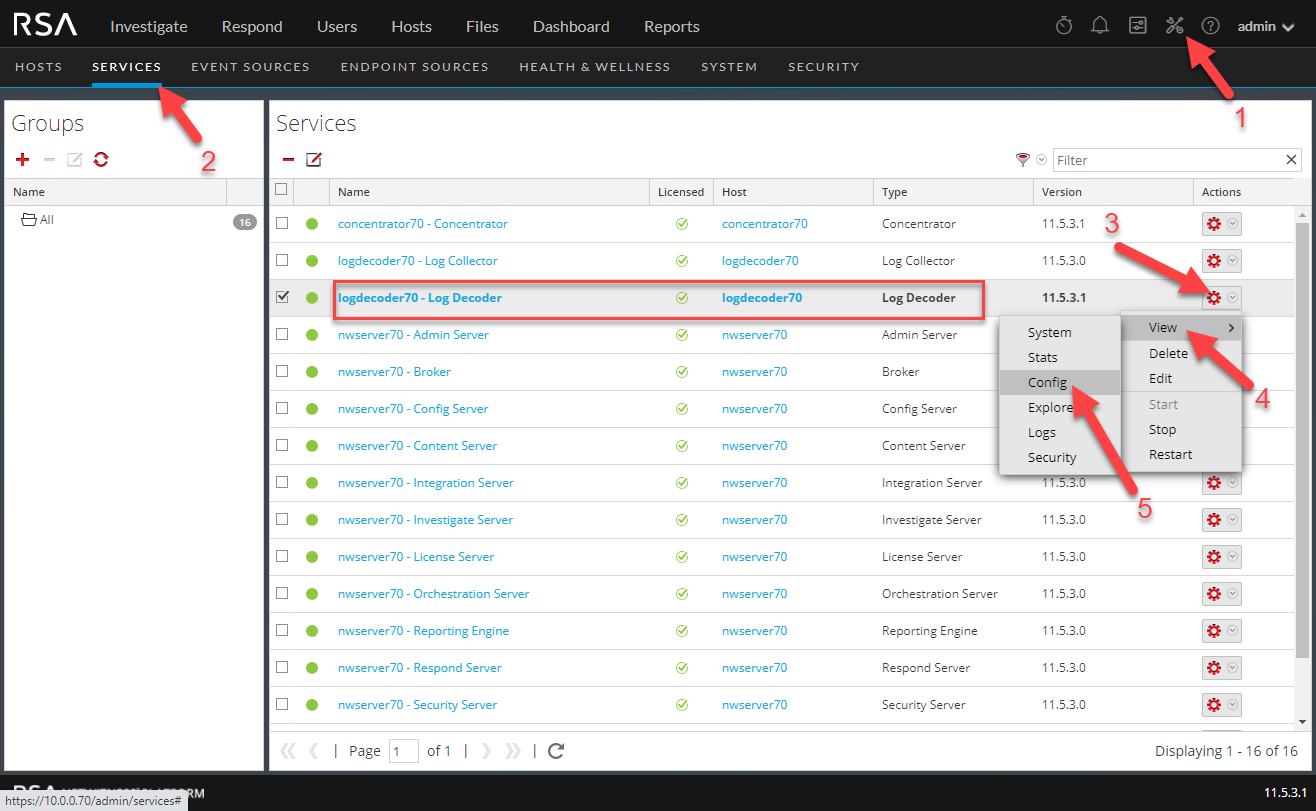
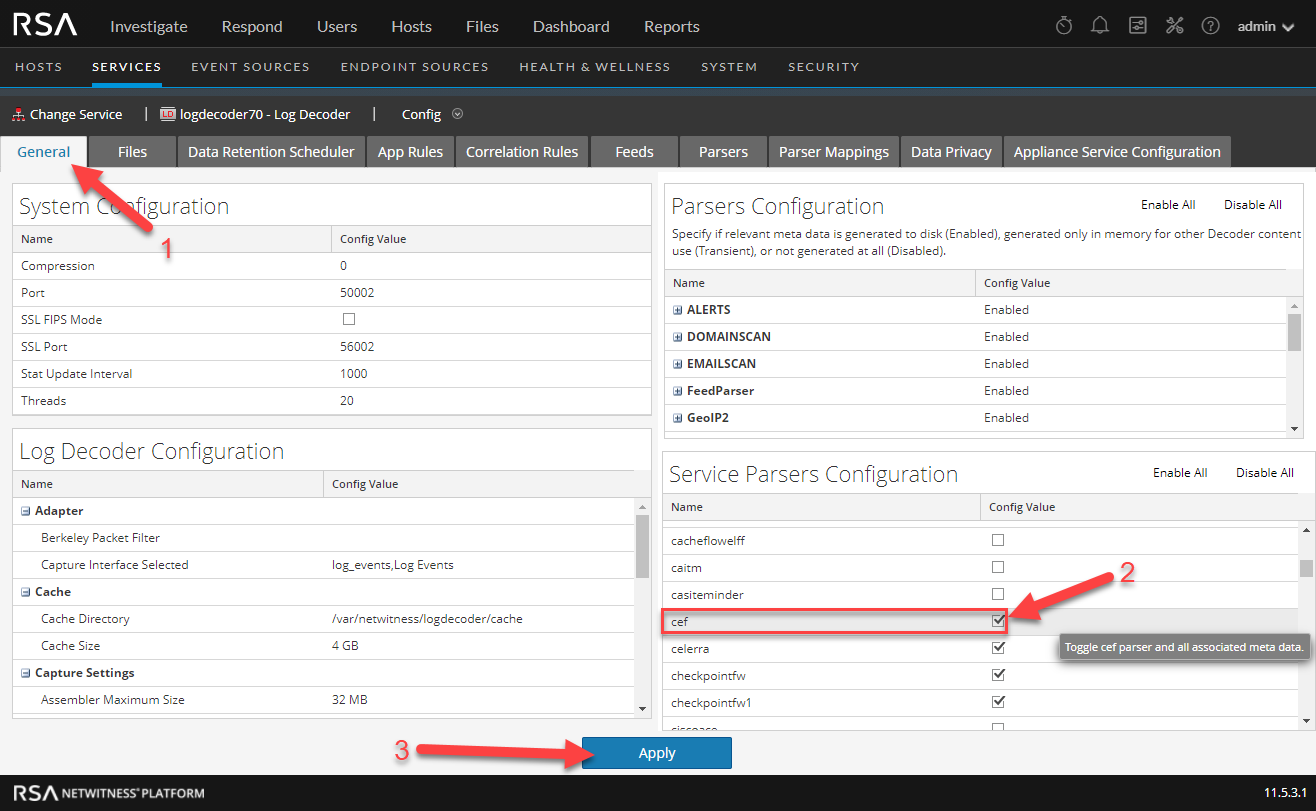
Add Custom Entries Log Decoder Custom Index File
Add Custom Entries to the Log Decoder Table Map Custom File
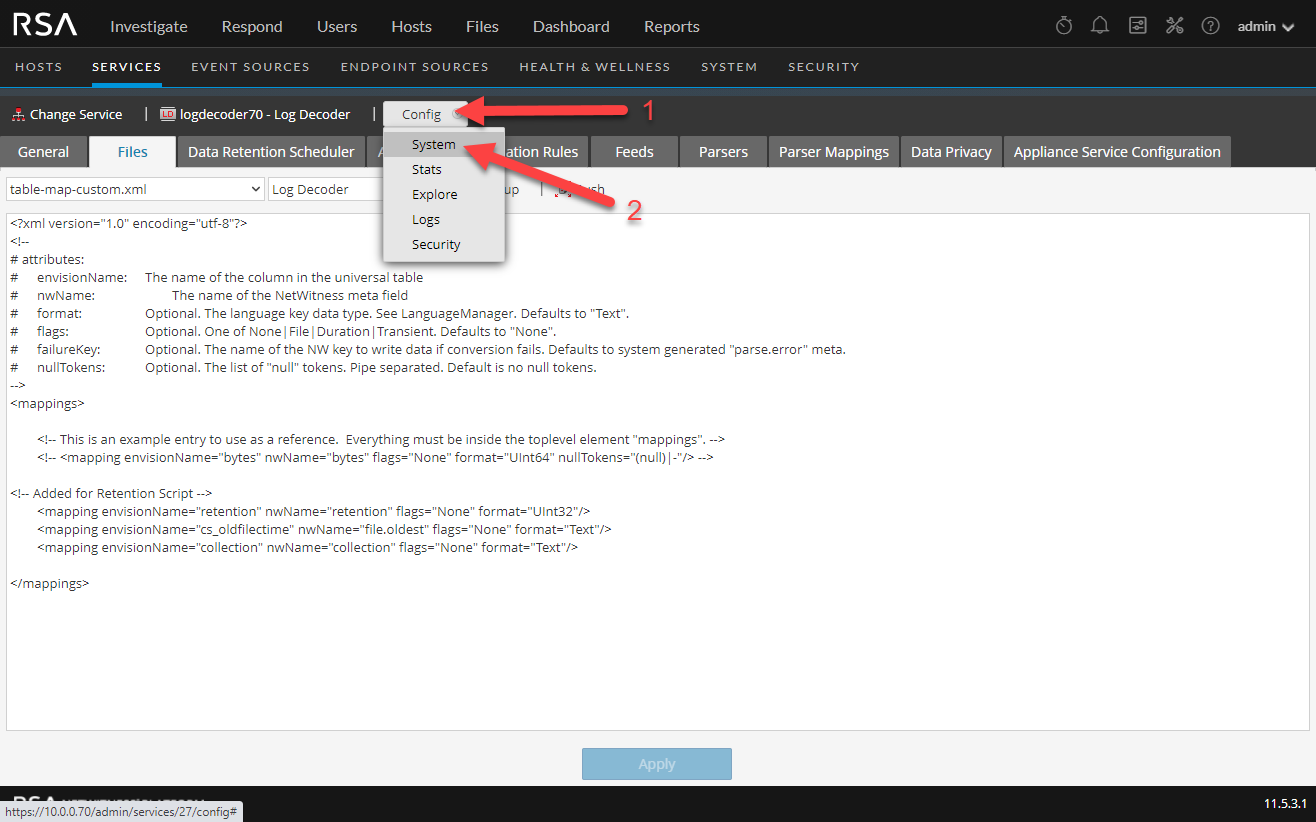
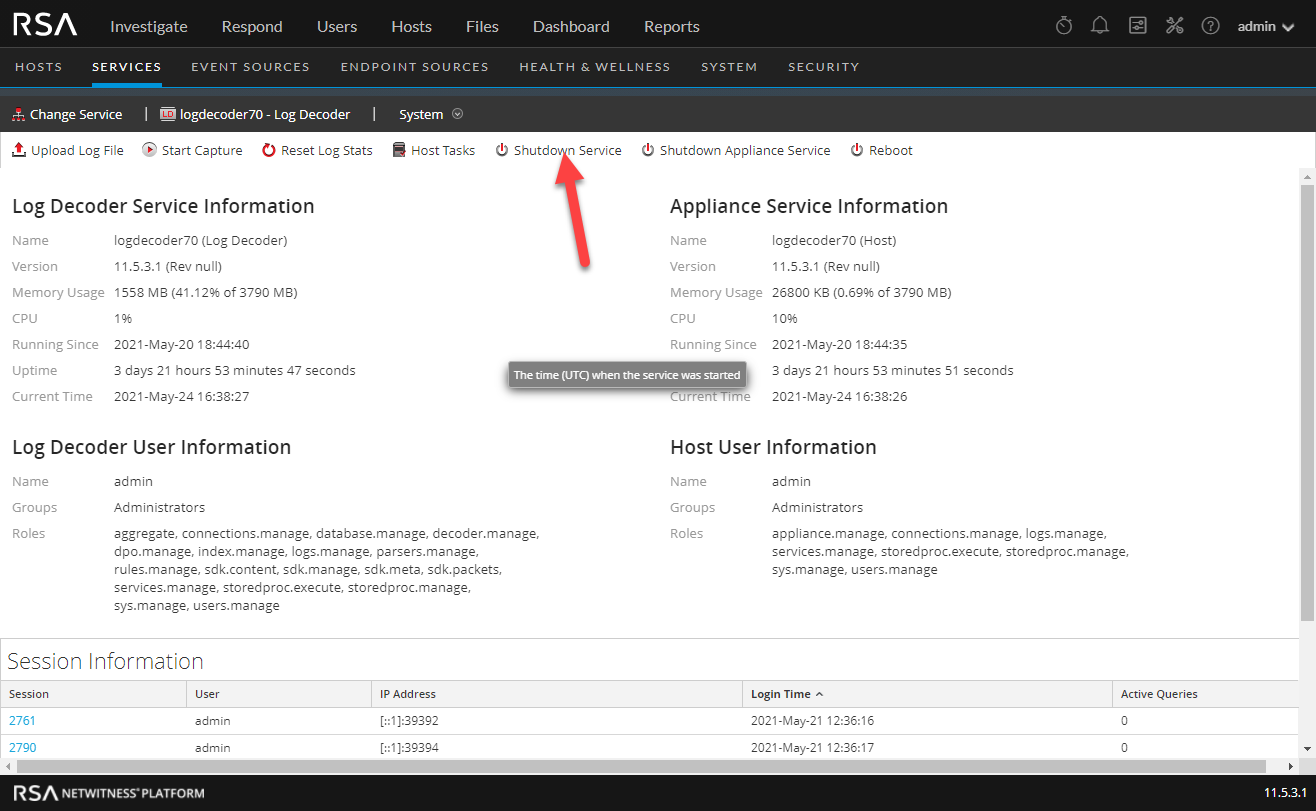
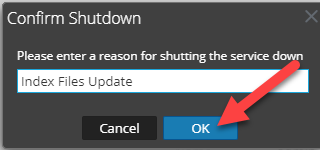
Concentrator
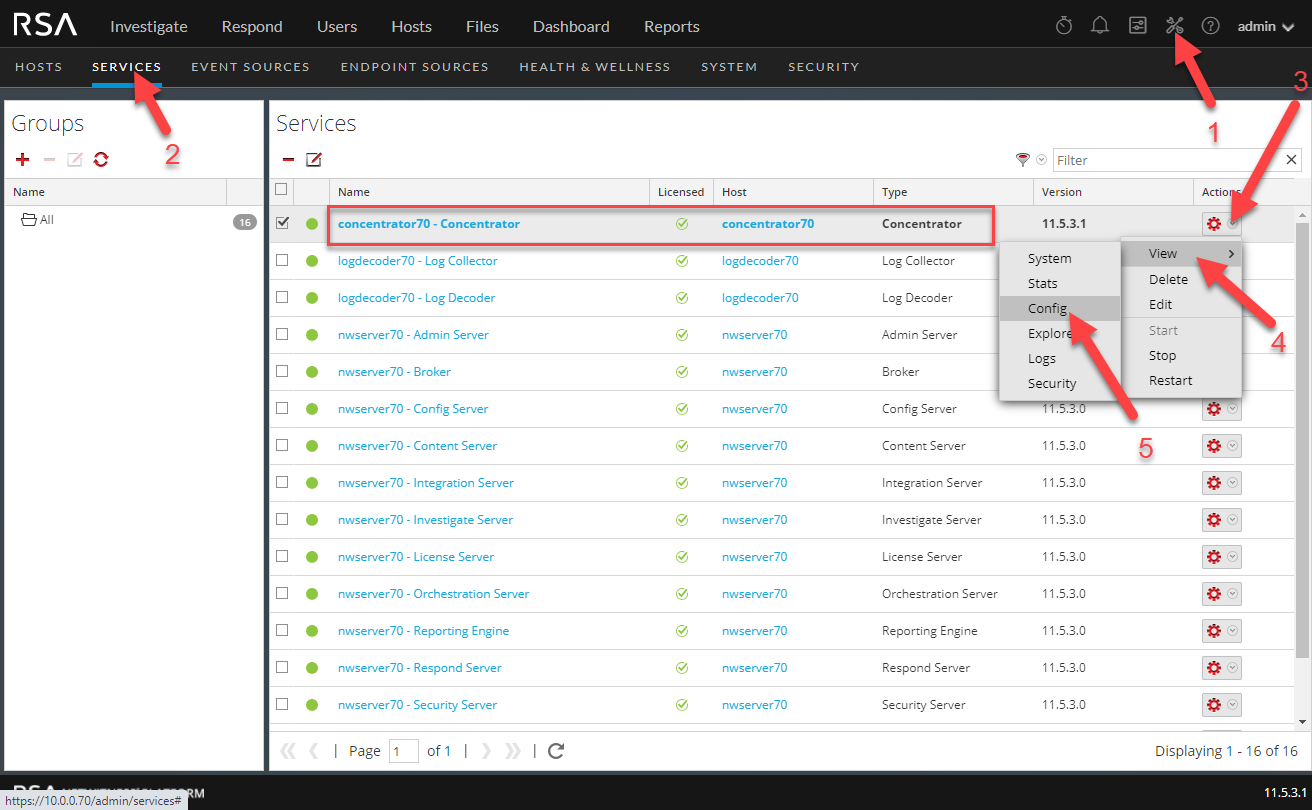
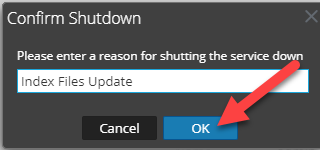
Add Custom Entries to the Concentrator Custom Index File
Verify Meta
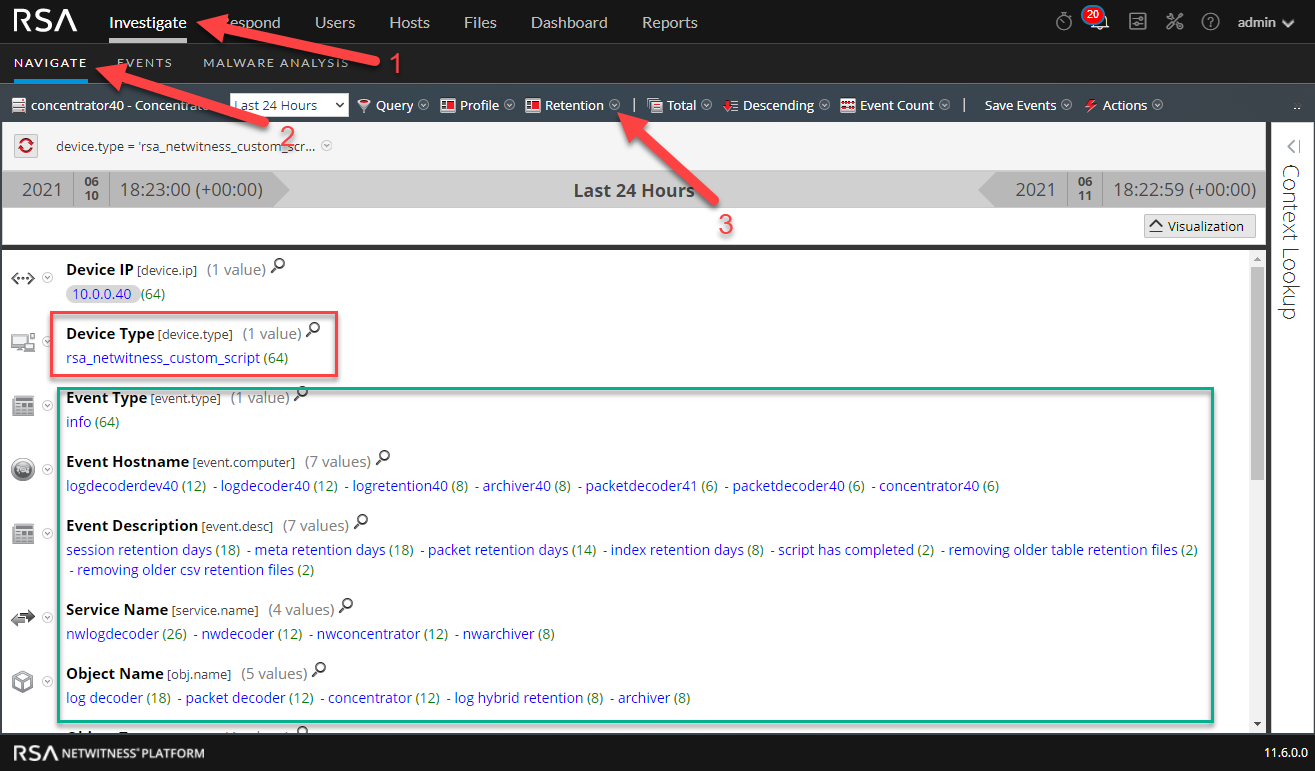
To verify the meta in the system, the retention script will need to have been executed after all the custom configuration steps above have been completed. You can wait for it to occur on your cronjob schedule or execute it manually. There is one caveat to running the script multiple times within a 24 hour period, it may skew your trending numbers in the report for that day.
Device Type
rsa_netwitness_custom_script
Metakeys populated
event.type
event.desc
service.name
obj.name
event.computer
ip.addr
retention
obj.type
filename
ip.orig
collection
Investigate Screenshot
Report Engine
Import Reports to Reporting Engine
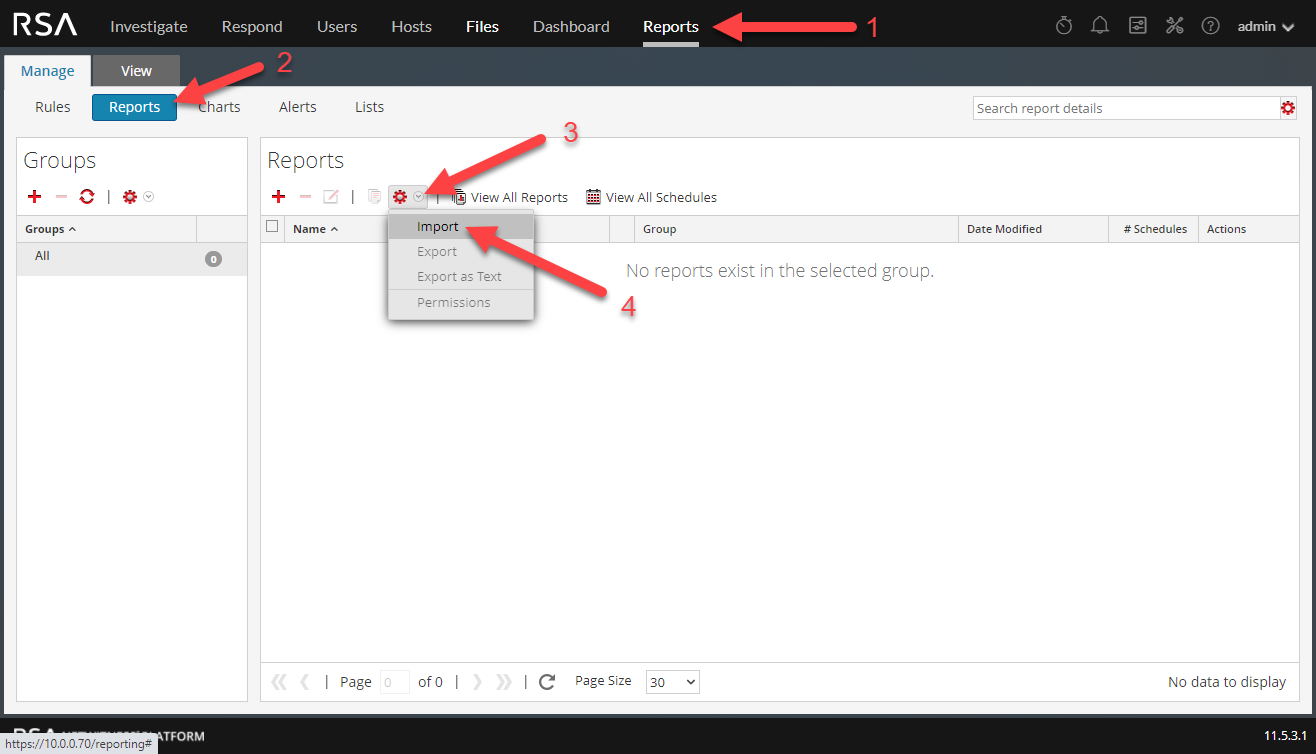
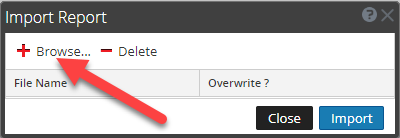
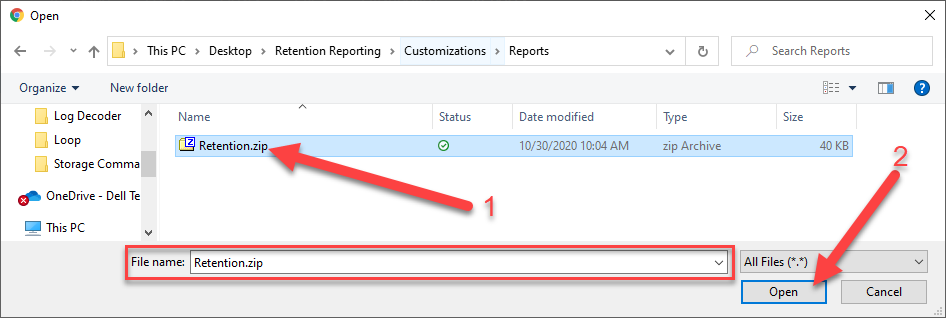
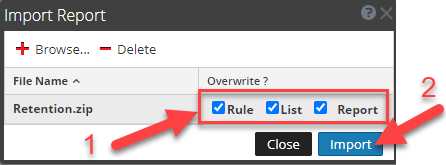
Schedule Dynamic Device List Reports
Starting with the Log Decoder, setup the schedules to build the device lists that the other reports will use for the retention reports. Perform this task for each device you have in your environment.
For example, if you only have Log Decoders and Concentrators, then you would have schedules on the following reports:
RE-RETLIST-01 - Log Decoder Dynamic List for Retention Reports
RE-RETLIST-03 - Concentrator Dynamic List For Retention Reports
RE-RETLIST-04 - Concentrator Aggregation Stack Dynamic List For Retention Reports
You only need one daily schedule for all Log Decoders and all Concentrators in your environment. Hybrid devices are broken up into their respective service types (Log Hybrid = Log Decoder, Concentrator) so they are treated the same as the non hybrid device when it comes to scheduling.
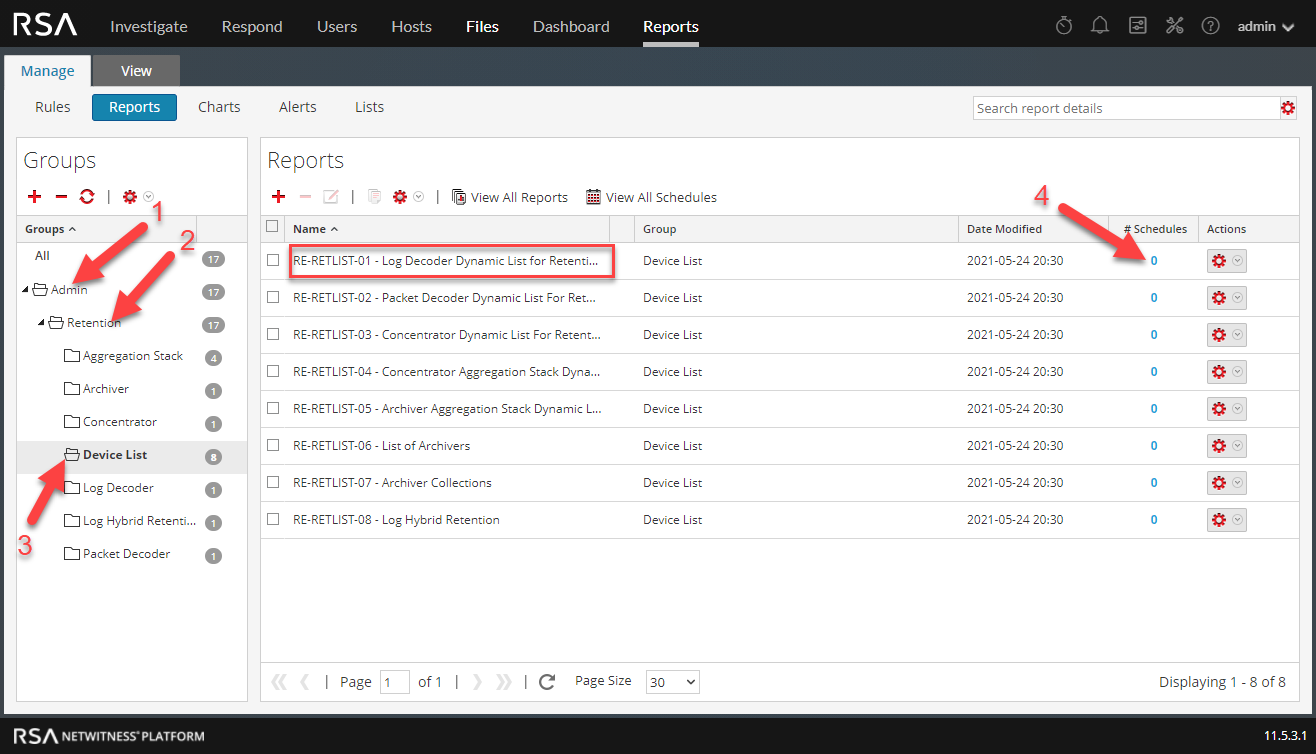
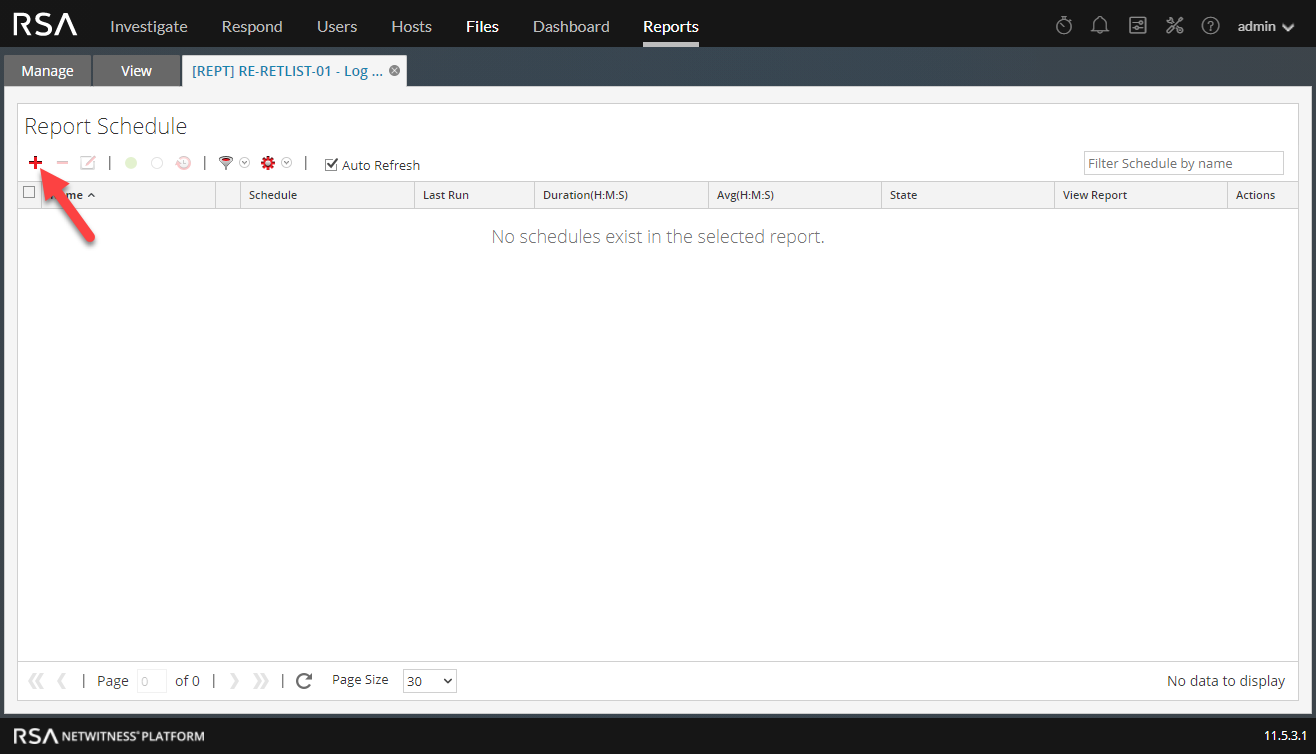
Setup a Daily report Schedule. Note the time at which this report is scheduled (23:00). We want the ALL of the Dynamic List reports to run at the same scheduled time, as we have to create the dynamic list FIRST before all the other reports are scheduled to run. For example, the timeline would look like:
22:00 - Retention Script Cronjob executes retention script
23:00 - Dynamic List Reports Run to Generate Dynamic Lists
23:30 - All Other Retention Reports Are Scheduled to Run, Utilizing the Dynamic Lists Generated at 23:00
Choose whatever time you like when you schedule the reports, just make sure you have the Dynamic List Reports running 30 minutes BEFORE the other scheduled reports.
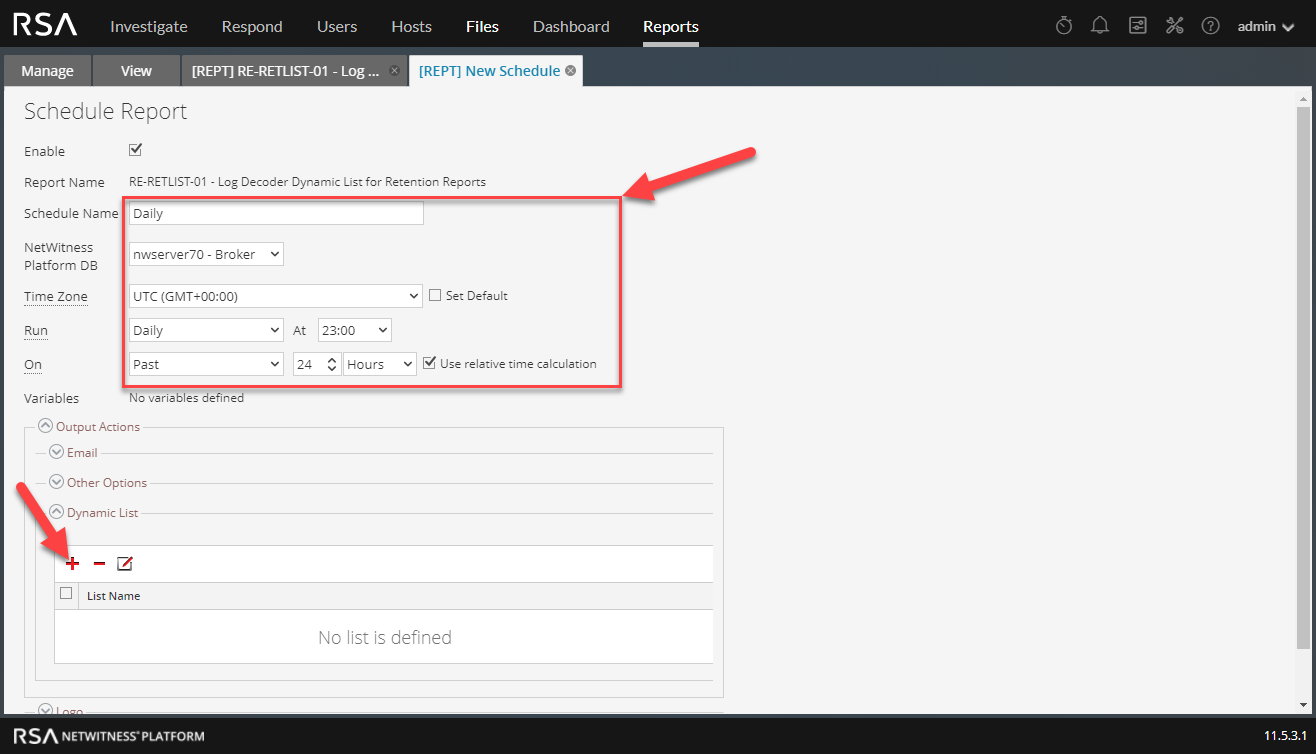
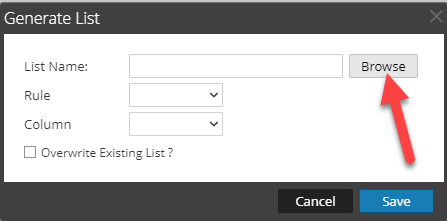
The list names will all line up with the report name. For Example: Report - "RE-RETLIST-01 - Log Decoder Dynamic List for Retention Reports" will populate List - "LI-RETENTION-01 - Log Decoders". So basically "Report 01" will line up with "List 01", "Report 02" will line up with "List 02", etc...
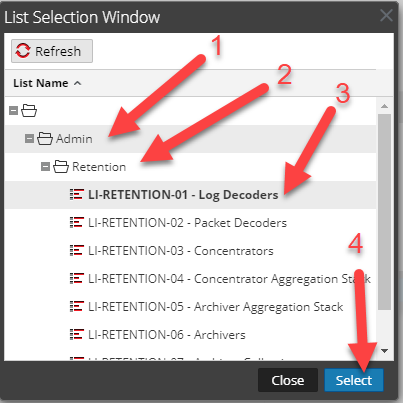
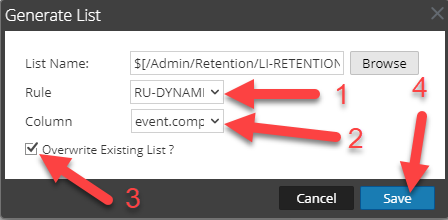
In the "Rule" and "Column" there is only one item to select for any of the Dynamic List Reports. Be sure to "Overwrite Existing List" to keep it accurate.
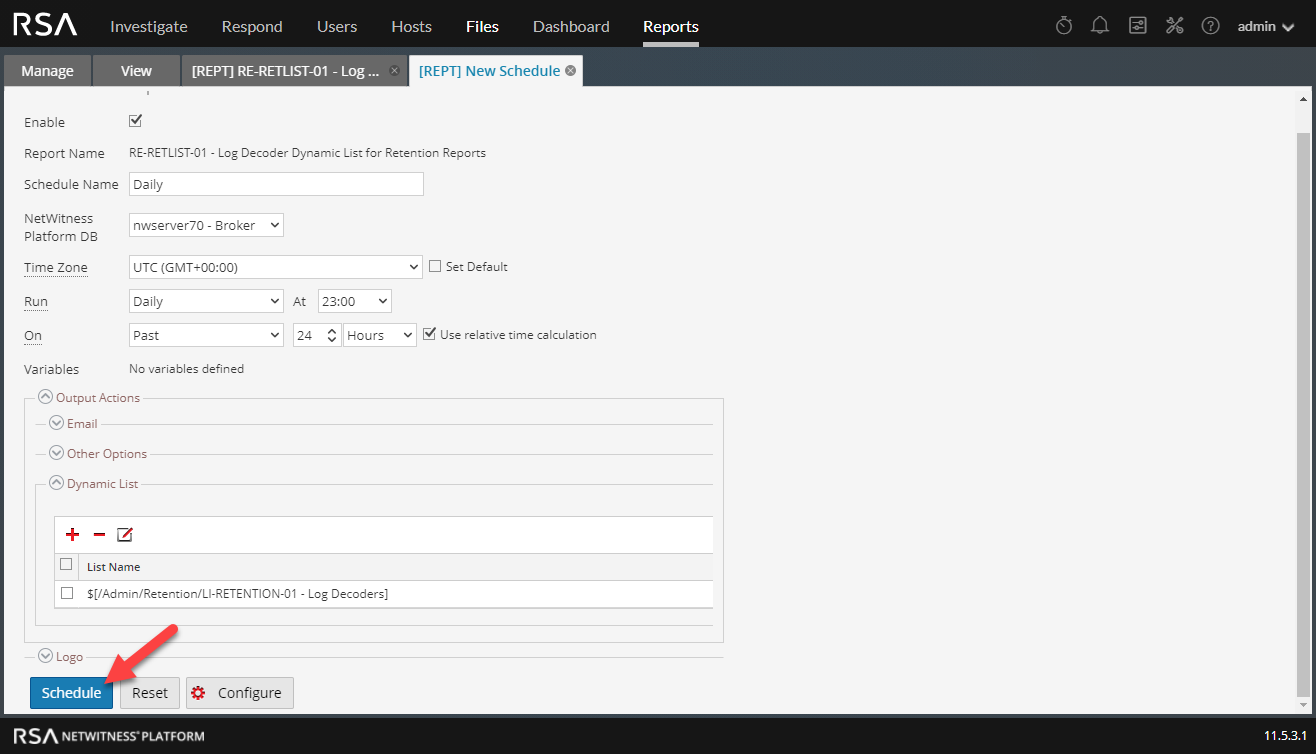
Repeat the schedule steps for each type of device in the environment, don't forget to schedule the aggregation reports.
Schedule the Concentrator/Archiver Aggregation Stack Retention Reports
The aggregation reports will ha