
It is possible to add RSA NetWitness as a Search Engine in Chrome, which allows to run queries directly from the address bar.

The following are the steps to follow in your browser to set this up.
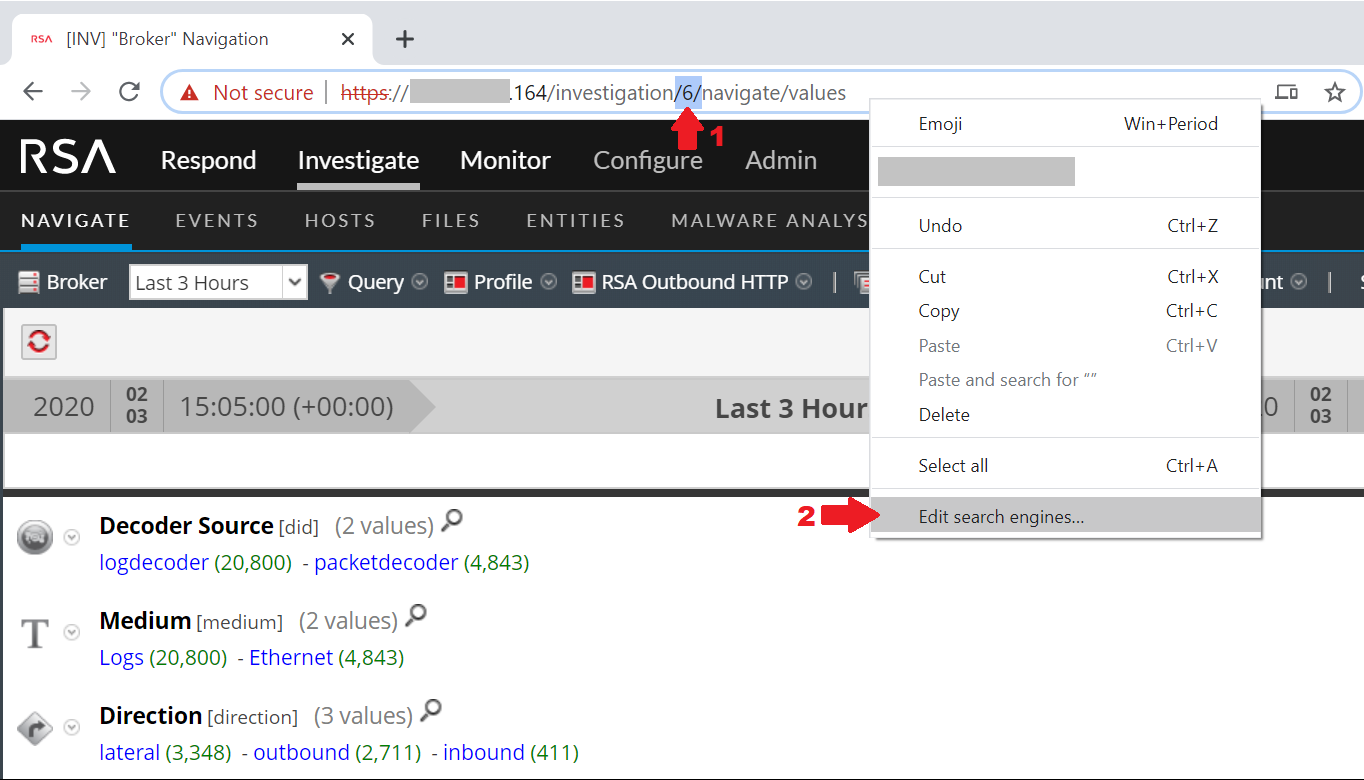
- Start by navigating to your NetWitness instance on the device you want to query (typically the broker). Note the highlighted number in the address (this number identifies the device to query and varies from environment to environment).
- Right click in the navigation bar and select "Edit search engines..."
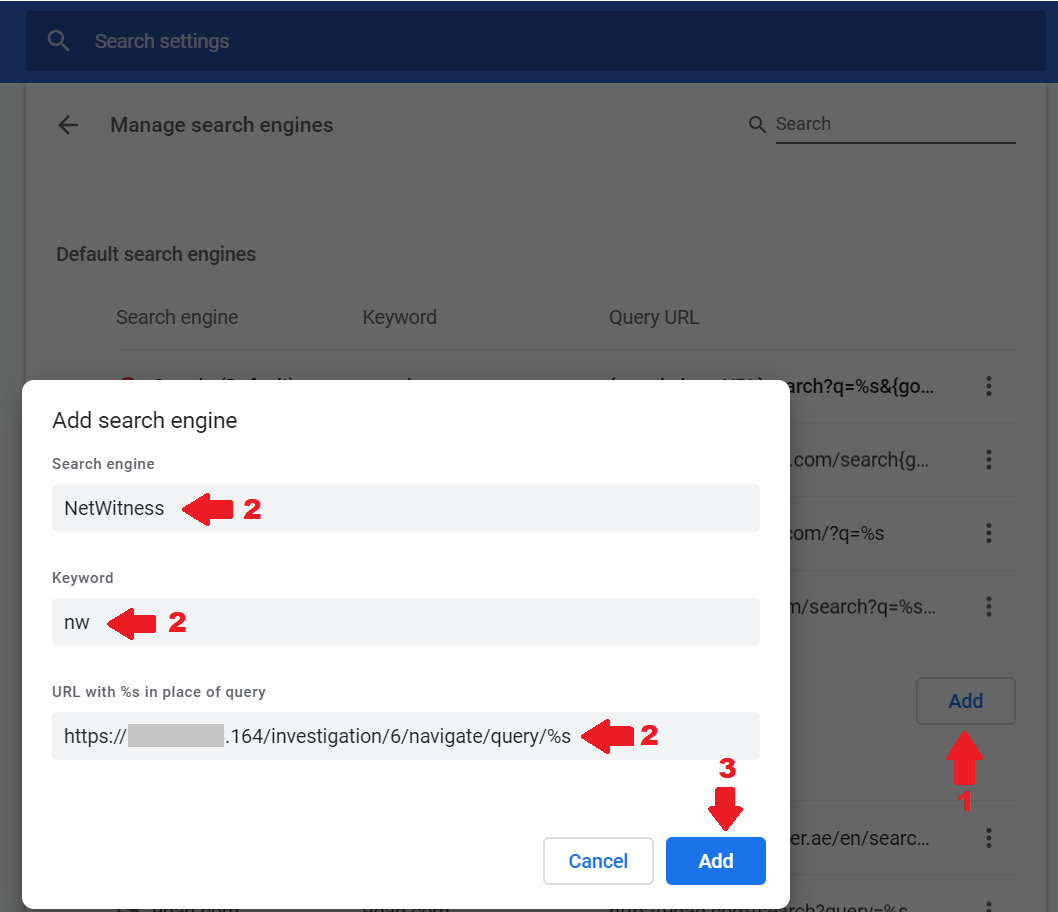
- Click on "Add" to add a new search engine
- Add the information for your NetWitness instance
- Search Engine: This can be any name of your choice. This is the name that will show in the address bar when selected
- Keyword: This is the keyword that will be used to trigger NetWitness as the Search Engine to use (initiated by typing "keyword" followed by the
key) - URL: this should be based on the following structure: https://
/investigation/
- Click on "Add" to add NetWitness as a Search Engine
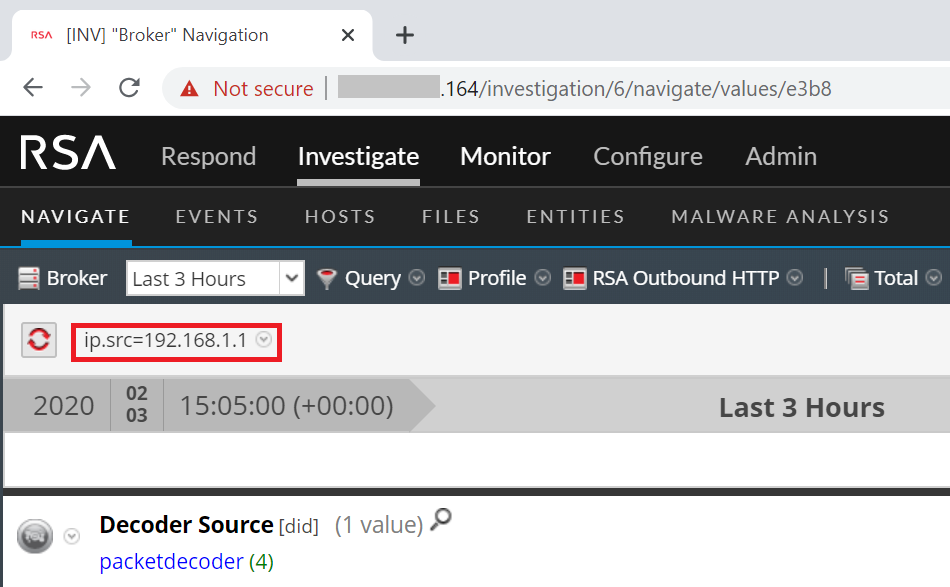
Now, whenever you click on the address bar, type nw followed by the

Topic:
0 Comment