
Some customers have seen issues with their Meta Key References (meta key schema) after an upgrade of the ESA service. In the following screenshot, we see a clean version of the meta key schema -- however, in your environment you may notice some keys may be duplicated and/or have errors which causes a failure to deploy rules to ESA, even if the rules themselves are syntactically correct.
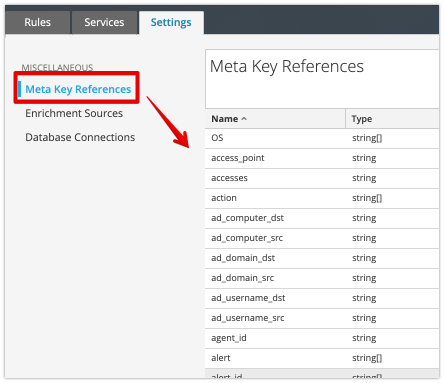
Here is the process to clear the meta key references if you determine your list of keys have duplicates and/or errors:
1. SSH to Node0 (Admin Server)
2. Run: mongo admin -u deploy_admin -p
3. Enter your deploy_admin password
4. Run: use sa
5. Run: db.metaType.drop()
6. Go into the UI (Admin Server) and refresh the schema from Configure --> ESA Rules --> Settings (tab) -> Meta Key References
7. Click the refresh icon to the far right of the meta keys list (image below)
