
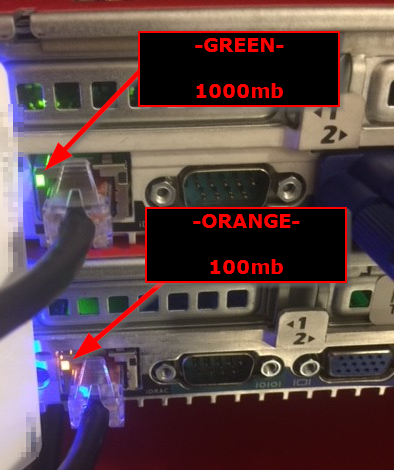
If you have done anything on an iDRAC that requires the mounting of an ISO file or some remote/virtual media, it is painfully slow. What I have discovered is that the iDRAC's on the appliances are initially configured to only operate at 100mb Full, but they are 1000mb/1G capable, you just have to turn on "Auto Negotiation". I have seen this on every appliance I have installed or encountered. A quick way to tell if your iDRAC is running at 100mb or 1000mb is to look at the link light. See the picture below.
iDRAC Link Lights
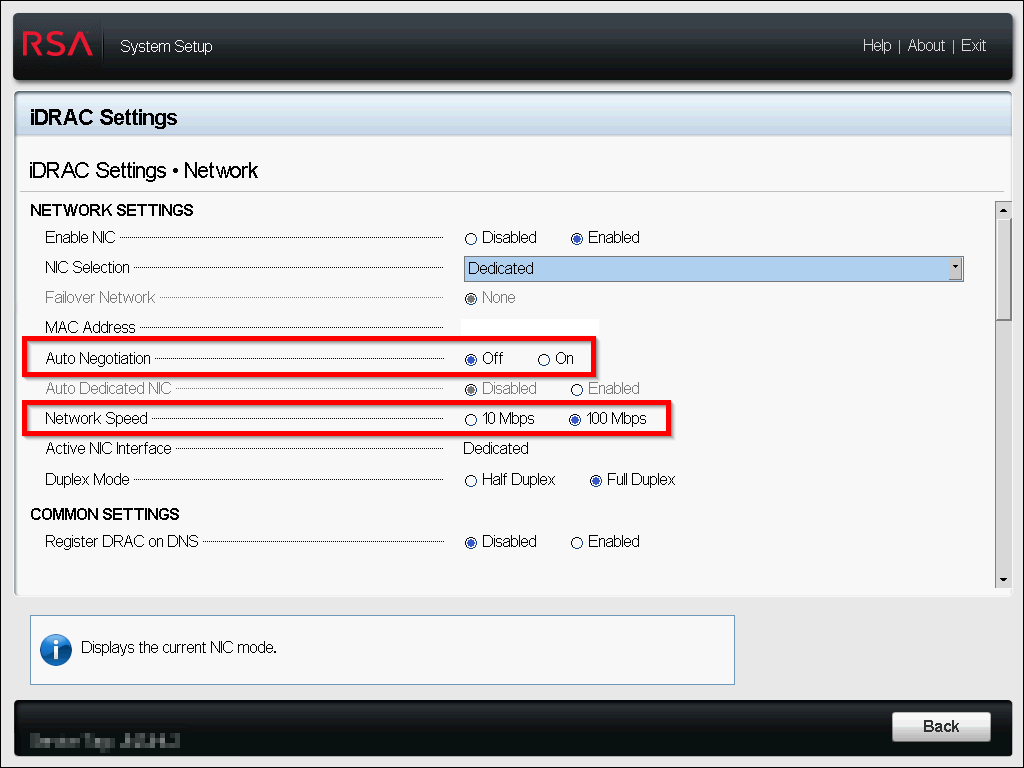
Bellow is a screenshot of a freshly installed appliance with the default iDRAC settings.
Default Settings (100Mb) - Orange Link Light
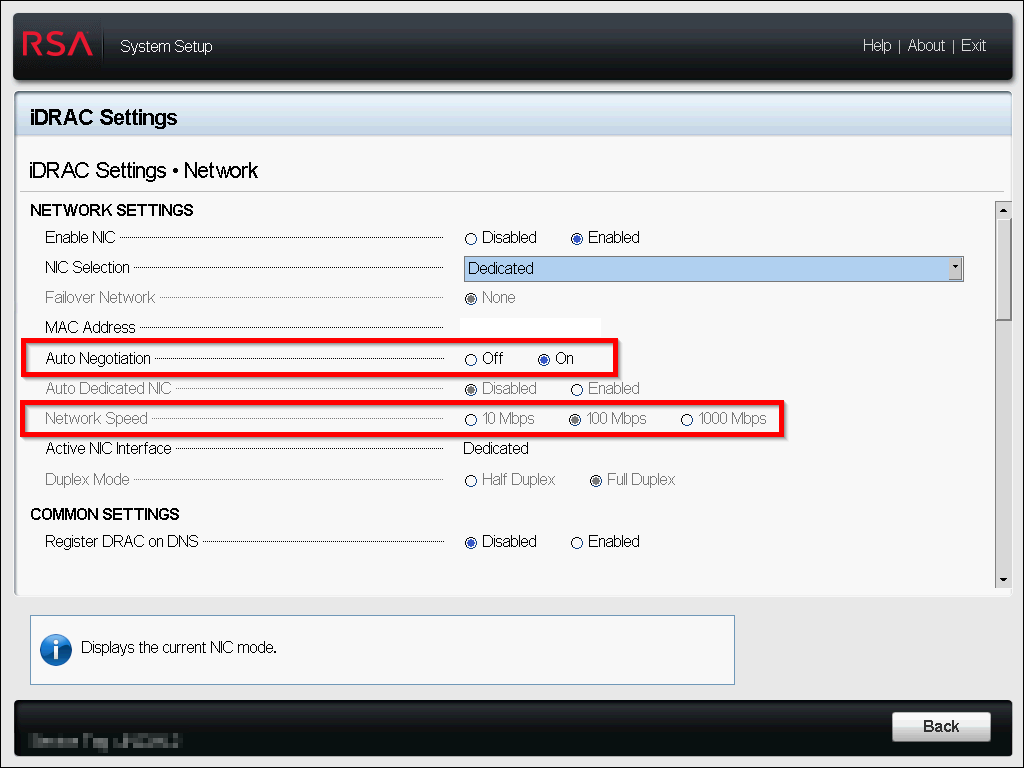
Below is the screenshot of the iDRAC after I turned on "Auto Negotiation".
New Settings (1Gb) - Green Link Light
Notes
You can set "Auto Negotiation" by using the "Lifecycle Manager" (F10) at boot and by using the iDRAC web interface. When using the web interface you will have to reconnect to the iDRAC as it will reset the network interface you are using to access the UI. I have not been able to find a way to do this using the ipmitool.