
A question has come up a few times on how someone could exclude certain machines from triggering NetWitness Endpoint Agent alerts easily.
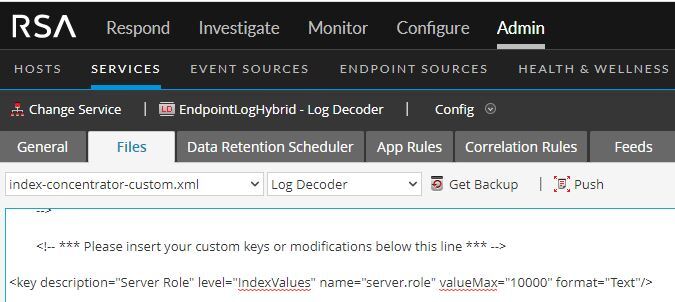
This particular use case were their "Gold Images" which are used for deploying machines. As part of a bigger vision for other server roles & rules, a custom meta key was created called Server.Role to hold the various roles they have defined for servers in their environment.
A Custom Feed was created to associate "Gold Image" as a meta value for that Meta Key by matching against alias.host, device.host or host.src. This example is just an Adhoc feed, but a recurring feed from a CMDB or other tools could be leveraged to keep this list dynamic.
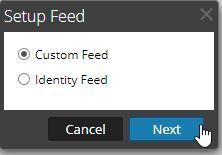
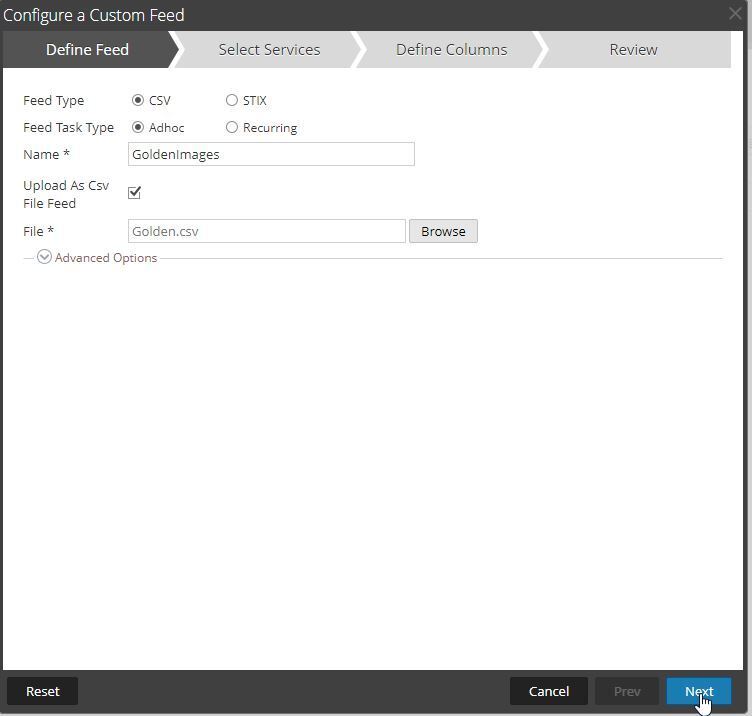
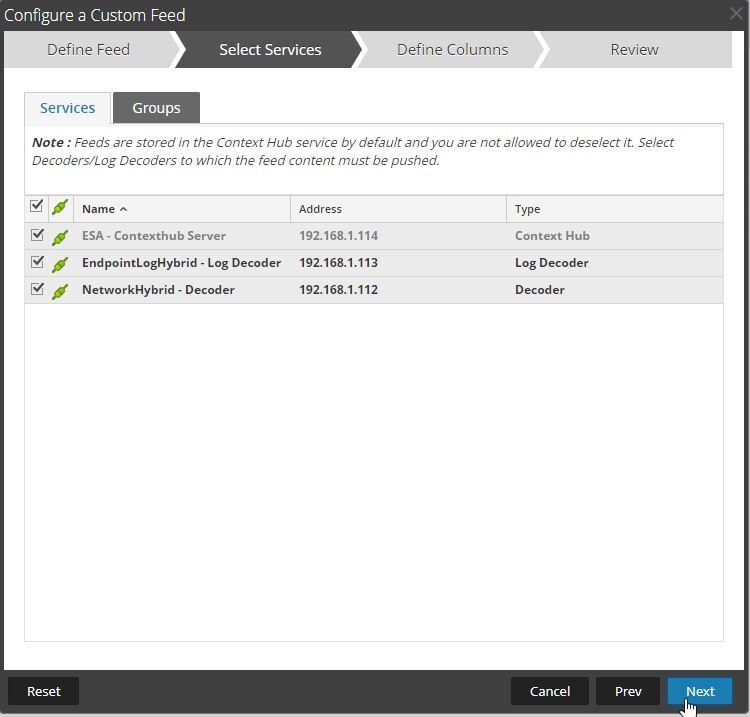
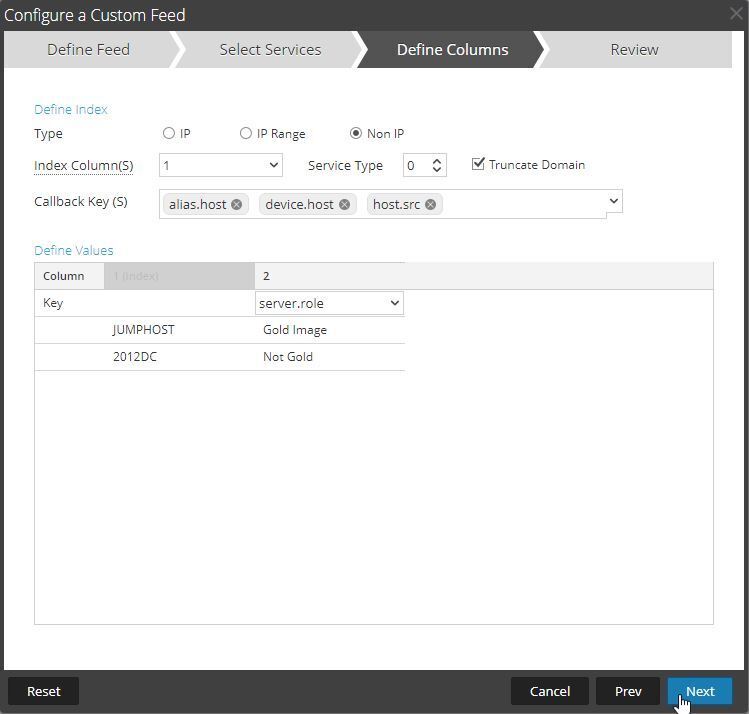
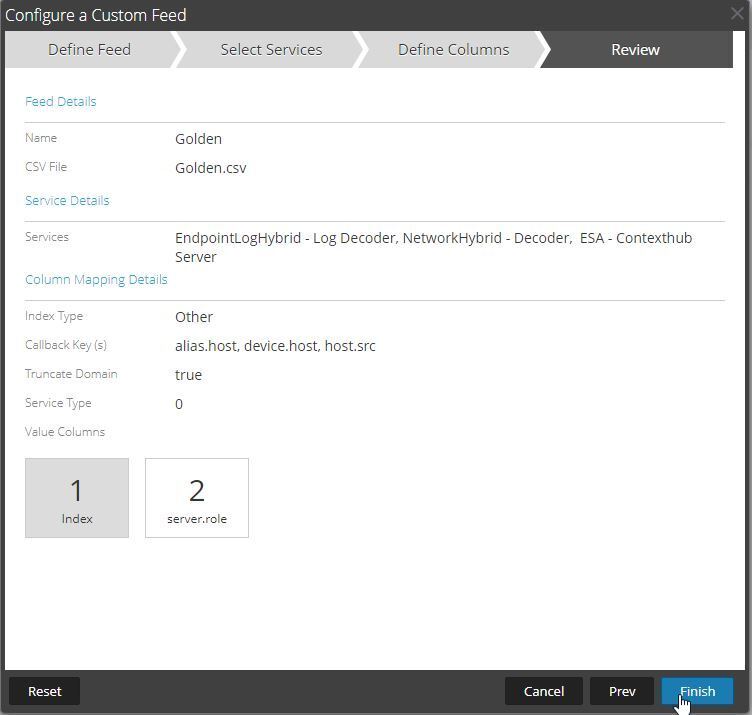
note: My example has not gold just to contrast the roles.
Now that the meta values are created, we can use these as whitelisting statements for the App rules.

From Admin>Services, select the Endpoint Log Decoder, click View>Config then select the App Rules tab.
Filter by nwendpoint to find the endpoint rules.
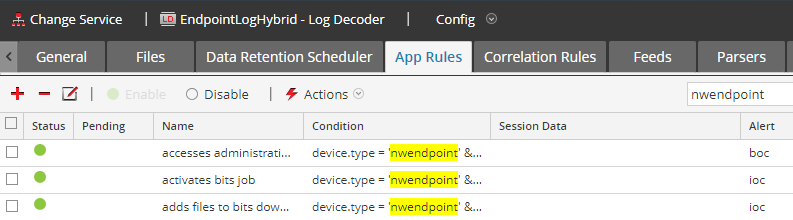
Edit the rule you'd like and add a server.role != 'gold image' && in front of the rule as shown in the example below:
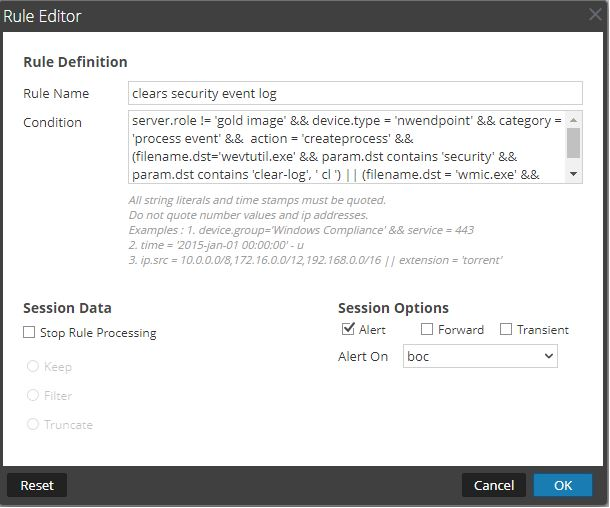
Click OK then Apply the rules
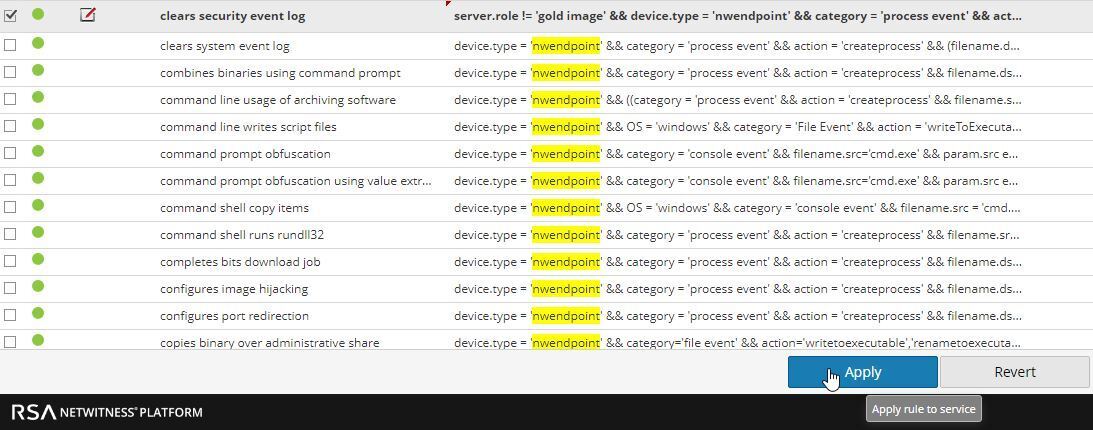
Repeat for any other rules you would need whitelisted.
This is just a simple example, but you can use this approach for many other scenarios.