.png?width=180&height=32&name=NW%20Logo%20(2).png)
Introduction to MITRE ATT&CK Navigator
Advers>TM) for enterprise is a framework which describes the advers>
All RSA Application Rules, ESA Rules and Lua Parsers have been mapped to one or more ATT&CKTM techniques. This mapped content can be viewed in JSON format and can be graphically represented to measure ATT&CKTM matrix coverage by RSA Threat Content.
See the following blog posts on RSA Link for more information:
- For details on Threat Mapping and how to view a JSON in ATT&CK Navigator, see Introduction to MITRE’s ATT&CKTM and Mapping to ESA Rules.
- To learn more about content mapping, graphical representation and to access JSON files with mapped content, see RSA Threat Content mapping with MITRE ATT&CKTM.
Generate of MITRE ATT&CKTM Metadata for RSA NetWitness Content
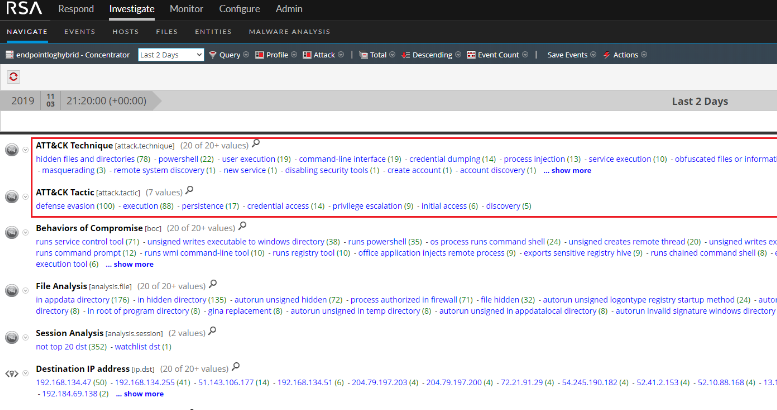
The Investigation Feed generates the metadata for the MITRE ATT&CKTM framework for RSA Application Rules and RSA Lua Parser logic. The keys ATT&CK Tactic and ATT&CK Technique are populated on a match to an out-of-the-box rule.
You can view populated meta in the Investigate > Navigate view.
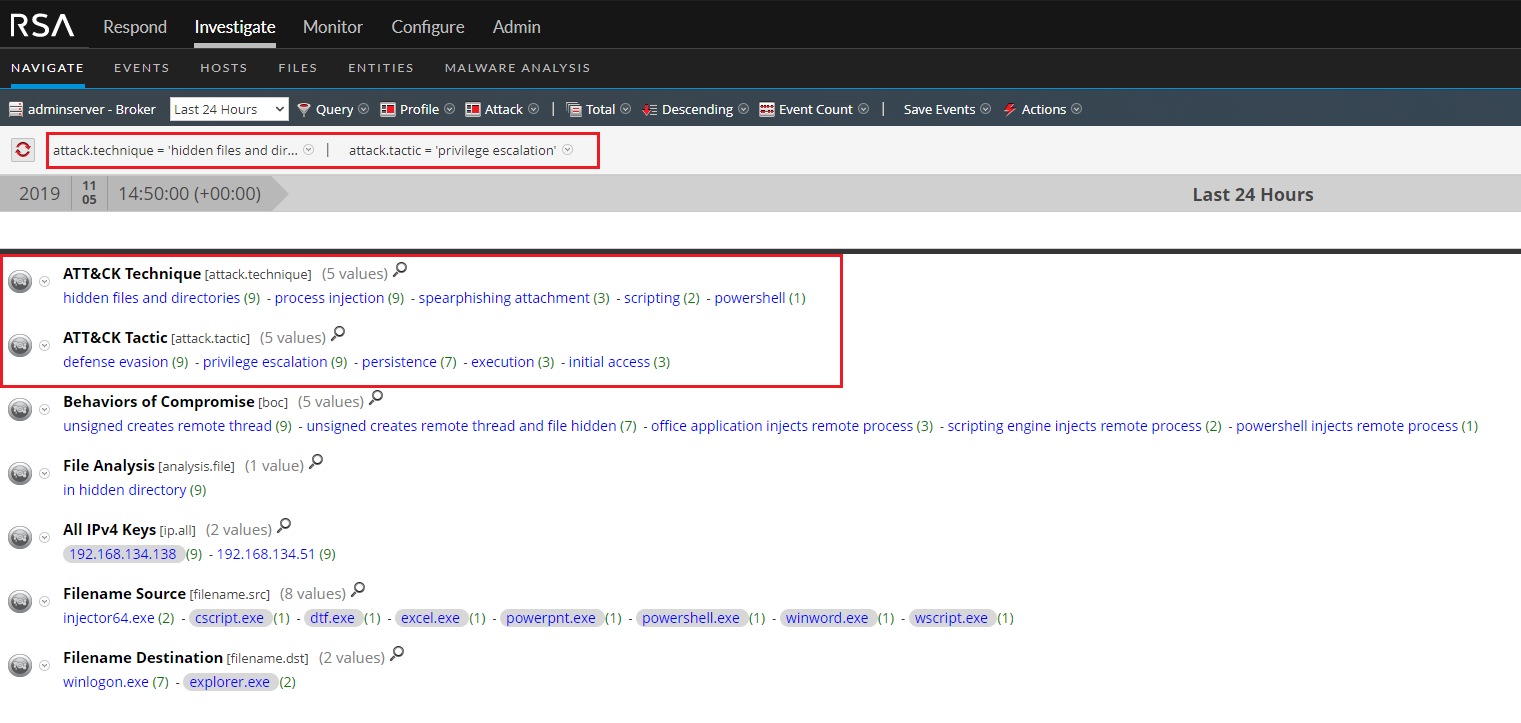
Analysts can query on a specific MITRE ATT&CK technique to investigate further.
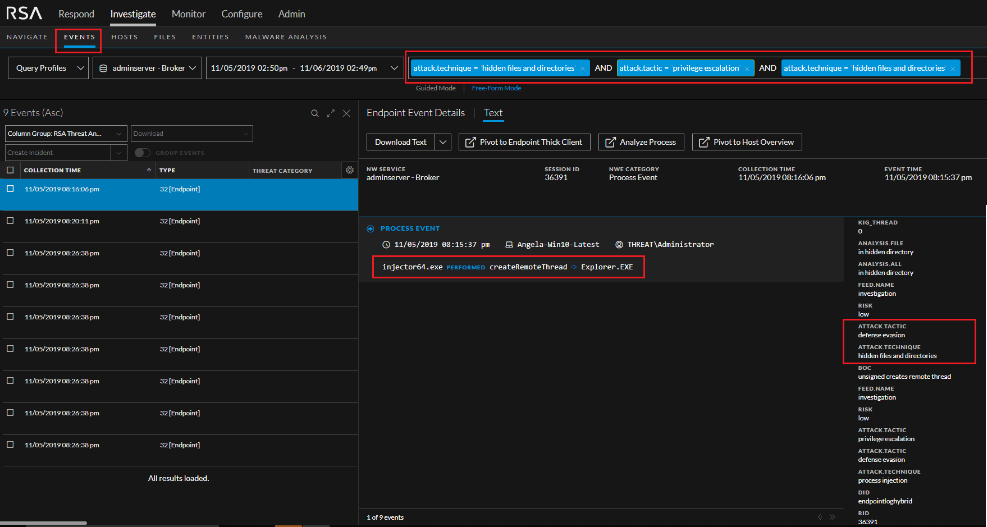
You can also view an query on MITRE ATT&CK keys in Investigation.
Configure RSA NetWitness for Mitre ATT&CKTM Metadata
In RSA NetWitness 11.4 and above, all MITRE ATT&CKTM metadata is generated out-of-the-box and does not require any customization.
For RSA NetWitness Platform 11.3 and lower, follow these steps to generate the metadata:
-
Add the custom keys, ATT&CK Tactic and ATT&CK Technique, to the table-map-custom.xml file on the Decoder.
- In the NetWitness menu, select ADMIN > Services.
- In the Services grid, select a Log Decoder.
- From the Actions menu, select View > Config, then select the Files tab in the Services Config view.
-
Select table-map-custom.xml from the drop-down list, and in the
section of the file, add the following new mappings:
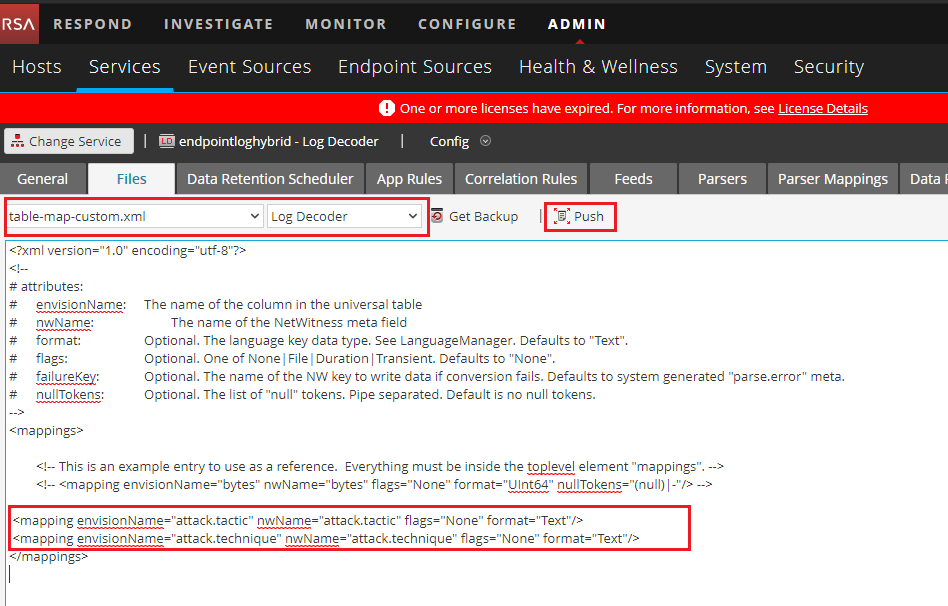
- Click Apply and push changes to other Log Decoders as desired.
-
Add the custom keys, ATT&CK Tactic and ATT&CK Technique, to the Concentrator custom index file.
- In the NetWitness menu, select ADMIN > Services.
-
In the Services grid, select the Concentrator and in the toolbar, select View > Config, then select the Files tab.
The Device Config view is displayed with the Concentrator Files tab open.
-
Select index-concentrator-custom.xml from the drop-down list, and add the new keys as shown below and then click Apply.
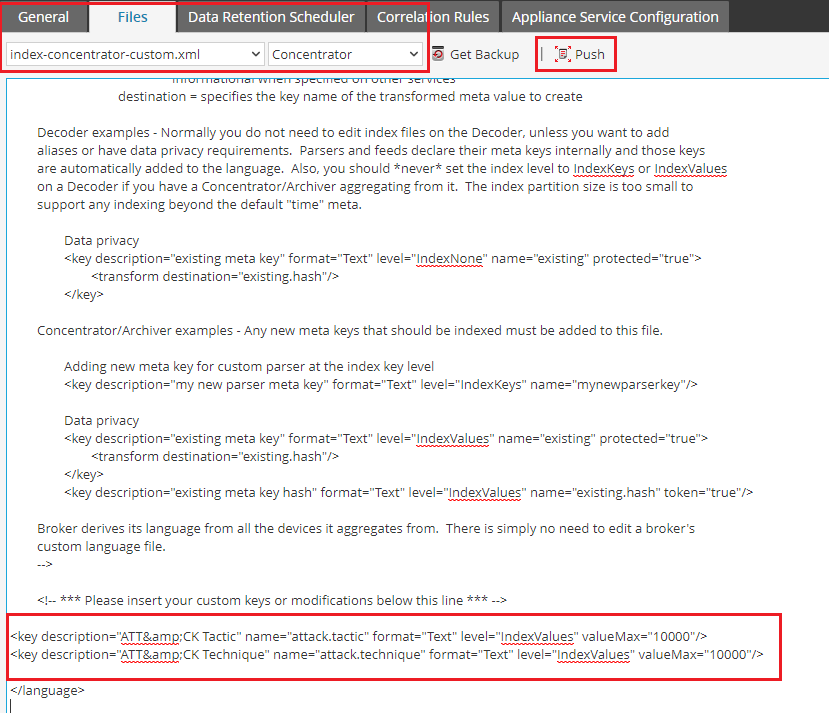
- Push changes to other Concentrators as desired.
- For changes to take effect immediately, restart all concentrators onto which changes were pushed.
-
Get the latest Investigation Feed from Live and deploy to the desired log decoders or decoders.
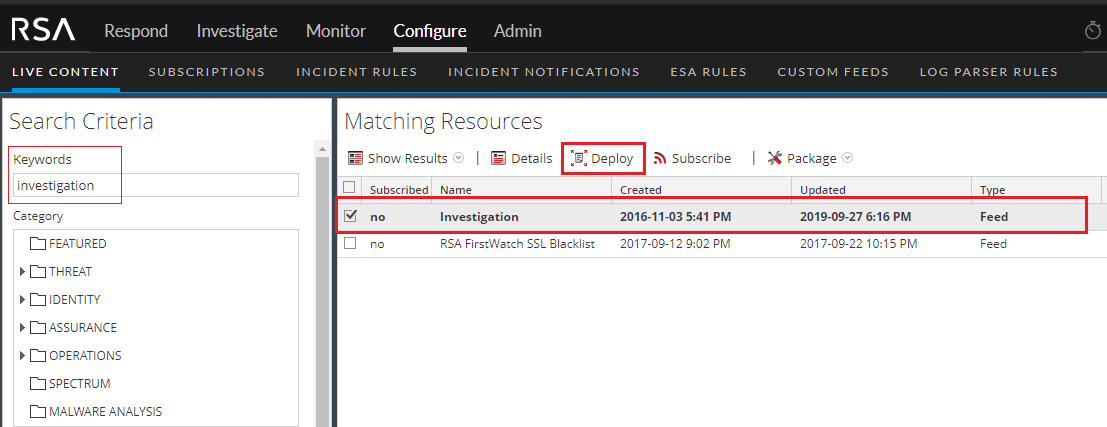
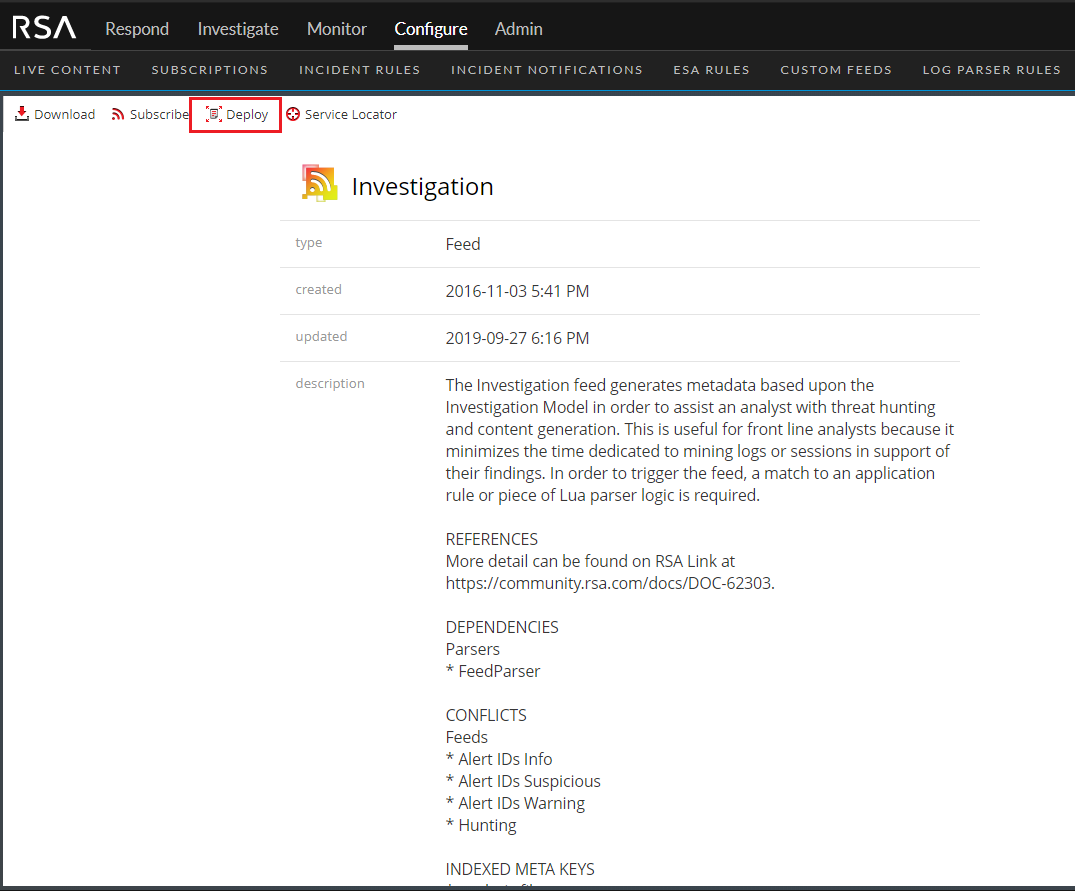
Table of Contents > RSA NetWitness Platform Content > RSA Threat Content Mapping with MITRE ATT&CKTM