.png?width=180&height=32&name=NW%20Logo%20(2).png)
Build Rule View
The Build Rule view explains the actions and associated procedures that you can perform under Rules.
Workflow
This workflow shows the procedure to create or deploy a rule.
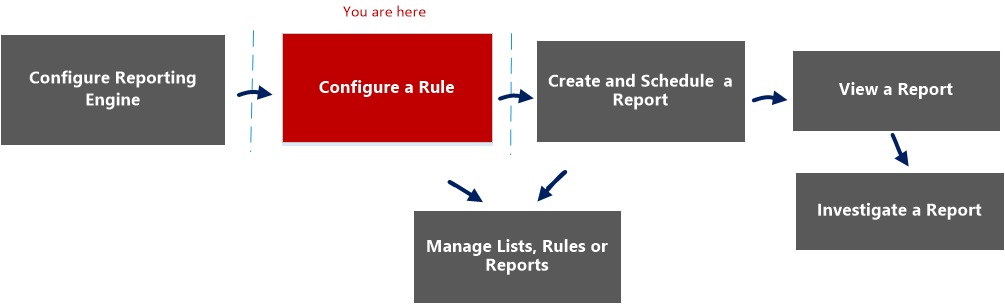
What do you want to do?
*You can complete these tasks here.
Related Topics
Quick View
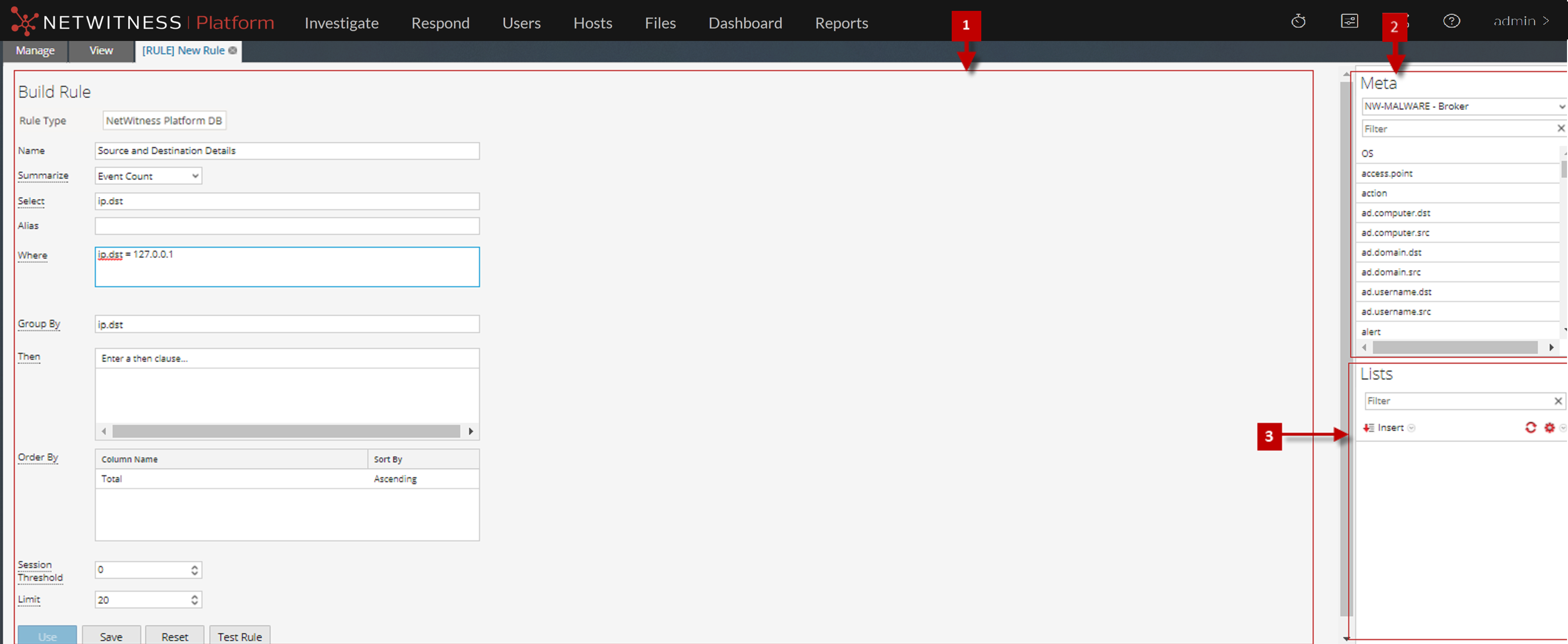
To access the Build Rule view:
- Go to Reports.
The Manage tab is displayed. - In the Rules toolbar, click
 > NetWitness Platform DB.
The Build Rule view tab is displayed
Features
The Build Rule view includes the following panels.
Rule Panel
The Rule panel allows you to create a rule for the selected database type.
The following figure shows the Rule panel.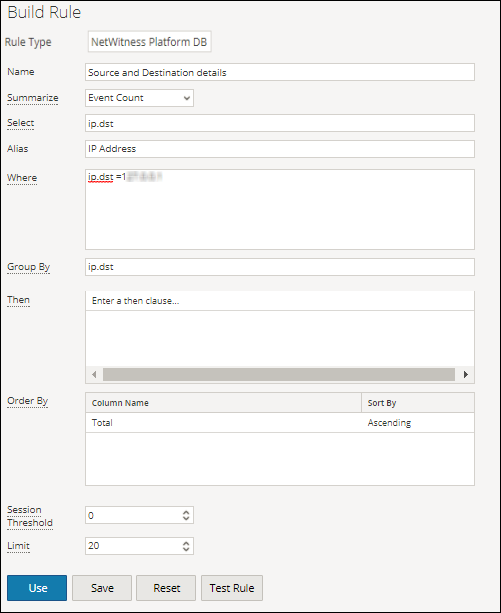
The following table describes the features in the Rule panel.
Test Rule Dialog
To access the Test Rule view:
-
Go to Reports.
The Manage tab is displayed.
-
In the Rules panel, do one of the following:
- Select a rule and click
 in the Rules toolbar.
 -
Click
 > Edit.
The Build Rule view tab is displayed.
- Select a rule and click
-
Click Test Rule.
The Test Rule view is displayed.
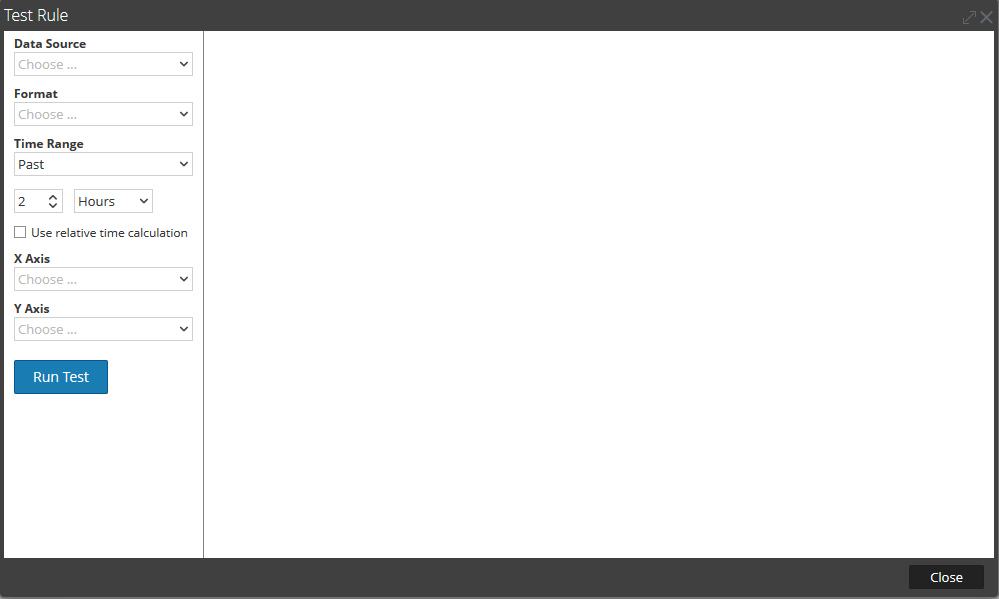
The following table describes the features in the Test Rule Dialog.
Meta Panel
The Meta panel provides a list of available meta types that you can use to build the rule. You can use the meta types in the Select, Where, and Then clauses. The Reporting Engine maintains an active list of the available meta names by continuously synchronizing with the data source to which it is connected.
The following figure displays the Meta panel.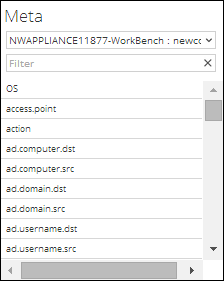
The following table describes the features in the Meta panel.
Lists Panel
A List is a placeholder for a set of values that you can use in a meta or a variable. For example, you can define a list with all the whitelisted event source IP addresses. Once the List is defined then you can use the List name in the rule. This provides the flexibility of adding, modifying, and deleting the list values.
The Lists panel is a collection of Lists. The Reporting Engine maintains an active list of the available list names by continuously synchronizing with the collection to which it is connected.
The following figure displays the Lists panel.
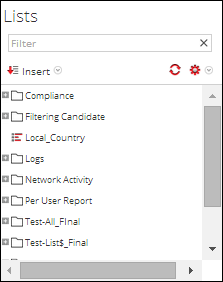
The following table describes the features in the Lists panel.