.png?width=180&height=32&name=NW%20Logo%20(2).png)
Context Lookup Panel - Respond View
The Context Hub service brings together contextual information from several data sources into the Respond view so that analysts can make better decisions during their analysis and take appropriate action. Seeing the entities, meta values, and contextual information in a single interface helps analysts to prioritize and identify areas of interest. For example, recently created incidents and alerts from the Respond view involving a given entity or meta value will be displayed when the analyst queries for additional information for that entity or meta value. The Context Lookup panel displays contextual information for the selected entities or meta values such as IP address, User, Host, Domain, File Name, or File Hash. The data available depends on the configured sources in the Context Hub.
The Context Lookup panel displays the contextual information based on the data available on the configured sources in the Context Hub.
What do you want to do?What do you want to do?
Related TopicsRelated Topics
Contextual Information Displayed in the Context Lookup PanelContextual Information Displayed in the Context Lookup Panel
The contextual information or query results displayed in the Context Lookup panel depends on the selected entity and the associated data sources. The Context Lookup panel has separate tabs for each of the data sources. The tabs are: List data source, Archer, Active Directory, Endpoint, Incidents, Alerts, and REST API. The following figure shows the Context Lookup panel for a selected entity in the Incident Details view. 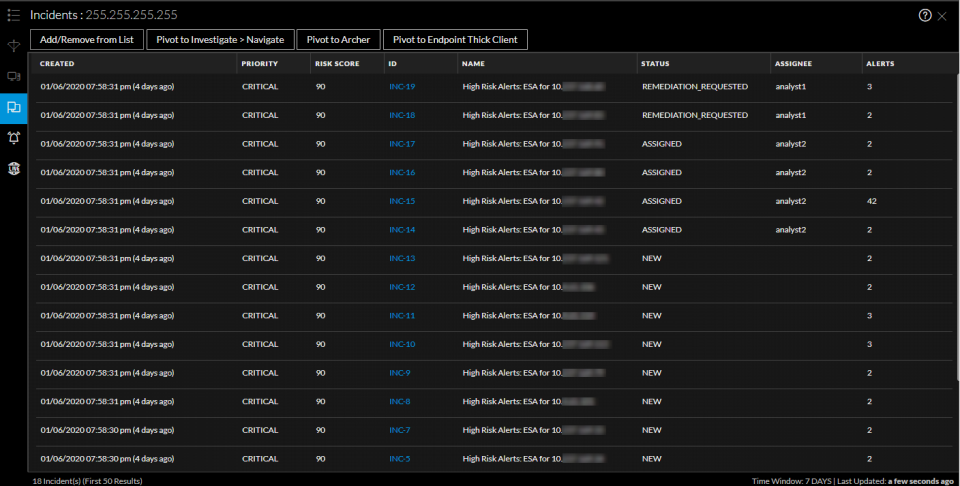
The following table describes the data available on each tab and the supported entities.
Lists TabLists Tab
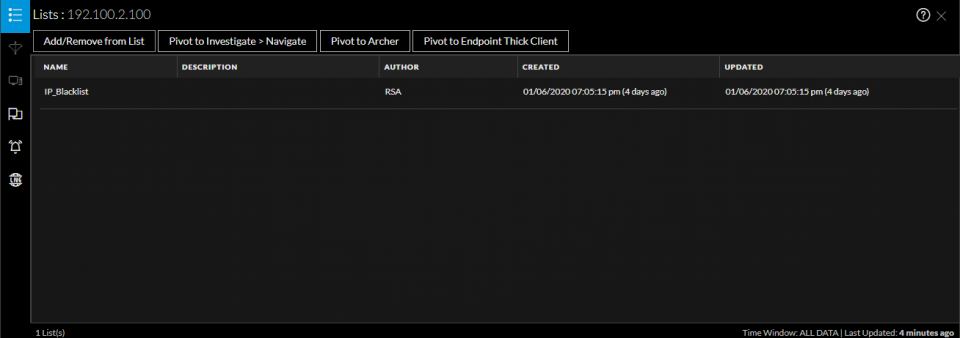
The Context Lookup panel for Lists shows one or more lists associated with the selected entity or meta value. The following figure is an example of the Context Panel for Lists, and the table describes the fields.
Archer TabArcher Tab
The Context Lookup panel for Archer displays asset information along with criticality ratings using the Archer data source for IP, Host, and Mac entities. The following figure is an example of the Context Lookup panel for Archer, and the table describes each field.
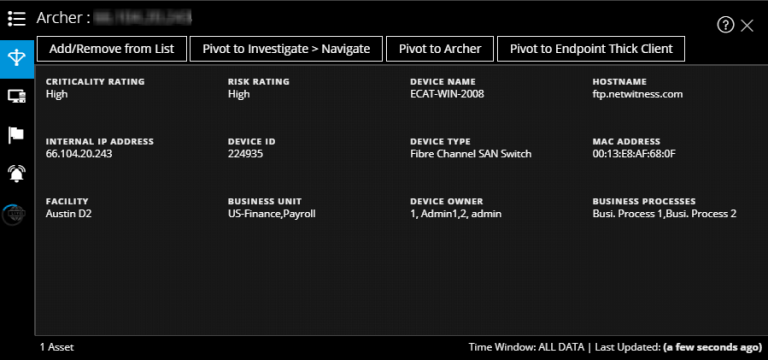
Note: In the localized versions, only these twelve fields are displayed: Criticality Rating, Risk Rating, Device Owner, Business Unit, Host Name, MAC Address, Facilities, IP Address, Type, Device ID, Device Name, and Business Processes.
Active Directory TabActive Directory Tab
The following figure is an example of a Context Lookup panel for Active Directory.
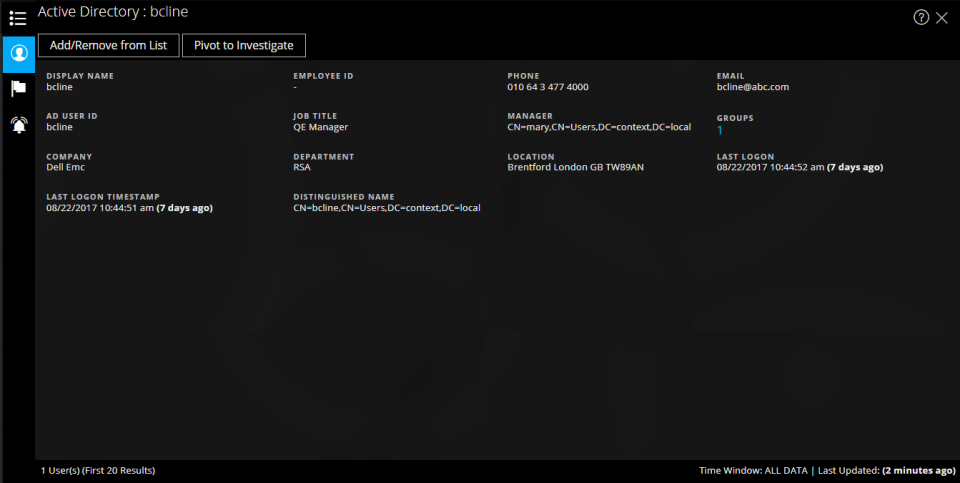
The Context Lookup panel for Active Directory displays all the related information, incidents, and alerts for a user. You can perform a look up using the following formats:
- userPrincipalName
- Domain\UserName
- sAMAccountName
The following information is displayed for Active Directory.
NetWitness Endpoint TabNetWitness Endpoint Tab
The following figure is an example of the Context Lookup panel for NetWitness Endpoint.
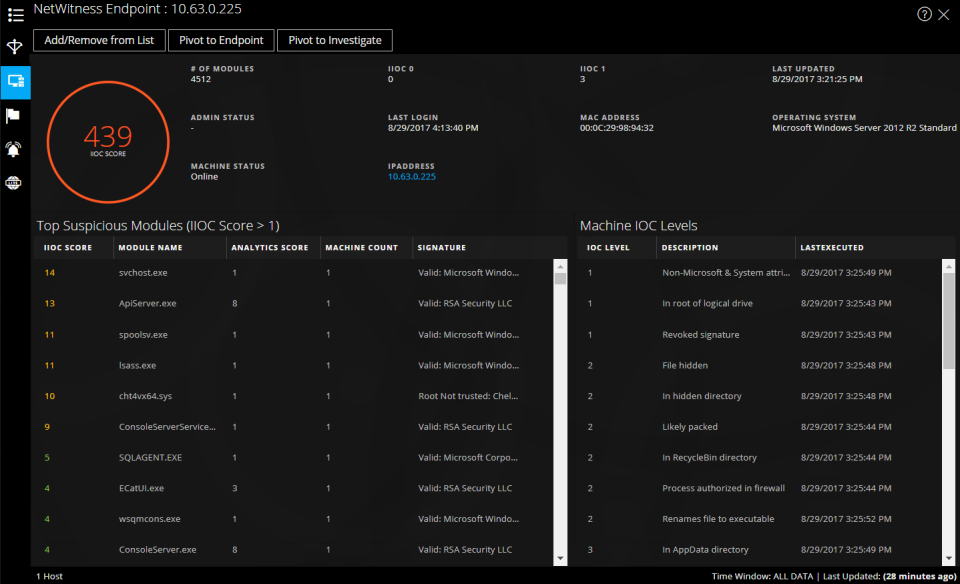
The following information displayed for IIOCs.