.png?width=180&height=32&name=NW%20Logo%20(2).png)
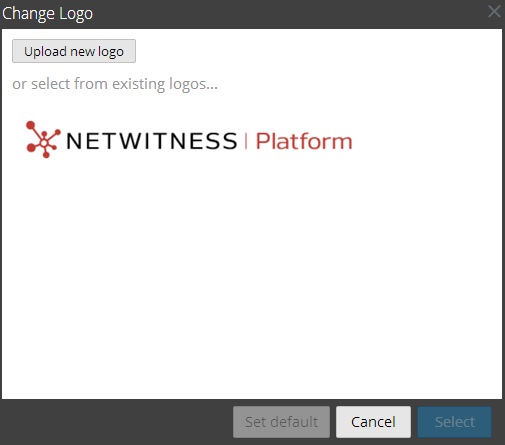
Select a Logo Dialog
In the Select a Logo dialog, you can upload a new logo that is not available in Reporting Engine Services Config view or choose an existing logo from the Reporting Engine Services Config view.
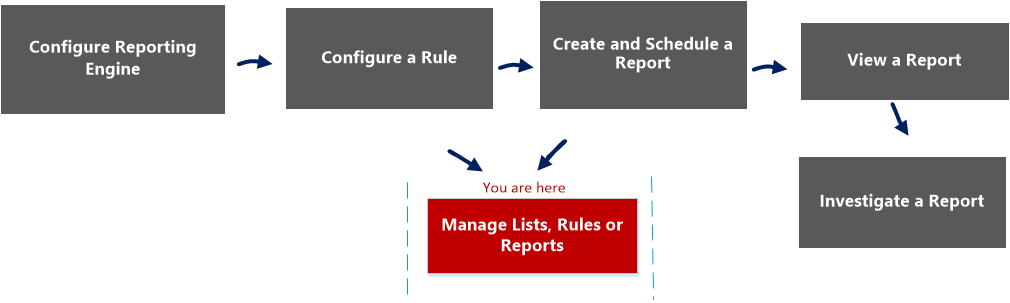
Workflow
This workflow shows the procedure to manage reports or report groups.
What do you want to do?
*You can complete these tasks here.
Related Topics
Quick View
To access this dialog:
-
Go to Reports.
The Manage tab is displayed.
-
Click Reports.
The Reports view is displayed.
- In the Reports panel, select a report.
-
Click
 > View Scheduled Reports.
The View scheduled reports view tab is displayed.
-
Select a scheduled report and click
> Edit Schedule.The Schedule a Report view tab is displayed.
-
Click the Logo panel.
The Change a Logo dialog box is displayed.
The following table lists the fields in the Select a Logo dialog.