.png?width=180&height=32&name=NW%20Logo%20(2).png)
Services Config View
The Services Config view is one of the views available from the  (Admin) > Services >
  . It provides a user interface for configuring all aspects of a Core service or NetWitness service.
The configuration options in the Services Config view are organized as tabs, with each tab providing a view of a set of related parameters. Unlike the Services Explore view, which offers direct access to all configuration files for a service, these tabs present the most commonly modified parameters of service configuration in a user-friendly view.
Due to configuration requirements for different services; each type of service has variations in available tabs and configuration parameters in this view. Individual topics describe configuration parameters that are specific to a host (Brokers, Concentrators, Network Decoders, Log Decoders, and Archivers) or service (for example, Reporting Engine, IPDB Extractor, Log Collector, and Warehouse Connector).
Workflow
What do you want to do?
Go to the NetWitness All Versions Documents page and find NetWitness Platform guides to troubleshoot issues.
Related Topics
- Edit Service Dialog
- Services Explore View
- Services Logs View
- Services Security View
- Services Stats View
- Services System View
- Services View
Quick Look
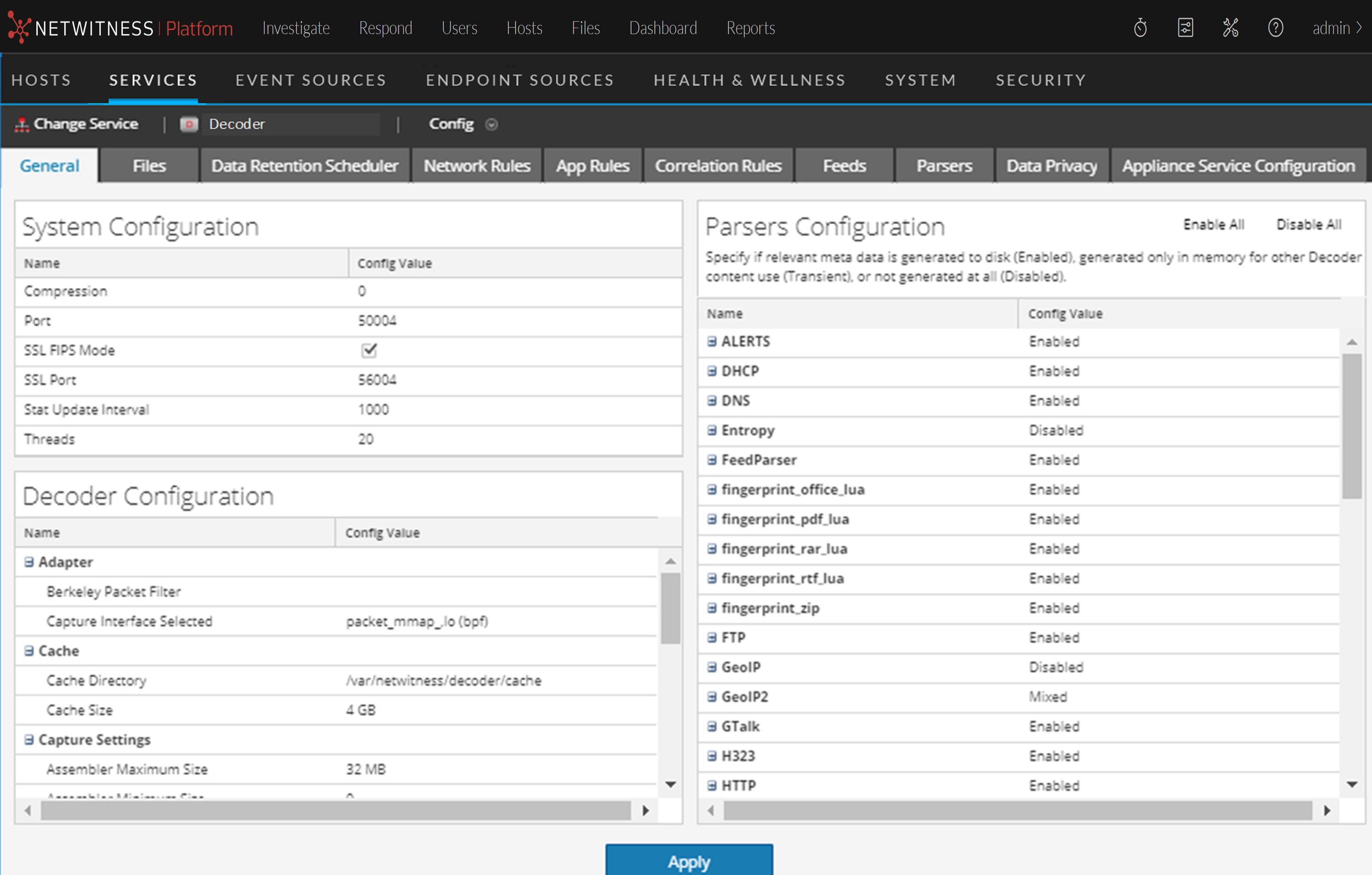
This is an example of the Services Config view for a Network Decoder.
This is an example of the Services Config view for a Concentrator.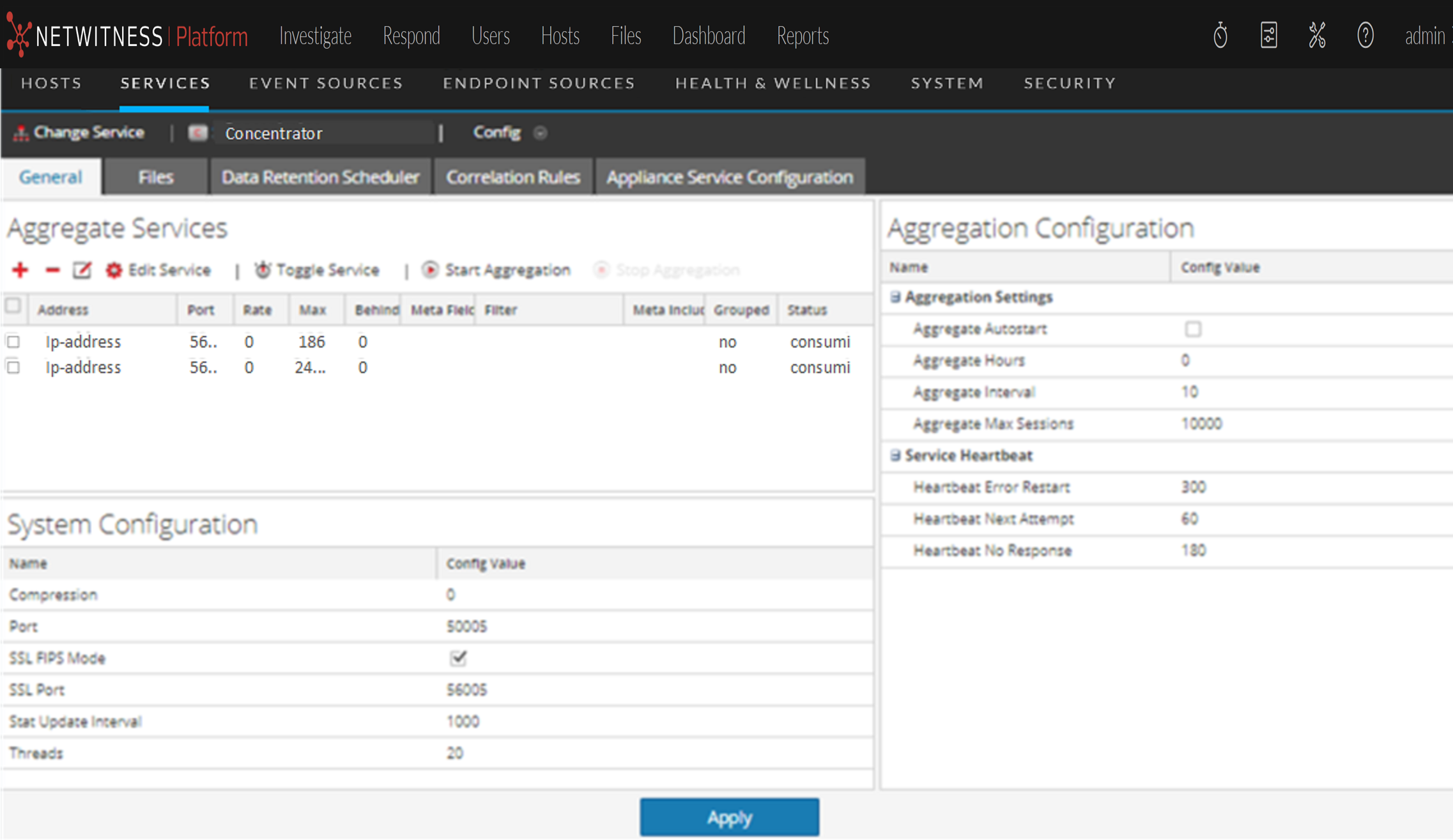
Note: Although both examples show the Services Config view, the tabs and panels are different for each. Refer to the respective guides for detailed instructions on how to configure a particular Services Config view.
Topics