.png?width=180&height=32&name=NW%20Logo%20(2).png)
Services Config View - Capture Policies TabServices Config View - Capture Policies Tab
In the Capture Policies tab (  (Configure) > Capture Policies, administrators can configure selective network data collection policies.
Selective network data collection gives administrators the ability to apply centrally managed capture policies across their Network Decoders. This results in better use of Decoder resources, including hard drive space, which leads to more predictable costs and lessens the burden of managing multiple services. You can determine which traffic is stored and how it is stored by using policies. Each policy contains a list of supported base protocols and definitions for handling any other protocols that are detected. The administrator can choose to deploy predefined policies that capture:
- All base and other protocols (Full Capture - All Protocols)
- Only metadata on all base and other protocols (Capture Meta Only - All Protocols)
- Only metadata on all base protocols and drop all other protocols (Capture Meta on Base Protocols, Drop all other protocols)
- All base protocols and only metadata on all other protocols (Full Capture on Base Protocols, Meta only on all other protocols)
The predefined policies are not configurable. The only way you can edit predefined policies is by assigning services (such as Decoders) to deploy them.
Administrators can create custom policies to give further control over the deployment. A base set of protocols is available for alterations by the administrator, allowing you to choose what level of capture you prefer on a per-protocol basis. If you are only making slight changes, a good start for customization is to clone one of the predefined polices and alter it. These centrally managed policies are then applied to services (Network Decoders) to allow handling multiple use cases across your environment.
Workflow
The following figure depicts the workflow for common Decoder configuration tasks with the steps you can complete in this view highlighted.

What do you want to do?
*You can complete these tasks here.
Related Topics
Quick Look
This is an example of the Capture Policies tab.
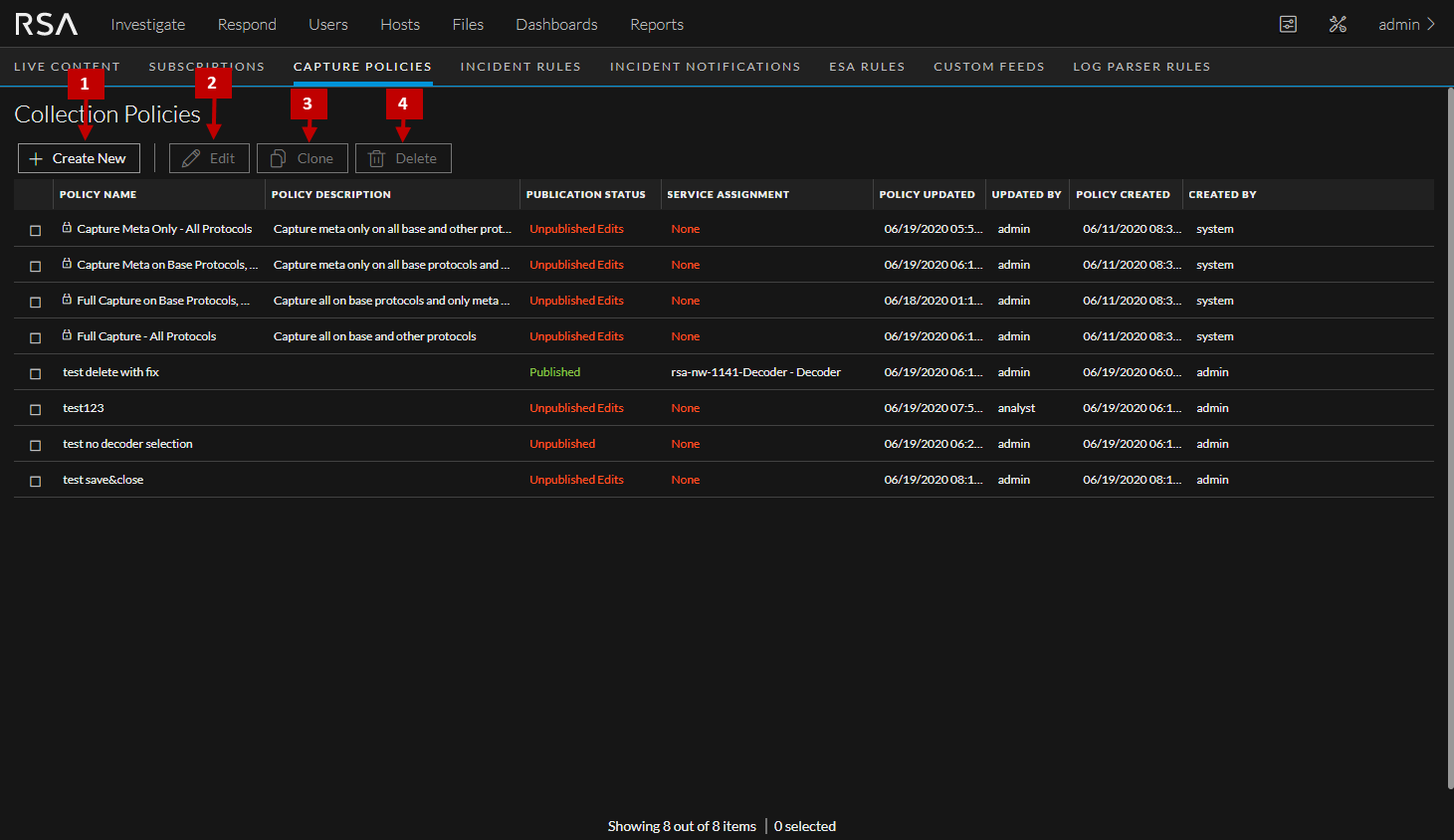
The following table describes the contents of the Capture Policies tab.