.png?width=180&height=32&name=NW%20Logo%20(2).png)
System Logging - Realtime TabSystem Logging - Realtime Tab
This topic describes the features of the System Logging > Realtime tab and the Services Logs view > Realtime tab.
The Realtime tab is a view of the NetWitness log or a service log. When it is initially loaded, the view contains the last 10 log entries. As new entries become available, the view is updated with those entries.
To access the Realtime tab:
- Go to
 (Admin) > System.
 - In the options panel, select System Logging.
The System Logging panel opens to the Realtime tab by default.
What do you want to do?What do you want to do?
Related TopicsRelated Topics
System Logging - Settings View
System Logging - Historical Tab
Quick LookQuick Look
The following is an example of the Realtime tab in the System Logging panel.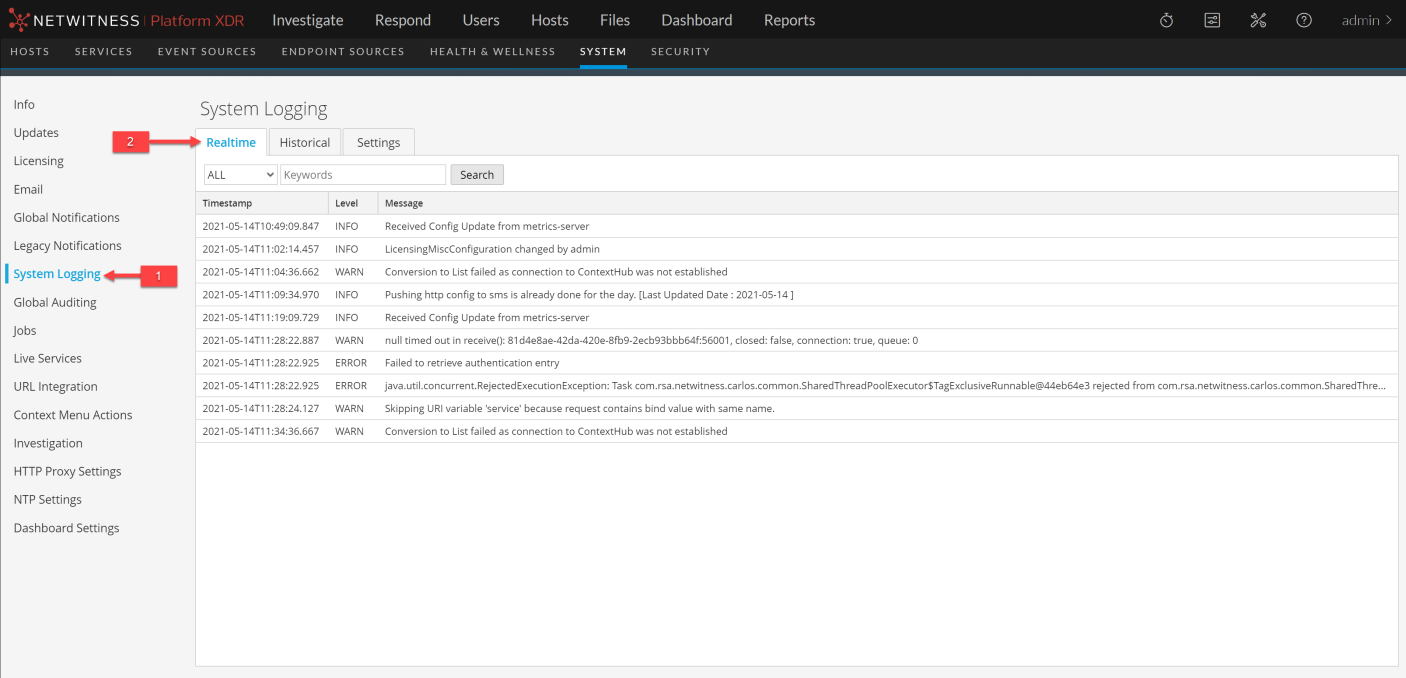
The following is an example of the Realtime tab in the Services Logs view, which is similar.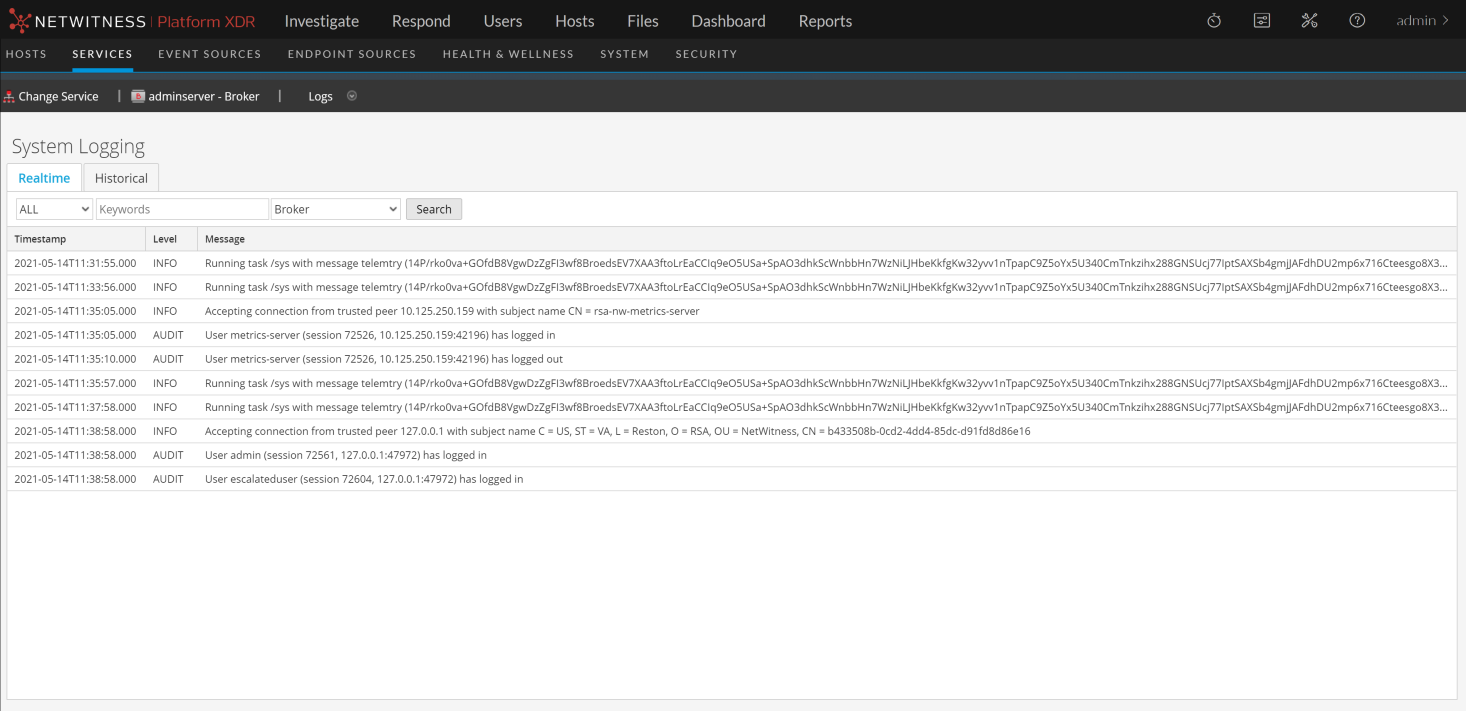
FeaturesFeatures
The Realtime tab has a toolbar with input fields to allow filtering of the entries, and below the toolbar is a grid containing the log entries.