.png?width=180&height=32&name=NW%20Logo%20(2).png)
Tags: Documentation
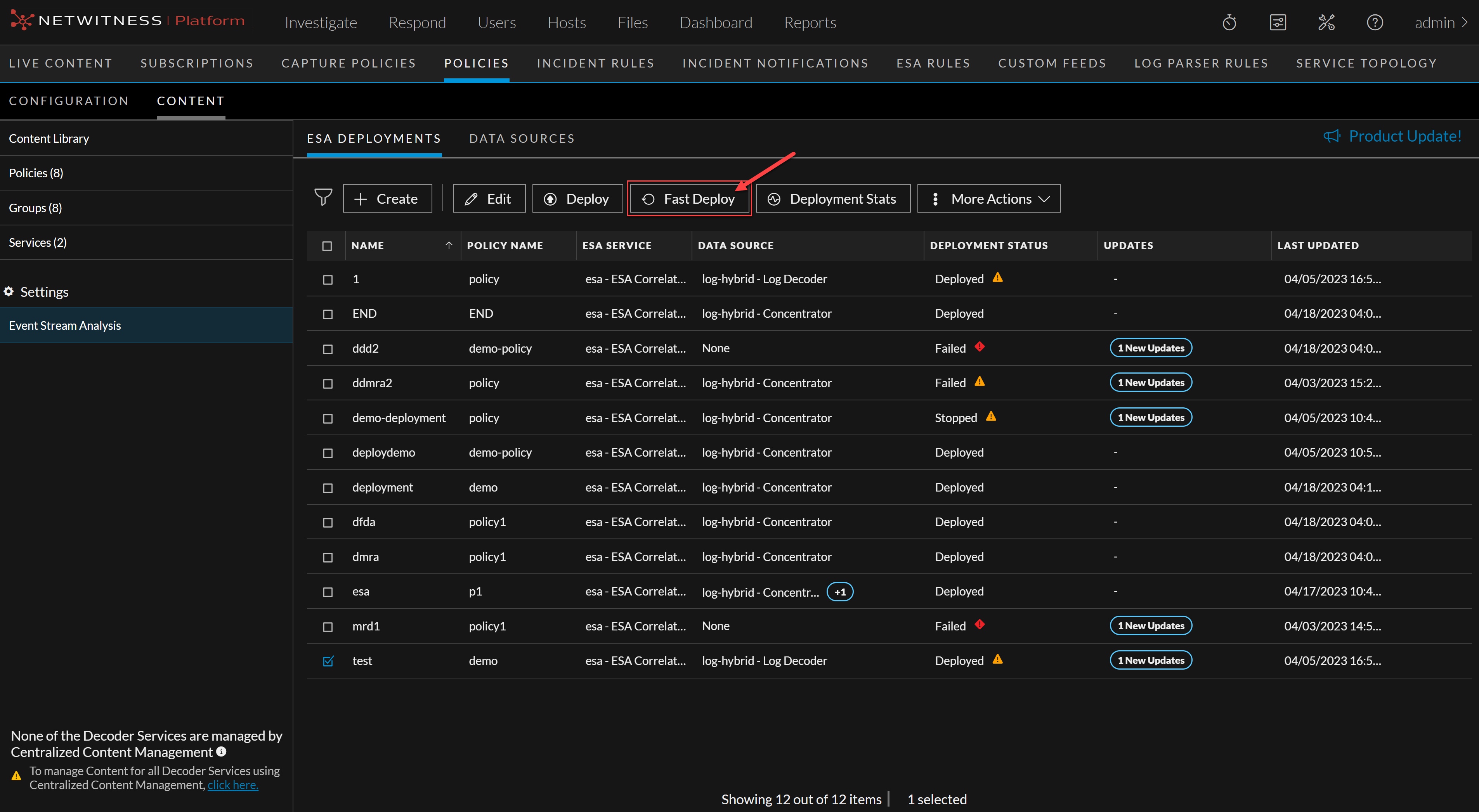
The Fast Deploy option is a feature that allows a user to quickly load the latest rule that runs entirely on the Esper Engine without redeploying the entire engine.
To do fast deployment
-
Go to
 (CONFIGURE) > Policies > Content.
 -
Under Settings, click Event Stream Analysis > ESA Deployments.
The available deployments are displayed.
You can use the Fast Deploy option when there has been a change to an ESA rule, i.e., a rule has been added, modified, or deleted. If any other changes have been made, such as adding a data source, then the Fast Deploy option will not be available.
3. Select the deployments that are updated and need to be deployed.
4. Click Fast Deploy.