.png?width=180&height=32&name=NW%20Logo%20(2).png)
Live Search View
The Live Search view provides the ability to browse the configured Live CMS for resources. Once matching resources are found, you can view details, subscribe to resources, and deploy resources to services and service groups.
Note: If you are logged into an Analyst UI, you can only view but cannot enable, disable, edit, or configure NetWitness Live.
This is an example of the Search view.
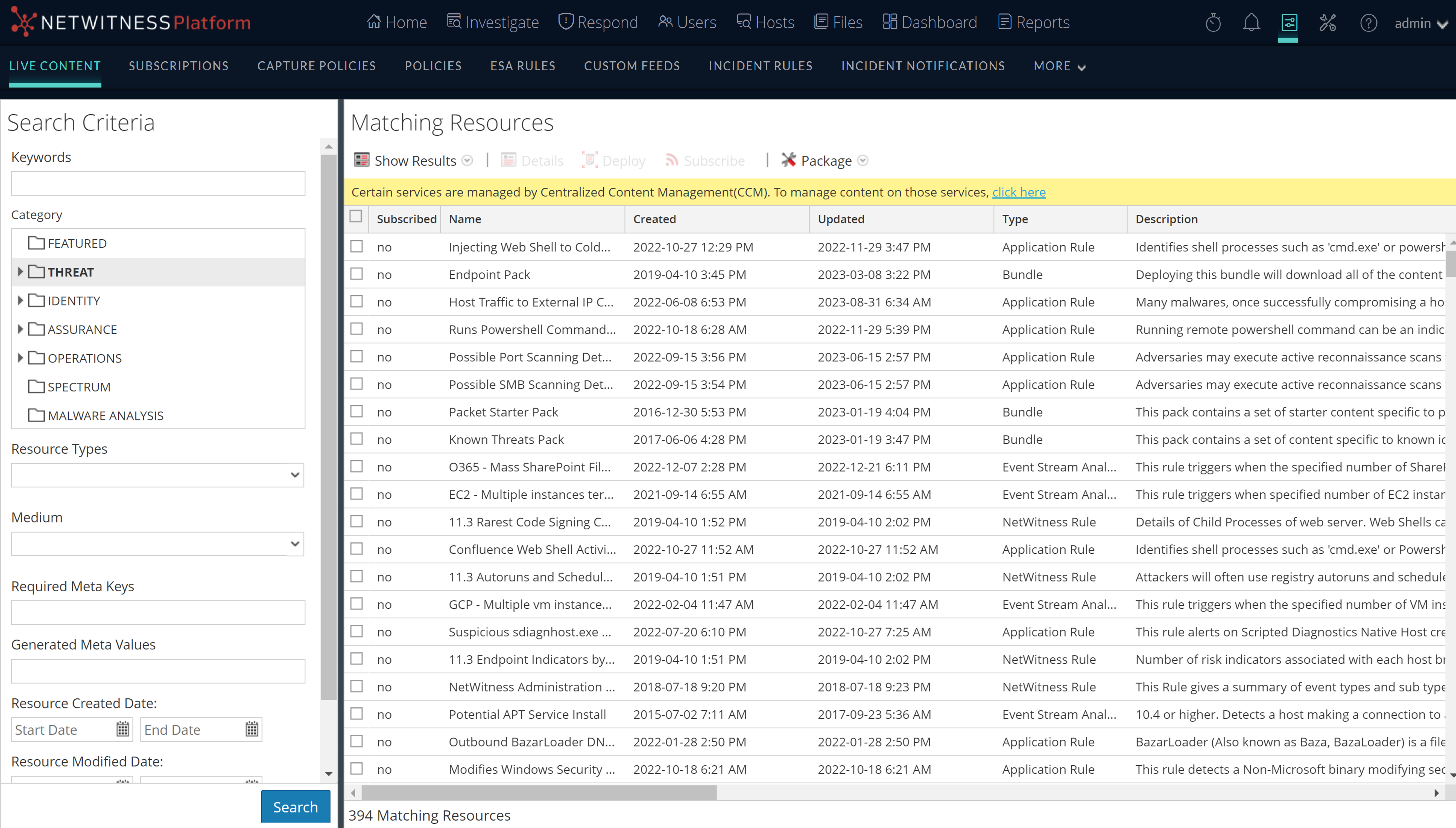
The Live Search view has a panel for specifying search criteria and a panel that displays matching resources. The Search Criteria panel is collapsible to provide more width for viewing the Matching Resources panel.
Search Criteria Panel
This is an example of the Search Criteria panel.
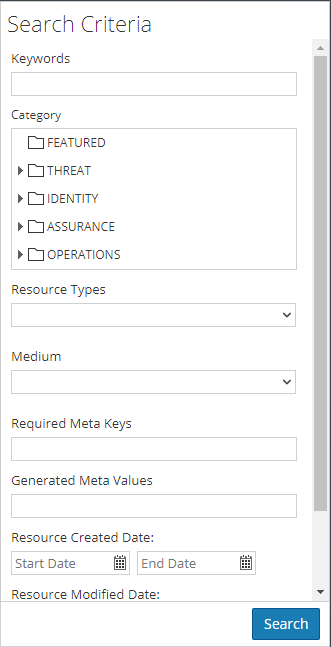
The following table provides descriptions of the Search Criteria panel features.
Matching Resources Panel
The Matching Resources panel displays search results based on the selections made in the Search Criteria panel. Results are initially displayed in a grid, but you can switch between two Show Results options: Detailed or Grid.
Detailed Results
In the detailed results, you can click a tag, meta key, or resource meta value to auto fill the Search Criteria panel and pivot the search results.
The following table describes the elements in the detailed results.
Grid Results
In the grid view, you can select one or more resources and use additional options in the toolbar to view the details of a single resource, subscribe to resources, and deploy resources.
The following table describes the elements in the grid results.
See Also
- For more information on Deployment (
 ), see Find and Deploy Live Resources.
 - For more information on Deploying a Package (
 ), see the Resource Package Deployment Wizard,.