Services Config View
The Services Config view is one of the views available from the
(Admin) > Services >
. It provides a user interface for configuring all aspects of a Core service or NetWitness service.
The configuration options in the Services Config view are organized as tabs, with each tab providing a view of a set of related parameters. Unlike the Services Explore view, which offers direct access to all configuration files for a service, these tabs present the most commonly modified parameters of service configuration in a user-friendly view.
Due to configuration requirements for different services; each type of service has variations in available tabs and configuration parameters in this view. Individual topics describe configuration parameters that are specific to a host (Brokers, Concentrators, Network Decoders, Log Decoders, and Archivers) or service (for example, Reporting Engine, IPDB Extractor, Log Collector, and Warehouse Connector).
Workflow
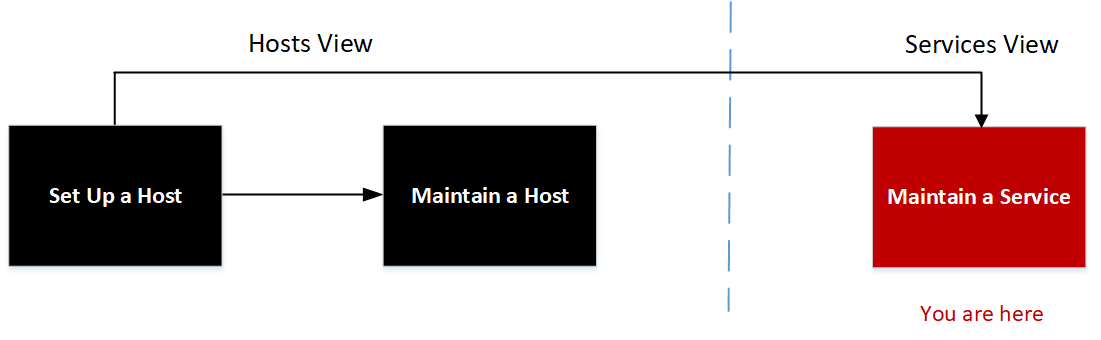
What do you want to do?
- User Role: Administrator
- I want to...: set up a host.
- Documentation:
- User Role: Administrator
- I want to...: maintain a host.
- Documentation: Maintaining Hosts
- User Role:
Administrator
- I want to...: maintain a service.
- Documentation:
- User Role: Administrator
- I want to...: configure an Archiver service.
- Documentation: See Archiver Configuration Guide.
- User Role:
Administrator
- I want to...: configure a Broker service.
- Documentation:
See Broker and Concentrator Configuration Guide.
- User Role:
Administrator
- I want to...:
configure a Concentrator service.
- Documentation:
See Broker and Concentrator Configuration Guide.
- User Role: Administrator
- I want to...: configure a Context Hub service.
- Documentation: See Context Hub Configuration Guide.
- User Role: Administrator
- I want to...: configure an Endpoint Broker service.
- Documentation: See Endpoint Configuration Guide.
- User Role: Administrator
- I want to...: configure an Endpoint Log Hybrid service.
- Documentation: See Endpoint Configuration Guide.
- User Role: Administrator
- I want to...: configure an ESA Primary service.
- Documentation: See ESA Configuration Guide.
- User Role: Administrator
- I want to...: configure an ESA Secondary service.
- Documentation: See ESA Configuration Guide.
- User Role: Administrator
- I want to...: configure a Log Collector service.
- Documentation: See Log Collection Configuration Guide.
- User Role:
Administrator
- I want to...:
configure a Log Decoder service.
- Documentation:
See Decoder Configuration Guide
- User Role:
Administrator
- I want to...:
configure a Malware Analysis service.
- Documentation:
See Malware Analysis User Guide.
- User Role: Administrator
- I want to...: configure a Network Decoder service.
- Documentation: See Decoder Configuration Guide.
- User Role:
Administrator
- I want to...: configure a Reporting Engine service.
- Documentation: See Reporting Engine Configuration Guide.
- User Role:
Administrator
- I want to...: configure a Respond service.
- Documentation:
See NetWitness Respond Configuration Guide.
- User Role: Administrator
- I want to...: configure a UEBA service.
- Documentation: See NetWitness UEBA User Guide.
- User Role:
Administrator
- I want to...:
configure a Warehouse Connector service.
- Documentation:
See Warehouse Connector Configuration Guide.
- User Role:
Administrator
- I want to...:
configure a Workbench service.
- Documentation:
See Workbench Configuration Guide.
Go to the NetWitness All Versions Documents page and find NetWitness Platform guides to troubleshoot issues.
Related Topics
- Edit Service Dialog
- Services Explore View
- Services Logs View
- Services Security View
- Services Stats View
- Services System View
- Services View
Quick Look
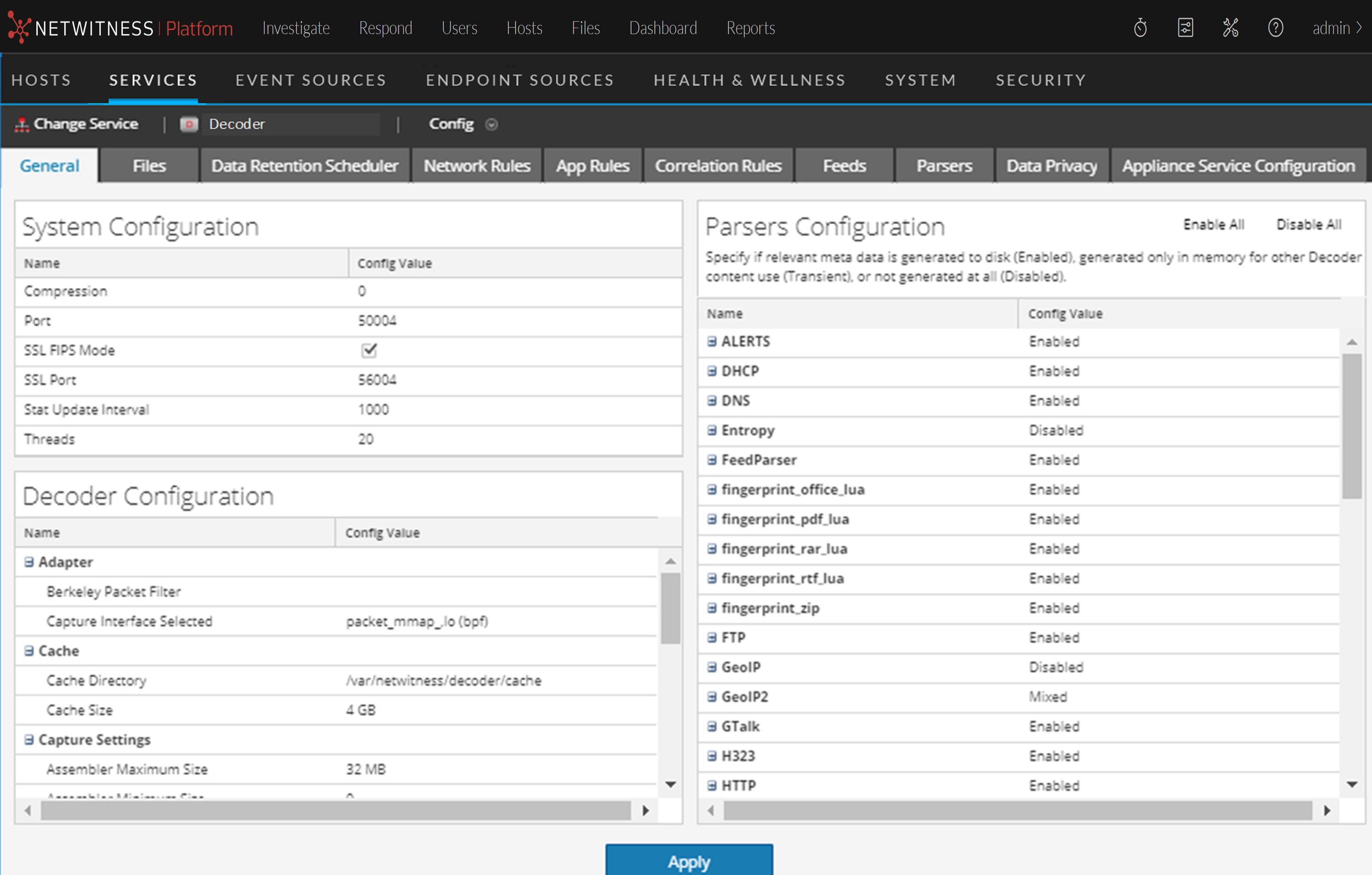
This is an example of the Services Config view for a Network Decoder.
This is an example of the Services Config view for a Concentrator.
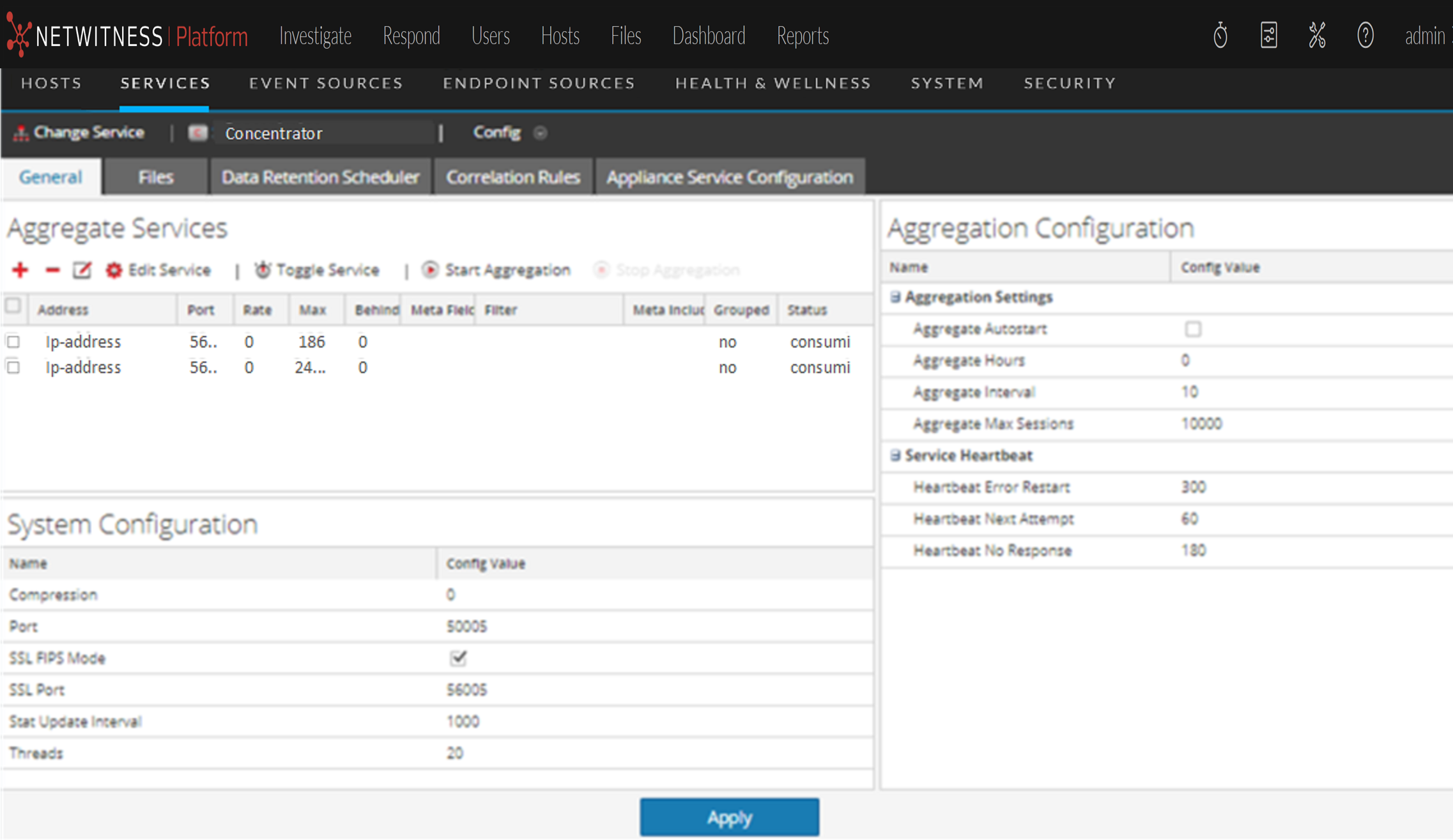
Note: Although both examples show the Services Config view, the tabs and panels are different for each. Refer to the respective guides for detailed instructions on how to configure a particular Services Config view.
Topics